How to Generate SSH keys in Windows 11
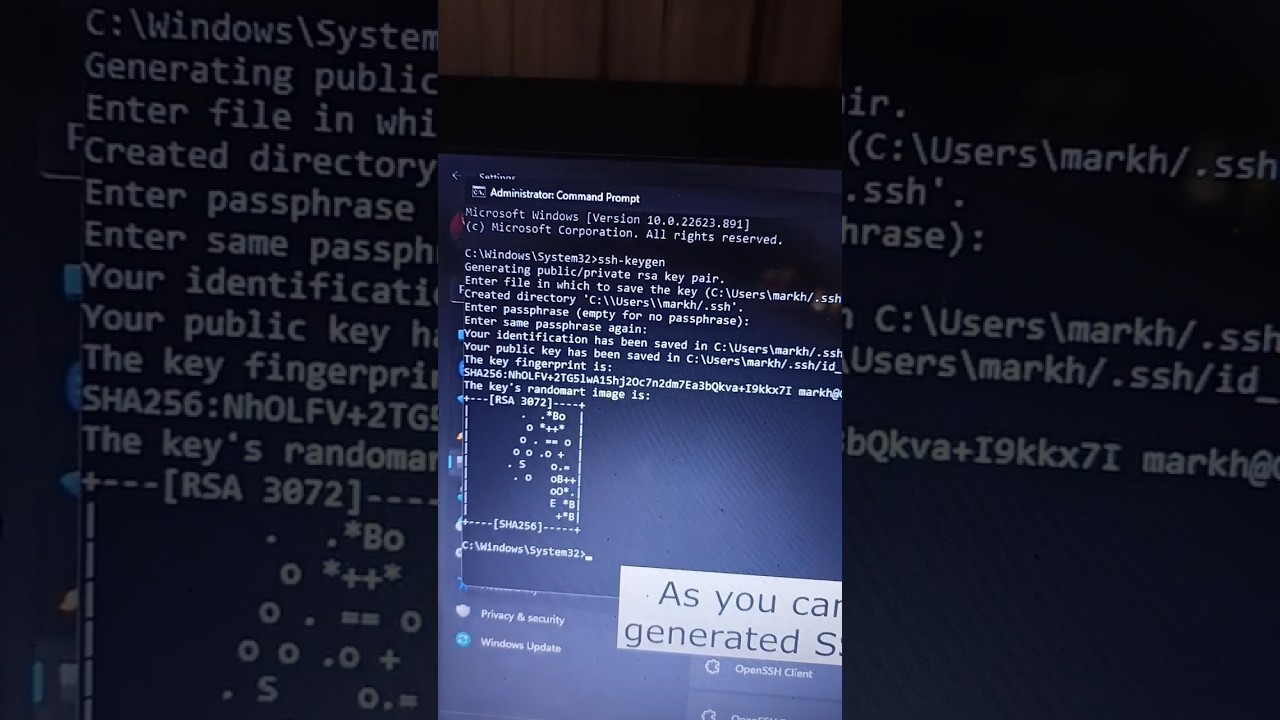
Creating SSH keys is easy, and you have a few different ways to do it. What you'll learn: 1. Option 1: Generate SSH Keys in Windows 11 using OpenSSH Client...

Computer Everywhere
2.1K views • Feb 9, 2024
About this video
Creating SSH keys is easy, and you have a few different ways to do it.
What you'll learn:
1. Option 1: Generate SSH Keys in Windows 11 using OpenSSH Client
a. Confirm that the OpenSSH Client is installed
b. determine if the OpenSSH client is installed on the system
c. How to install OpenSSH Client and OpenSSH Server
d. Launch the Command Prompt
e. Create SSH Keys in Windows 11
f. generate an SSH key
g. How to use the “ssh-keygen” command
h. Add a passphrase or password
i. How to successfully generated SSH keys on Windows11
j. Confirm Key Creation
2. Option 2: Use PuTTY to generate keys
a. How to download and install latest PuTTY
b. How to produce RSA key
c. How to produce DSA key
d. How to produce ECDSA key
e. How to produce EdDSA key
f. How to produce SSH-1(RSA) key
g. How to save your public key and private key
h. How to export OpenSSH Key
---
🔥 Download Opera GX (Gamer’s Browser): https://offergate-software12.com/2-ctv4r-b1eq-cv5u-e541
🌍 Try Opera One (Multigeo): https://nefabop.com/6-11g1fd-c1hm-gv5u-j5ma
💸 Every install supports COMPUTER EVERYWHERE — thank you!
---
#computereverywhere #howto #generate #keys #windows11
What you'll learn:
1. Option 1: Generate SSH Keys in Windows 11 using OpenSSH Client
a. Confirm that the OpenSSH Client is installed
b. determine if the OpenSSH client is installed on the system
c. How to install OpenSSH Client and OpenSSH Server
d. Launch the Command Prompt
e. Create SSH Keys in Windows 11
f. generate an SSH key
g. How to use the “ssh-keygen” command
h. Add a passphrase or password
i. How to successfully generated SSH keys on Windows11
j. Confirm Key Creation
2. Option 2: Use PuTTY to generate keys
a. How to download and install latest PuTTY
b. How to produce RSA key
c. How to produce DSA key
d. How to produce ECDSA key
e. How to produce EdDSA key
f. How to produce SSH-1(RSA) key
g. How to save your public key and private key
h. How to export OpenSSH Key
---
🔥 Download Opera GX (Gamer’s Browser): https://offergate-software12.com/2-ctv4r-b1eq-cv5u-e541
🌍 Try Opera One (Multigeo): https://nefabop.com/6-11g1fd-c1hm-gv5u-j5ma
💸 Every install supports COMPUTER EVERYWHERE — thank you!
---
#computereverywhere #howto #generate #keys #windows11
Video Information
Views
2.1K
Likes
12
Duration
0:16
Published
Feb 9, 2024
User Reviews
4.0
(2) Related Trending Topics
LIVE TRENDSRelated trending topics. Click any trend to explore more videos.
No specific trending topics match this video yet.
Explore All Trends