Enable Network Level Authentication with PowerShell 🔐
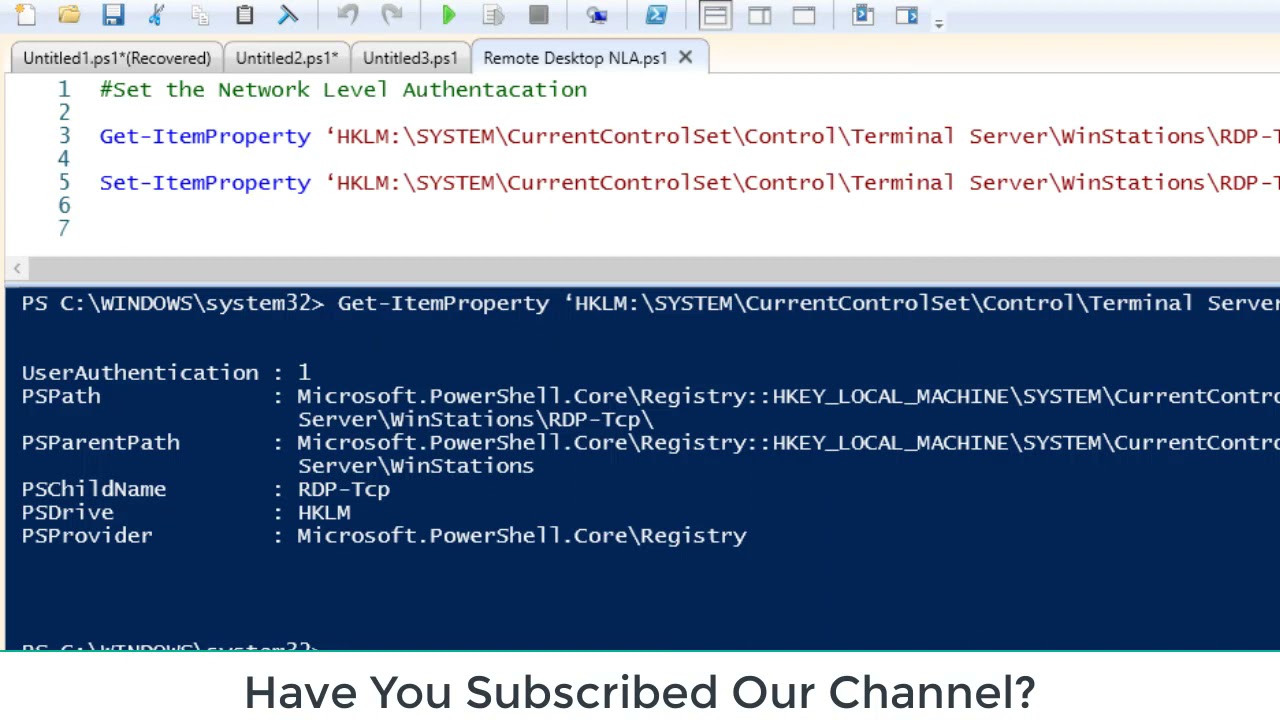
Learn how to enable Network Level Authentication using PowerShell for improved security. Follow the steps in this guide.

Joy Banerjee
2.6K views • Aug 31, 2021
About this video
How to enable network level authentication powershell https://t.me/learnpowershell
A few days ago I was in a training class out of the office with one of my work colleague. During the class he tried to connect to work using our Citrix (SRA) portal when he realized that his computer at work (freshly re-installed with Windows 8.1) was not allowing him to connect because of the Network Level Authentication.
Error message:The remote computer that you are trying to connect to requires Network Level Authentication (NLA), but your Windows domain controller cannot be contacted to perform NLA. If you are an administrator on the remote computer, you can disable NLA by using the options on the Remote tab of the System Properties dialog box.”
Before I talk about the workaround and the PowerShell script we used to fix that, let’s investigate in order to understand the problem.
What is Network Level Authentication ?Permalink
Network Level Authentication is a technology used in Remote Desktop Services (RDP Server) or Remote Desktop Connection (RDP Client) that requires the connecting user to authenticate themselves before a session is established with the server.
Originally, if you opened a RDP (remote desktop) session to a server it would load the login screen from the server for you. NLA delegates the user’s credentials from the client through a client side Security Support Provider and prompts the user to authenticate before establishing a session on the server. This is a more secure authentication method that can help protect the remote computer from malicious users and malicious software.
Network Level Authentication was introduced in RDP 6.0 and supported initially in Windows Vista. It uses the new Security Support Provider, CredSSP, which is available through SSPI since Windows Vista.
**************************************
Get a IT Job - http://skl.sh/2ewiCnT What New Skill its Automation
http://skl.sh/2ewiCnT Why Skillshare Course are Best? Get Discount 0.99 Cents 3 Months
More Information : http://aikitsupport.com/lms/buy-courses/
All AIK IT Support Trainings Now on Skillshare
Any Question You Have Just Click http://aikitsupport.com
****************************************************************
Facebook : https://www.facebook.com/AIKITSupport/
Twitter : https://twitter.com/AIKITSupport
Support Us : https://www.patreon.com/askjoyb
****************************************************
Buy Best WordPress Hosting : http://aikshop.com [Power VPS Server]
****************************************************
A few days ago I was in a training class out of the office with one of my work colleague. During the class he tried to connect to work using our Citrix (SRA) portal when he realized that his computer at work (freshly re-installed with Windows 8.1) was not allowing him to connect because of the Network Level Authentication.
Error message:The remote computer that you are trying to connect to requires Network Level Authentication (NLA), but your Windows domain controller cannot be contacted to perform NLA. If you are an administrator on the remote computer, you can disable NLA by using the options on the Remote tab of the System Properties dialog box.”
Before I talk about the workaround and the PowerShell script we used to fix that, let’s investigate in order to understand the problem.
What is Network Level Authentication ?Permalink
Network Level Authentication is a technology used in Remote Desktop Services (RDP Server) or Remote Desktop Connection (RDP Client) that requires the connecting user to authenticate themselves before a session is established with the server.
Originally, if you opened a RDP (remote desktop) session to a server it would load the login screen from the server for you. NLA delegates the user’s credentials from the client through a client side Security Support Provider and prompts the user to authenticate before establishing a session on the server. This is a more secure authentication method that can help protect the remote computer from malicious users and malicious software.
Network Level Authentication was introduced in RDP 6.0 and supported initially in Windows Vista. It uses the new Security Support Provider, CredSSP, which is available through SSPI since Windows Vista.
**************************************
Get a IT Job - http://skl.sh/2ewiCnT What New Skill its Automation
http://skl.sh/2ewiCnT Why Skillshare Course are Best? Get Discount 0.99 Cents 3 Months
More Information : http://aikitsupport.com/lms/buy-courses/
All AIK IT Support Trainings Now on Skillshare
Any Question You Have Just Click http://aikitsupport.com
****************************************************************
Facebook : https://www.facebook.com/AIKITSupport/
Twitter : https://twitter.com/AIKITSupport
Support Us : https://www.patreon.com/askjoyb
****************************************************
Buy Best WordPress Hosting : http://aikshop.com [Power VPS Server]
****************************************************
Tags and Topics
Browse our collection to discover more content in these categories.
Video Information
Views
2.6K
Likes
17
Duration
4:19
Published
Aug 31, 2021
User Reviews
4.1
(2) Related Trending Topics
LIVE TRENDSRelated trending topics. Click any trend to explore more videos.
No specific trending topics match this video yet.
Explore All Trends