Enable Network Level Authentication on Windows 10/11 🔒
Learn how to turn on Network Level Authentication in Windows 10 and 11 for secure remote access with this simple tutorial.

MDTechVideos
19.8K views • Mar 15, 2022
About this video
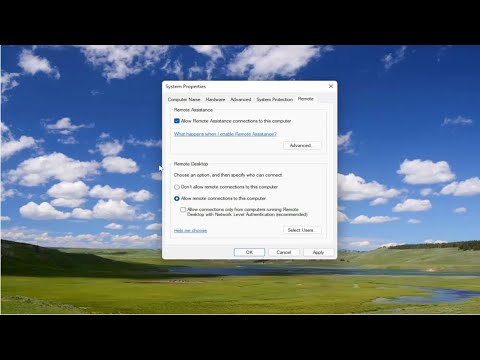
How To Enable Network Level Authentication In Windows 11/10 [Tutorial]
Windows’ remote access technology is quite incredible. It allows you to easily troubleshoot issues, download files, or configure some settings on your remote PC.
However, it’s frustrating when you encounter issues while trying to connect to a remote PC. Just when you’re about to get connected, you see an error message that reads “The Remote Computer Requires Network Level Authentication (NLA)”.
Lucky for you, we’ve got all the solutions that’ll help you resolve this issue. So, let’s dive in and fix your remote connection problems.
Issues addressed in this tutorial:
network level authentication remote desktop error
network level authentication windows 10
network level authentication enabled
network level authentication but your windows domain controller
configure network level authentication for remote desktop services connections
network level authentication failed
network level authentication grayed out
network level authentication how it works
network level authentication option greyed out
network level authentication only
network level authentication rdp error
network level authentication remote desktop gpo
network level authentication remote desktop windows 10
This tutorial will apply for computers, laptops, desktops, and tablets running the Windows 10 and Windows 11 operating systems (Home, Professional, Enterprise, Education) from all supported hardware manufactures, like Dell, HP, Acer, Asus, Toshiba, Lenovo, Huawei and Samsung.
Windows’ remote access technology is quite incredible. It allows you to easily troubleshoot issues, download files, or configure some settings on your remote PC.
However, it’s frustrating when you encounter issues while trying to connect to a remote PC. Just when you’re about to get connected, you see an error message that reads “The Remote Computer Requires Network Level Authentication (NLA)”.
Lucky for you, we’ve got all the solutions that’ll help you resolve this issue. So, let’s dive in and fix your remote connection problems.
Issues addressed in this tutorial:
network level authentication remote desktop error
network level authentication windows 10
network level authentication enabled
network level authentication but your windows domain controller
configure network level authentication for remote desktop services connections
network level authentication failed
network level authentication grayed out
network level authentication how it works
network level authentication option greyed out
network level authentication only
network level authentication rdp error
network level authentication remote desktop gpo
network level authentication remote desktop windows 10
This tutorial will apply for computers, laptops, desktops, and tablets running the Windows 10 and Windows 11 operating systems (Home, Professional, Enterprise, Education) from all supported hardware manufactures, like Dell, HP, Acer, Asus, Toshiba, Lenovo, Huawei and Samsung.
Tags and Topics
Browse our collection to discover more content in these categories.
Video Information
Views
19.8K
Likes
60
Duration
2:11
Published
Mar 15, 2022
User Reviews
4.0
(3) Related Trending Topics
LIVE TRENDSRelated trending topics. Click any trend to explore more videos.
No specific trending topics match this video yet.
Explore All Trends