Understanding BitLocker and Its Recovery Process
BitLocker is a Windows encryption feature that secures data by encrypting drives and requiring authentication. This overview explains how BitLocker works and how to recover data if needed.

Microsoft Helps
221.6K views • Aug 26, 2022
About this video
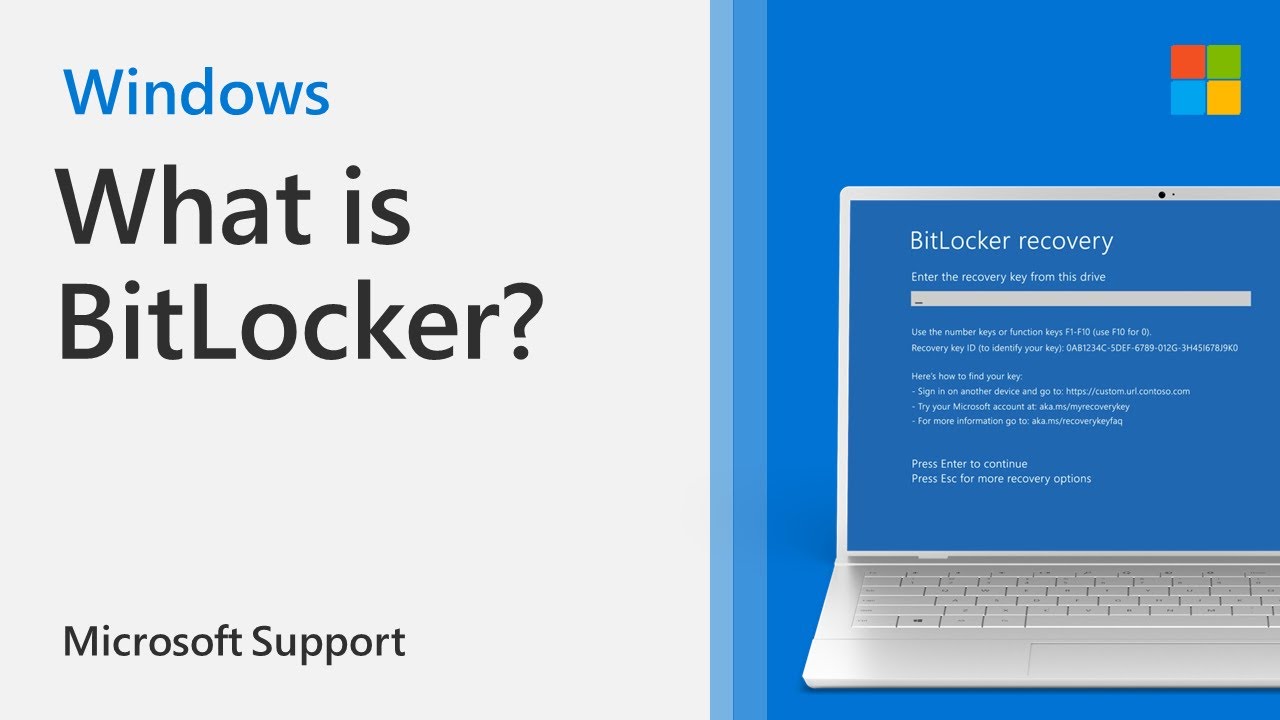
BitLocker is the Windows encryption technology that protects your data from unauthorized access by encrypting your drive and requiring one or more factors of authentication before it will unlock it.
BitLocker is the Windows encryption technology that protects your data from unauthorized access by encrypting your drive and requiring one or more factors of authentication before it will unlock it.
Windows will require a BitLocker recovery key when it detects a possible unauthorized attempt to access the data. This extra step is a security precaution intended to keep your data safe and secure. This can also happen if you make changes in hardware, firmware, or software which BitLocker cannot distinguish from a possible attack. In these cases, BitLocker may require the extra security of the recovery key even if the user is an authorized owner of the device. This is to be certain that the person trying to unlock the data really is authorized.
In this video, you will learn about the different types of BitLocker encryption, why BitLocker is used, and how you can activate BitLocker on your device.
Table of Contents
0:00 Introduction
0:15 Types of BitLocker
0:20 BitLocker Device Encryption
0:36 What is a BitLocker Recovery Key?
0:52 BitLocker Drive Encryption
1:18 How to enable BitLocker Drive Encryption
1:42 BitLocker recovery key
Learn more: https://support.microsoft.com/en-us/windows/finding-your-bitlocker-recovery-key-in-windows-6b71ad27-0b89-ea08-f143-056f5ab347d6
Connect on social:
Twitter https://twitter.com/MicrosoftHelps
Instagram https://instagram.com/microsofthelps
Threads https://threads.net/microsofthelps
More Windows tutorials: https://youtube.com/playlist?list=PLyhj1WZ29G66YtT3jzg3gJGsunBfrq1A9&si=jySJhAfFAmVwSvP4
🔔Subscribe: https://www.youtube.com/@MicrosoftCustomerSupport?sub_confirmation=1
BitLocker is the Windows encryption technology that protects your data from unauthorized access by encrypting your drive and requiring one or more factors of authentication before it will unlock it.
Windows will require a BitLocker recovery key when it detects a possible unauthorized attempt to access the data. This extra step is a security precaution intended to keep your data safe and secure. This can also happen if you make changes in hardware, firmware, or software which BitLocker cannot distinguish from a possible attack. In these cases, BitLocker may require the extra security of the recovery key even if the user is an authorized owner of the device. This is to be certain that the person trying to unlock the data really is authorized.
In this video, you will learn about the different types of BitLocker encryption, why BitLocker is used, and how you can activate BitLocker on your device.
Table of Contents
0:00 Introduction
0:15 Types of BitLocker
0:20 BitLocker Device Encryption
0:36 What is a BitLocker Recovery Key?
0:52 BitLocker Drive Encryption
1:18 How to enable BitLocker Drive Encryption
1:42 BitLocker recovery key
Learn more: https://support.microsoft.com/en-us/windows/finding-your-bitlocker-recovery-key-in-windows-6b71ad27-0b89-ea08-f143-056f5ab347d6
Connect on social:
Twitter https://twitter.com/MicrosoftHelps
Instagram https://instagram.com/microsofthelps
Threads https://threads.net/microsofthelps
More Windows tutorials: https://youtube.com/playlist?list=PLyhj1WZ29G66YtT3jzg3gJGsunBfrq1A9&si=jySJhAfFAmVwSvP4
🔔Subscribe: https://www.youtube.com/@MicrosoftCustomerSupport?sub_confirmation=1
Tags and Topics
Browse our collection to discover more content in these categories.
Video Information
Views
221.6K
Likes
1.1K
Duration
2:19
Published
Aug 26, 2022
User Reviews
4.2
(44) Related Trending Topics
LIVE TRENDSRelated trending topics. Click any trend to explore more videos.
No specific trending topics match this video yet.
Explore All Trends