Troubleshooting PDF Preview Pane Issues in Windows 10/11
Learn how to resolve the problem of blank PDF previews in File Explorer on Windows 10 and 11, ensuring you can quickly view PDF files without scrolling.
High Techy
7.6K views • Jul 9, 2024
About this video
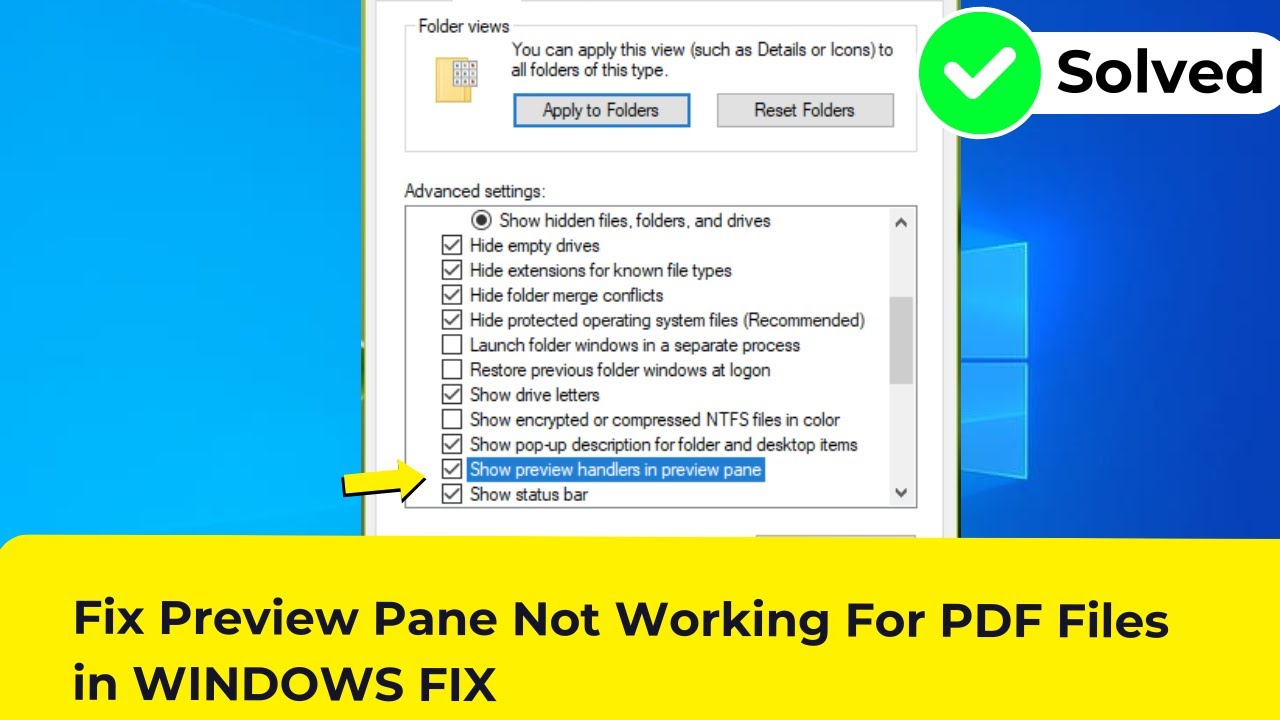
Stuck with Blank PDF Previews? Fix the Preview Pane in Windows 10/11!
Can't see previews of your PDF files in File Explorer? Don't waste time scrolling! This video equips you with proven solutions to get your PDF previews back on track in Windows 10 or 11.
In this video, you'll discover:
Why the Preview Pane might not be showing PDFs: Understand the culprits behind the blank previews.
Multiple solutions to restore functionality:
Quick fixes: Enable preview pane and ensure proper file associations. (Easy and fast!)
Advanced solutions: Check for missing handlers and update Adobe Reader settings. (For tech-savvy users)
Bonus Tip: Prevent future preview pane issues with simple maintenance.
This video is perfect for you if:
You're facing a blank preview pane for your PDF files.
You're unsure why File Explorer isn't showing PDF previews.
You want to quickly access PDF content without constantly opening each file.
Hit that subscribe button and join the tech community for more helpful tutorials!
P.S. Share your experience with the PDF preview issue and how this video helped you in the comments below!
#windows10 #windows11 #pdfpreview #fix #tutorial #techtricks #fileexplorer #previewpane #adobe #settings #troubleshoot
Can't see previews of your PDF files in File Explorer? Don't waste time scrolling! This video equips you with proven solutions to get your PDF previews back on track in Windows 10 or 11.
In this video, you'll discover:
Why the Preview Pane might not be showing PDFs: Understand the culprits behind the blank previews.
Multiple solutions to restore functionality:
Quick fixes: Enable preview pane and ensure proper file associations. (Easy and fast!)
Advanced solutions: Check for missing handlers and update Adobe Reader settings. (For tech-savvy users)
Bonus Tip: Prevent future preview pane issues with simple maintenance.
This video is perfect for you if:
You're facing a blank preview pane for your PDF files.
You're unsure why File Explorer isn't showing PDF previews.
You want to quickly access PDF content without constantly opening each file.
Hit that subscribe button and join the tech community for more helpful tutorials!
P.S. Share your experience with the PDF preview issue and how this video helped you in the comments below!
#windows10 #windows11 #pdfpreview #fix #tutorial #techtricks #fileexplorer #previewpane #adobe #settings #troubleshoot
Tags and Topics
Browse our collection to discover more content in these categories.
Video Information
Views
7.6K
Likes
2
Duration
0:20
Published
Jul 9, 2024
User Reviews
3.8
(1) Related Trending Topics
LIVE TRENDSRelated trending topics. Click any trend to explore more videos.
No specific trending topics match this video yet.
Explore All Trends