Easily Fix 'Can't Preview' PDF Files in Windows 10 Preview Pane 📄
Learn simple steps to enable PDF previews in Windows 10's preview pane. Download and merge registry files to resolve the 'this file can't be previewed' issue quickly and effortlessly.
Cap Trong Nam - How To
184.2K views • Jul 30, 2019
About this video
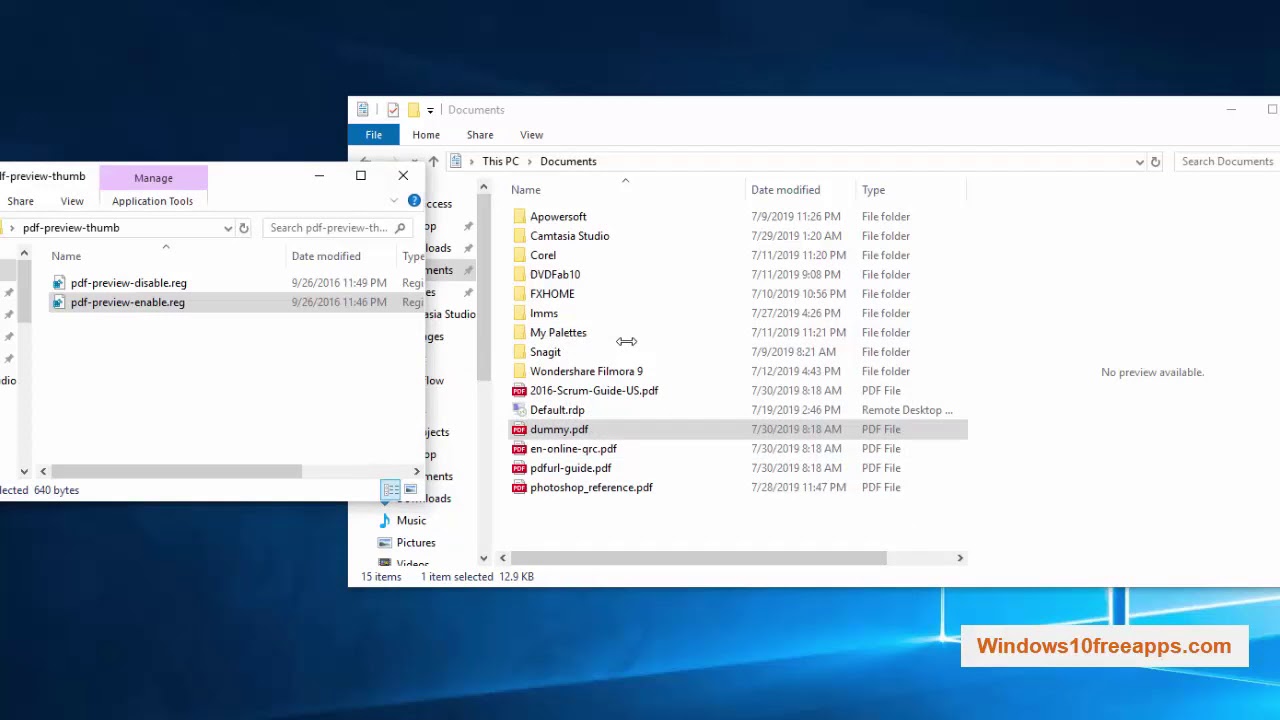
This video will show you how to fix notice: "this file can't be previewed"
1. Download REG Files
2. Open file saved and right-click / select "Merge" / YES / YES / OK
Now you can check PREVIEW PANE with PDF files.
1. Download REG Files
2. Open file saved and right-click / select "Merge" / YES / YES / OK
Now you can check PREVIEW PANE with PDF files.
Video Information
Views
184.2K
Likes
381
Duration
0:56
Published
Jul 30, 2019
User Reviews
4.0
(36) Related Trending Topics
LIVE TRENDSRelated trending topics. Click any trend to explore more videos.