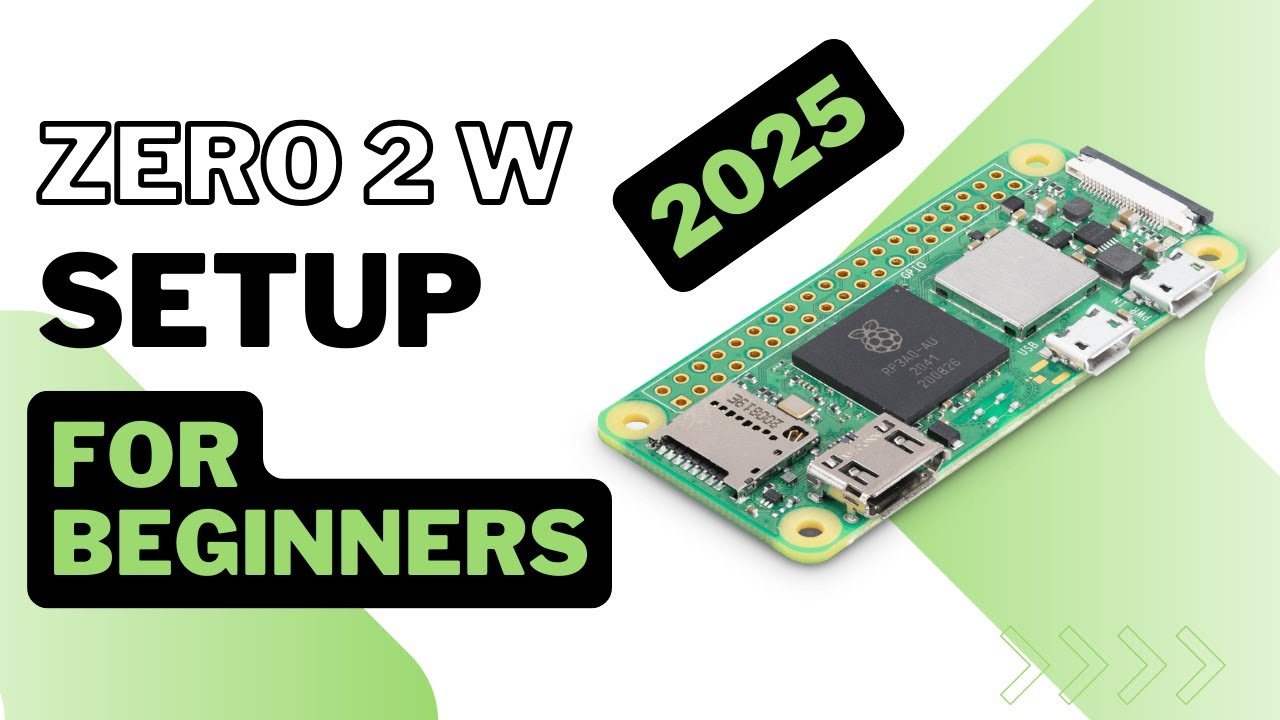
Raspberry Pi Zero 2 W Setup Guide
Learn how to set up the Raspberry Pi Zero 2 W. Join the community for tips and support! 🚀 Perfect for beginners.

RaspBerry Pi Made Easy
109.2K views • Mar 16, 2025
About this video
🎁 Join my PI community: https://www.skool.com/pi-mastery-3626/about
New to Raspberry Pi? The Zero 2 W is the perfect starting point tiny, affordable, and surprisingly powerful. This beginner-friendly 2026 guide takes you from unboxing to a working LED blink project with Python, step by step.
⚡ Join newsletter → https://tally.so/r/w5EeNv
📊 The tool I use for YouTube research & growth → https://vidiq.com/raspberrypi
────────────────────────────
🛠 PARTS LIST
(affiliate links — I may earn a small commission at no extra cost to you)
Raspberry Pi Zero 2 W → https://amzn.to/3S7nZhi
5V/2.5A Micro-USB Power Supply → https://amzn.to/4odP7JT
microSD Card (A1, 16–64GB) → https://amzn.to/3ZfS9Tq
USB 3.0 microSD Card Reader → https://amzn.to/43b8mv7
Mini-HDMI → HDMI Cable → https://amzn.to/4m40B0x
Micro-USB OTG Adapter / Powered USB Hub → https://amzn.to/4nAwzT8
(Optional) 40-Pin Header → https://amzn.to/43OW23U
(Optional) Camera Adapter Cable (22-pin Zero ↔ 15-pin standard) → https://amzn.to/3JFmrKH
(Optional) Small Heatsink → https://amzn.to/3LnB066
────────────────────────────
⏱ TIMESTAMPS
00:00 – Introduction & Overview
00:35 – Unboxing & Key Features
01:47 – Essential Accessories
02:24 – Installing Raspberry Pi OS on Micro SD
03:41 – Connecting & Powering the Pi
04:42 – Desktop Environment Overview
07:47 – LED Blinking Project (GPIO Tutorial)
09:01 – Troubleshooting & Maintenance Tips
────────────────────────────
📌 WHAT YOU'LL LEARN
Unbox the Pi Zero 2 W and explore its built-in Wi-Fi, Bluetooth & quad-core features
Flash Raspberry Pi OS to a microSD card from scratch
Enable SSH & VNC for wireless remote access
Set up Python and blink an LED using GPIO pins
Troubleshoot common display, power & connectivity issues
────────────────────────────
📥 FREE DOWNLOAD — Pi Spark: 10-Command Jumpstart PDF + LED Script
Get the complete Python code and your cheat sheet here:
→ https://tally.so/r/w5EeNv
────────────────────────────
🔔 If this helped you, like and subscribe for more Raspberry Pi builds, AI projects, and maker tutorials.
Ready to go deeper? Join our free Pi Mastery community:
→ https://www.skool.com/pi-mastery-3626/about
────────────────────────────
⚠️ DISCLAIMER
Results shown are based on my personal experience and setup environment. Your results may vary depending on hardware, power supply, and usage scenarios. Always exercise caution to prevent damage or data loss. I assume no liability for issues arising from the use of these instructions.
Happy hacking! 🚀
New to Raspberry Pi? The Zero 2 W is the perfect starting point tiny, affordable, and surprisingly powerful. This beginner-friendly 2026 guide takes you from unboxing to a working LED blink project with Python, step by step.
⚡ Join newsletter → https://tally.so/r/w5EeNv
📊 The tool I use for YouTube research & growth → https://vidiq.com/raspberrypi
────────────────────────────
🛠 PARTS LIST
(affiliate links — I may earn a small commission at no extra cost to you)
Raspberry Pi Zero 2 W → https://amzn.to/3S7nZhi
5V/2.5A Micro-USB Power Supply → https://amzn.to/4odP7JT
microSD Card (A1, 16–64GB) → https://amzn.to/3ZfS9Tq
USB 3.0 microSD Card Reader → https://amzn.to/43b8mv7
Mini-HDMI → HDMI Cable → https://amzn.to/4m40B0x
Micro-USB OTG Adapter / Powered USB Hub → https://amzn.to/4nAwzT8
(Optional) 40-Pin Header → https://amzn.to/43OW23U
(Optional) Camera Adapter Cable (22-pin Zero ↔ 15-pin standard) → https://amzn.to/3JFmrKH
(Optional) Small Heatsink → https://amzn.to/3LnB066
────────────────────────────
⏱ TIMESTAMPS
00:00 – Introduction & Overview
00:35 – Unboxing & Key Features
01:47 – Essential Accessories
02:24 – Installing Raspberry Pi OS on Micro SD
03:41 – Connecting & Powering the Pi
04:42 – Desktop Environment Overview
07:47 – LED Blinking Project (GPIO Tutorial)
09:01 – Troubleshooting & Maintenance Tips
────────────────────────────
📌 WHAT YOU'LL LEARN
Unbox the Pi Zero 2 W and explore its built-in Wi-Fi, Bluetooth & quad-core features
Flash Raspberry Pi OS to a microSD card from scratch
Enable SSH & VNC for wireless remote access
Set up Python and blink an LED using GPIO pins
Troubleshoot common display, power & connectivity issues
────────────────────────────
📥 FREE DOWNLOAD — Pi Spark: 10-Command Jumpstart PDF + LED Script
Get the complete Python code and your cheat sheet here:
→ https://tally.so/r/w5EeNv
────────────────────────────
🔔 If this helped you, like and subscribe for more Raspberry Pi builds, AI projects, and maker tutorials.
Ready to go deeper? Join our free Pi Mastery community:
→ https://www.skool.com/pi-mastery-3626/about
────────────────────────────
⚠️ DISCLAIMER
Results shown are based on my personal experience and setup environment. Your results may vary depending on hardware, power supply, and usage scenarios. Always exercise caution to prevent damage or data loss. I assume no liability for issues arising from the use of these instructions.
Happy hacking! 🚀
Tags and Topics
Browse our collection to discover more content in these categories.
Video Information
Views
109.2K
Likes
1.3K
Duration
10:18
Published
Mar 16, 2025
User Reviews
4.5
(21)