Raspberry Pi Zero 2W Setup Guide 🖥️
Learn how to easily set up your Raspberry Pi Zero 2W with our simple step-by-step tutorial, perfect for beginners and experts alike.

Robu.in
88.6K views • Jun 4, 2024
About this video
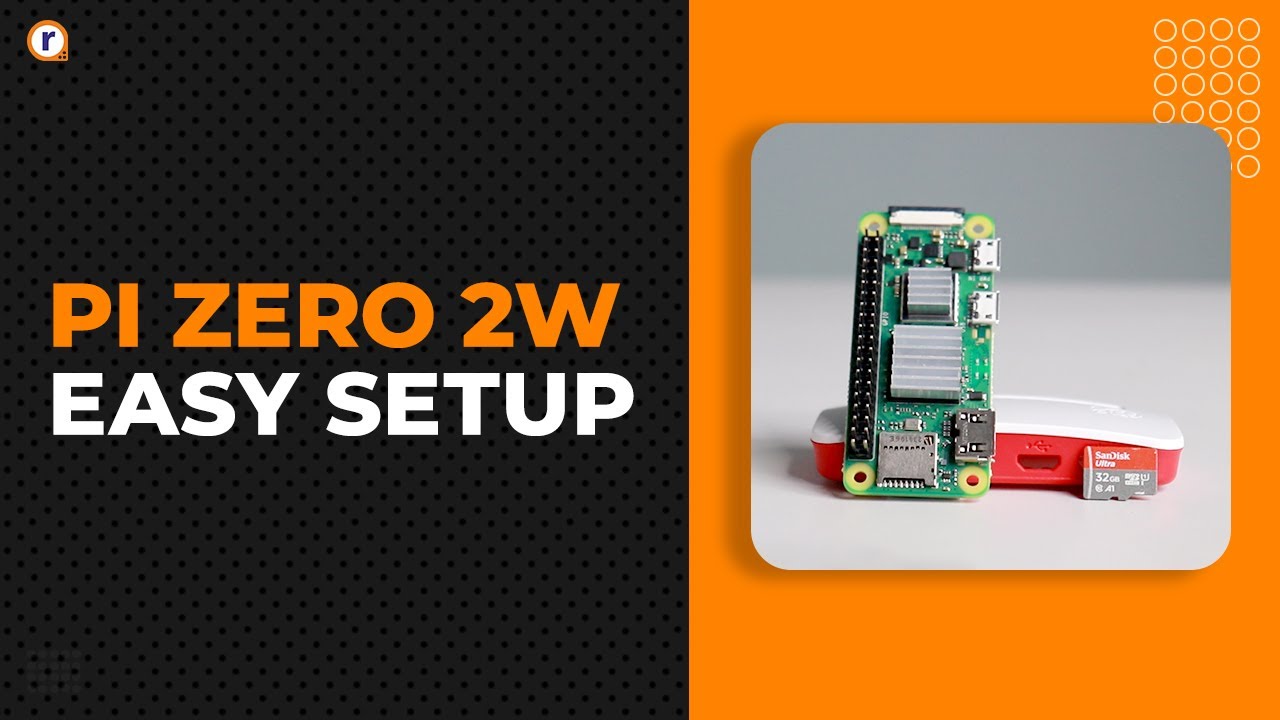
Welcome to our comprehensive guide on setting up your brand new Raspberry Pi Zero 2 W! Whether you're a beginner or an experienced tech enthusiast, this step-by-step tutorial will walk you through everything you need to know to get your Raspberry Pi Zero 2 W up and running smoothly.
In this video, we'll cover:
Necessary Accessories: Power supply, microSD card, adapters, and more.
Preparing the microSD Card: Downloading and installing Raspberry Pi OS.
Initial Setup: Connecting peripherals (keyboard, mouse, monitor), powering up, and initial configuration.
Network Setup: Connecting to Wi-Fi and updating your system.
Installing Essential Software: Recommended software and packages to get started.
Basic Troubleshooting Tips: Common issues and how to resolve them.
By the end of this video, you'll have your Raspberry Pi Zero 2 W fully set up and ready for your projects. Don't forget to like, comment, and subscribe for more Raspberry Pi tutorials and tech guides!
Products Used-
Raspberry Pi Zero 2W- https://robu.in/product/raspberry-pi-zero-2-w/
Pi Zero/ Zero 2W Case- https://robu.in/product/official-raspberry-pi-zero-zero-w-case/
32GB Micro SD Card- https://robu.in/product/sandisk-micro-sd-sdhc-32gb-class-10-memory-card-with-adapter/
Heat Sinks- https://robu.in/product/3-in-1-aluminum-heat-sink-set-for-raspberry-pi-3-4/
Cables- https://robu.in/product/raspberry-pi-zero-3in1-micro-usb-cablepin-headerhdmi-adapter/
__________________________________________________________
Visit- www.robu.in
Blog- https://robu.in/category/blogs/
Github- https://github.com/Robu-In/Raspberry-Pi-Zero-2w
Follow Us –
Instagram- https://www.instagram.com/robu.in_/
Facebook- https://www.facebook.com/robulabs/
Twitter- https://twitter.com/robulabs
In this video, we'll cover:
Necessary Accessories: Power supply, microSD card, adapters, and more.
Preparing the microSD Card: Downloading and installing Raspberry Pi OS.
Initial Setup: Connecting peripherals (keyboard, mouse, monitor), powering up, and initial configuration.
Network Setup: Connecting to Wi-Fi and updating your system.
Installing Essential Software: Recommended software and packages to get started.
Basic Troubleshooting Tips: Common issues and how to resolve them.
By the end of this video, you'll have your Raspberry Pi Zero 2 W fully set up and ready for your projects. Don't forget to like, comment, and subscribe for more Raspberry Pi tutorials and tech guides!
Products Used-
Raspberry Pi Zero 2W- https://robu.in/product/raspberry-pi-zero-2-w/
Pi Zero/ Zero 2W Case- https://robu.in/product/official-raspberry-pi-zero-zero-w-case/
32GB Micro SD Card- https://robu.in/product/sandisk-micro-sd-sdhc-32gb-class-10-memory-card-with-adapter/
Heat Sinks- https://robu.in/product/3-in-1-aluminum-heat-sink-set-for-raspberry-pi-3-4/
Cables- https://robu.in/product/raspberry-pi-zero-3in1-micro-usb-cablepin-headerhdmi-adapter/
__________________________________________________________
Visit- www.robu.in
Blog- https://robu.in/category/blogs/
Github- https://github.com/Robu-In/Raspberry-Pi-Zero-2w
Follow Us –
Instagram- https://www.instagram.com/robu.in_/
Facebook- https://www.facebook.com/robulabs/
Twitter- https://twitter.com/robulabs
Tags and Topics
Browse our collection to discover more content in these categories.
Video Information
Views
88.6K
Likes
1.8K
Duration
3:36
Published
Jun 4, 2024
User Reviews
4.7
(17)