Power Apps Gallery with Tabbed Filters | Step-by-Step Tutorial
In this Power Apps tutorial video, learn how to build a modern Power Apps Gallery with Tabbed Filters — a clean and professional way to view and filter your ...
Reza Dorrani
35.7K views • Nov 3, 2025
About this video
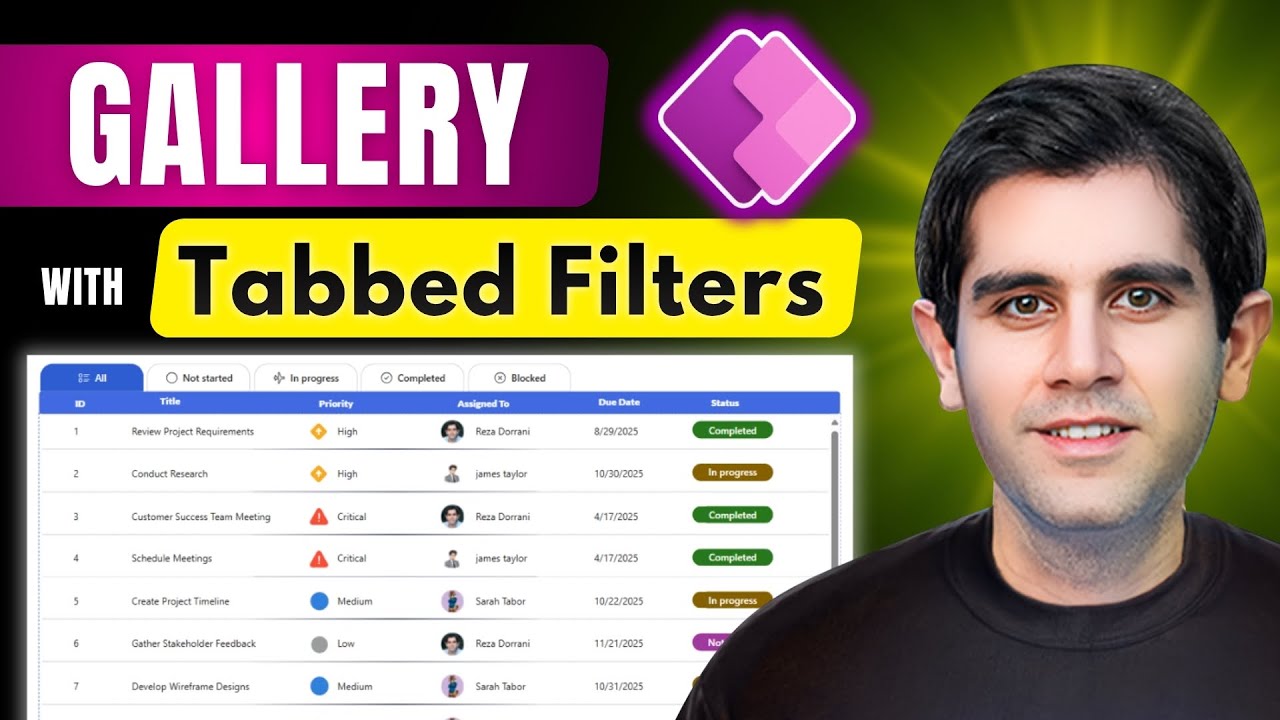
In this Power Apps tutorial video, learn how to build a modern Power Apps Gallery with Tabbed Filters — a clean and professional way to view and filter your data.
This step-by-step Power Apps guide for beginners covers everything — from creating the tab UI using a horizontal gallery to displaying SharePoint list data in a vertical gallery, applying dynamic filters (filtering one gallery from another), designing a gallery that looks like a table, and much more.
🔥 What You’ll Learn:
How to create Tabbed Filters using gallery & modern button controls
How to filter a gallery based on tab selection
How to connect and display data from a SharePoint list
Apply conditional formatting for buttons and status indicators
Design a modern Power Apps UI using the latest controls
👨💻 Technologies Used:
Power Apps • SharePoint List
#PowerApps #Microsoft #PowerPlatform #SharePoint
⬇️ Download Power App shown in video
➡️ The link is in Community Tab for Channel Members (Gold 🥇 OR Silver 🥈)
To become a member, click here: https://www.youtube.com/rezadorrani/join
Table of Contents:
0:00 - Power Apps Gallery with Tabbed Filters | Step-by-Step Tutorial
0:23 - Build a Gallery with Tabbed Filters
1:26 - Build Gallery of Tabs
9:57 - Build Gallery from SharePoint List + design the UI
17:37 - How to filter Gallery based on selection of item (Tab) in another Gallery
This step-by-step Power Apps guide for beginners covers everything — from creating the tab UI using a horizontal gallery to displaying SharePoint list data in a vertical gallery, applying dynamic filters (filtering one gallery from another), designing a gallery that looks like a table, and much more.
🔥 What You’ll Learn:
How to create Tabbed Filters using gallery & modern button controls
How to filter a gallery based on tab selection
How to connect and display data from a SharePoint list
Apply conditional formatting for buttons and status indicators
Design a modern Power Apps UI using the latest controls
👨💻 Technologies Used:
Power Apps • SharePoint List
#PowerApps #Microsoft #PowerPlatform #SharePoint
⬇️ Download Power App shown in video
➡️ The link is in Community Tab for Channel Members (Gold 🥇 OR Silver 🥈)
To become a member, click here: https://www.youtube.com/rezadorrani/join
Table of Contents:
0:00 - Power Apps Gallery with Tabbed Filters | Step-by-Step Tutorial
0:23 - Build a Gallery with Tabbed Filters
1:26 - Build Gallery of Tabs
9:57 - Build Gallery from SharePoint List + design the UI
17:37 - How to filter Gallery based on selection of item (Tab) in another Gallery
Tags and Topics
Browse our collection to discover more content in these categories.
Video Information
Views
35.7K
Likes
784
Duration
19:56
Published
Nov 3, 2025
User Reviews
4.7
(7) Related Trending Topics
LIVE TRENDSRelated trending topics. Click any trend to explore more videos.
No specific trending topics match this video yet.
Explore All Trends