Mastering View Title Customization in Revit: Step-by-Step Guide 🛠️
Learn how to easily customize view titles in Revit with this comprehensive tutorial. Enhance your project organization and presentation skills in Architecture and Civil 3D workflows.
Autodesk786
555 views • Mar 13, 2025
About this video
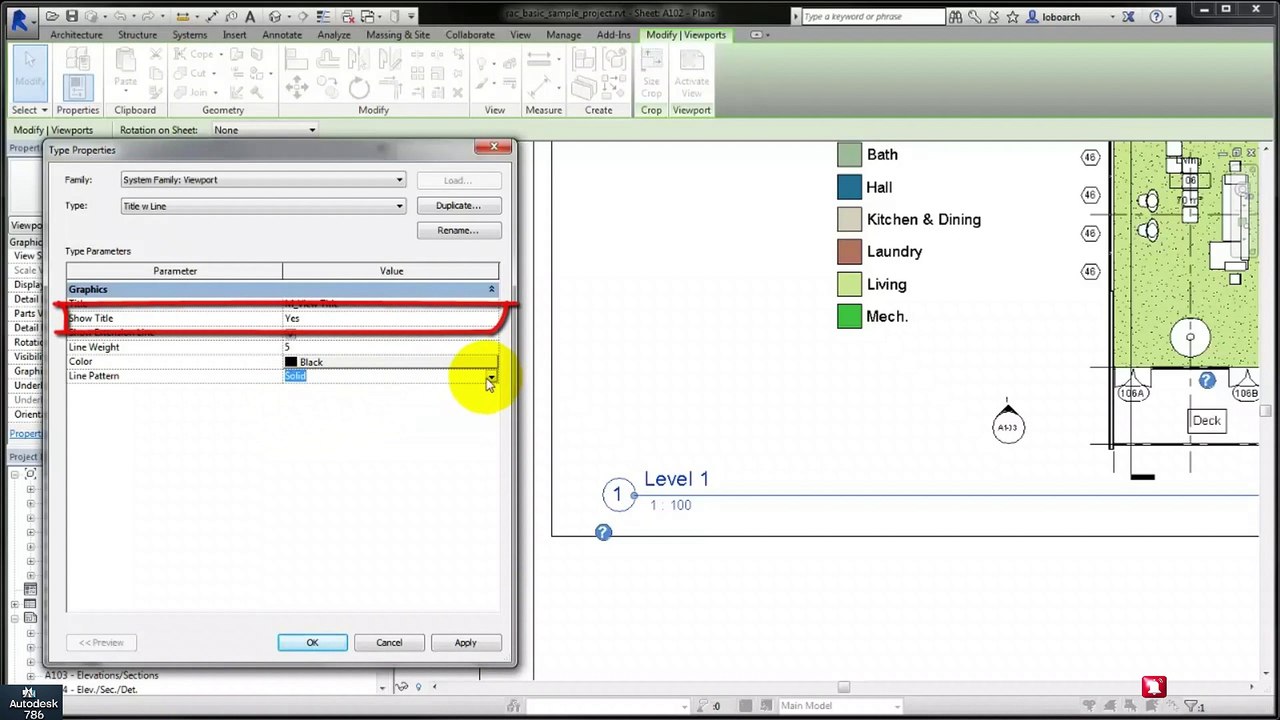
#architecture #revit #sketchup #3dmodelingsoftware #3dmodeling #civil3d #autocadcivil3d <br /> Customize View Titles in Revit<br />In Revit, the View Title is displayed at the bottom of each view on a sheet. You can customize the view title by editing the View Title family or modifying its parameters.<br /><br />✅ Method 1: Change the View Title Type<br />Open the Sheet where your view is placed.<br />Select the Viewport (View Title).<br />In the Properties Panel, find "Viewport Type".<br />Click Edit Type (small icon next to the name).<br />Under "Title", select a different View Title Type, or click Duplicate to create a custom one.<br />Press OK.<br />✅ Method 2: Edit the View Title Family<br />In the Project Browser, go to Families Annotation Symbols View Title.<br />Right-click and select Edit.<br />In the Family Editor, you can:<br />Add your company logo.<br />Change the text style, size, and color.<br />Add custom parameters (e.g., scale, project name).<br />Click Load into Project to update the changes.<br />✅ Method 3: Hide or Remove the View Title<br />Select the Viewport.<br />In the Properties Panel, find "Show View Title".<br />Select "No" to hide it or "When Multiple Viewports" (if you want to show the title only when multiple views are on one sheet).<br />✅ Method 4: Customize View Title Text<br />Select the Viewport.<br />In the Properties Panel, under Identity Data, change the View Title Text.<br />Press Apply.
Video Information
Views
555
Duration
2:07
Published
Mar 13, 2025
Related Trending Topics
LIVE TRENDSRelated trending topics. Click any trend to explore more videos.
No specific trending topics match this video yet.
Explore All Trends