J2EE Registration Project (05): Developing Registration and Confirmation Forms
This tutorial guides you through completing the J2EE Registration Project by creating the Registration and Confirmation pages. It involves right-clicking on the RegistrationProject-war module and selecting new, then Web to set up the forms.

TheFrugalComputerGuy2
948 views • Dec 30, 2015
About this video
We complete the project by creating the Registration Page and the Confirmation Page.
We right click on the RegistrationProject-war module new – other – Web – Servlet.
We do the same as the previous video, we add the @EJB annotation and the code for the FacadeLocal interface. We also paste in some code (available for free from thefrugalcomputerguy.com/j2eeregistrationproject, only this time, this servlet is not in the client tier, it is in the web tier (It is not seen by the client).
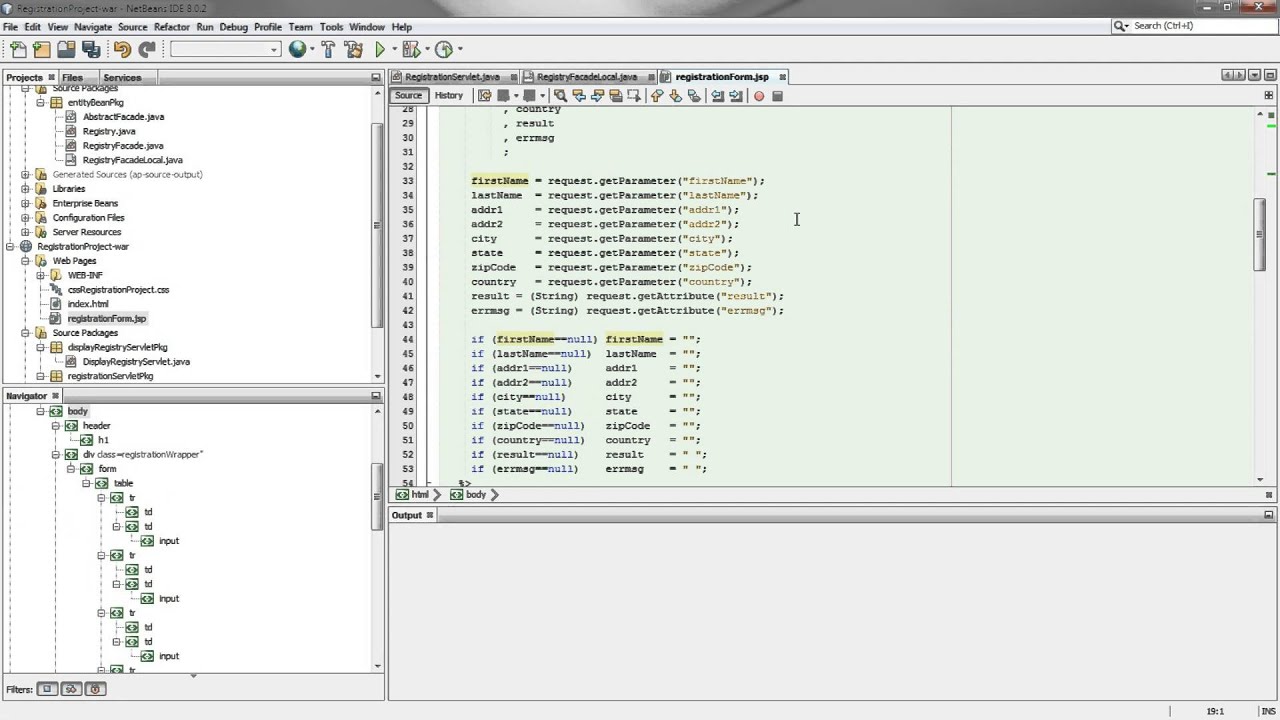
We create two JSP webpages for the registration page and teh confirmation page and paste in some code available from thefrugalcomputerguy.com/j2eeregistrationproject. The registration page input form asks the client to type in the information requested (note: no data validation is done in this program, but should be done in a real world environment) when the submit button is pressed, the information is passed to the servlet, which will check the zipcode to be numeric (note: all field should be validated for a real world environment). If there is invalid data, we go back to the registration page with an error message, if the data passes validation, the facadeLocal interface will insert the new record into the table. If the create is successful the information will be passed to the confirmation page and displayed on that webpage.,
We right click on the RegistrationProject-war module new – other – Web – Servlet.
We do the same as the previous video, we add the @EJB annotation and the code for the FacadeLocal interface. We also paste in some code (available for free from thefrugalcomputerguy.com/j2eeregistrationproject, only this time, this servlet is not in the client tier, it is in the web tier (It is not seen by the client).
We create two JSP webpages for the registration page and teh confirmation page and paste in some code available from thefrugalcomputerguy.com/j2eeregistrationproject. The registration page input form asks the client to type in the information requested (note: no data validation is done in this program, but should be done in a real world environment) when the submit button is pressed, the information is passed to the servlet, which will check the zipcode to be numeric (note: all field should be validated for a real world environment). If there is invalid data, we go back to the registration page with an error message, if the data passes validation, the facadeLocal interface will insert the new record into the table. If the create is successful the information will be passed to the confirmation page and displayed on that webpage.,
Tags and Topics
Browse our collection to discover more content in these categories.
Video Information
Views
948
Likes
1
Duration
11:19
Published
Dec 30, 2015
Related Trending Topics
LIVE TRENDSRelated trending topics. Click any trend to explore more videos.
No specific trending topics match this video yet.
Explore All Trends