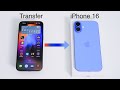
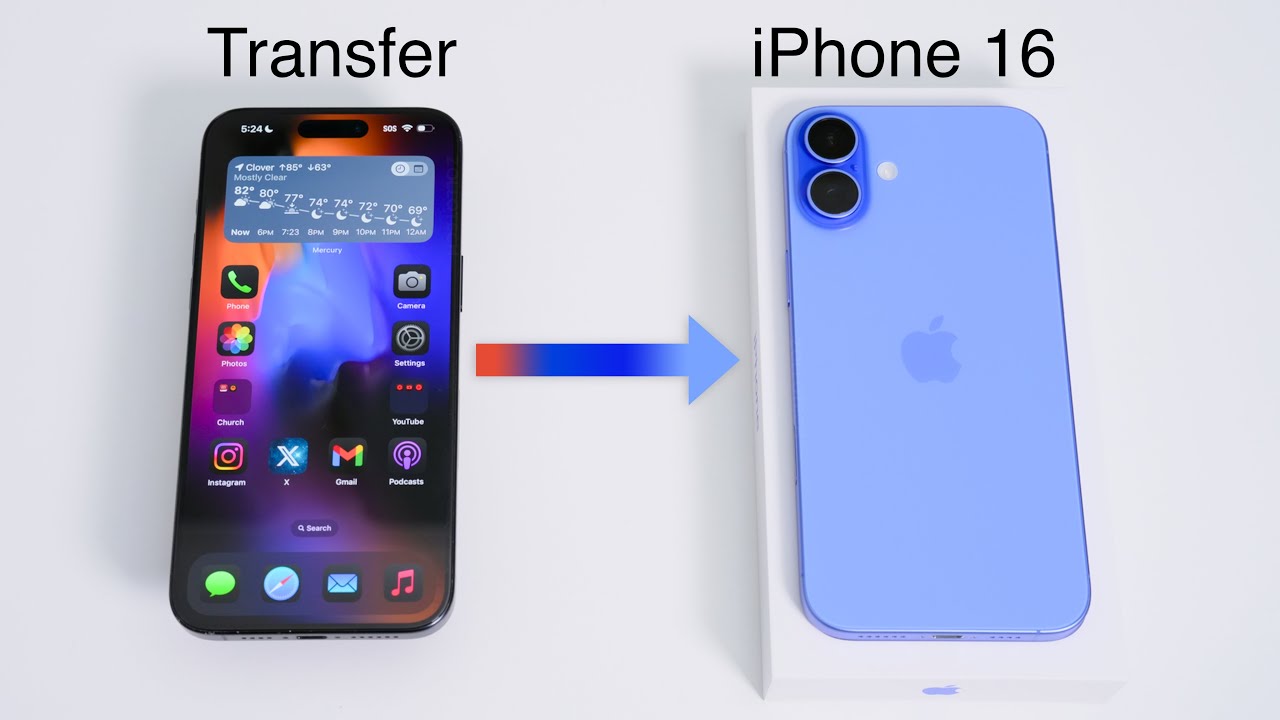
Transfer Data from Old iPhone to iPhone 16 📱
Learn how to move messages, photos, apps, and more from your old iPhone or iPad to your new iPhone 16 or 16 Pro easily.
zollotech
1.0M views • Sep 20, 2024
About this video
I show you how to move all of your messages, movies, music, photos, test messages, WhatsApp messages, app data and more from an old iPhone or iPad to a new iPhone 16, iPhone 16 Pro, iPhone 16 Plus, iPhone 16 Pro Max or any other iPhone using iOS 18 or newer using wireless data migration. #iOS18 #Apple #iPhone
In this video I walk you step-by-step through migrating all your data from your old iPhone to a new iPhone even if you ran out of iCloud storage or don’t have a computer to use iTunes to backup your iPhone.
iOS 16 Pro and 16 Pro Max Website - https://www.apple.com/iphone-16-pro/
⌚️ Watch Band I am using - https://www.tkqlhce.com/click-100632277-15143421
Recent Videos:
iPhone 16 pro and iPhone 16 Pro Max Unboxing, Setup and First Look - https://youtu.be/zCk4WBVU5cc
iOS 18 - 18 Important Settings and Tips You Should Know - https://youtu.be/JymaEPQ-UzY
iOS 18 is Out! - What’s New? - https://youtu.be/qpienMcxbGo
iOS 17.6 is Out! - What’s New? - https://youtu.be/r0YwZhnIzpM
100% Battery Health Has Changed - Dropping Fast - https://youtu.be/o7dwwY6tNkw
Warning! iPhone Has A Serious Scam Problem - https://youtu.be/kBZIq6ICi1U
*Gear I use*
🎥📷 CAMERA: https://geni.us/komodox
Lens: https://geni.us/WR3K4
🎤 Microphone - https://geni.us/DiN72zU
*Find Me Here*
https://discord.gg/zollotech
https://www.twitter.com/zollotech
https://www.facebook.com/zollotech
https://www.instagram.com/aaronzollo
https://www.pinterest.com/zollotech
Website - https://www.zollotech.com
Threads - https://www.threads.net/@aaronzollo
*Chapters*
00:00 - Transfer All Data
00:19 - Make sure you have these
00:35 - Lets Get Started
01:39 - When to transfer a SIM Card
01:47 - Transfer your eSIM
03:03 - Face ID setup
03:26 - Transfer everything from old iPhone
04:22 - iPhone 16 Features in Setup
04:45 - If you are a Developer or Beta Tester
05:40 - Transfer Complete
06:04 - Erase Your old iPhone if you want
07:05 - Pair Apple Watch
08:01 - Everything Restored
08:25 - Setup eSIM later
08:44 - Other Logins
09:10 - Conclusion
Support ZOLLOTECH on Amazon: http://amzn.to/2jxmglN
Wallpaper by AlanG - https://bit.ly/3MVrKne
[DISCLOSURES]
This post may contain affiliate links, which help Aaron / Zollotech with a commission if you make a purchase.
Thanks for watching and I’ll see you next time!
In this video I walk you step-by-step through migrating all your data from your old iPhone to a new iPhone even if you ran out of iCloud storage or don’t have a computer to use iTunes to backup your iPhone.
iOS 16 Pro and 16 Pro Max Website - https://www.apple.com/iphone-16-pro/
⌚️ Watch Band I am using - https://www.tkqlhce.com/click-100632277-15143421
Recent Videos:
iPhone 16 pro and iPhone 16 Pro Max Unboxing, Setup and First Look - https://youtu.be/zCk4WBVU5cc
iOS 18 - 18 Important Settings and Tips You Should Know - https://youtu.be/JymaEPQ-UzY
iOS 18 is Out! - What’s New? - https://youtu.be/qpienMcxbGo
iOS 17.6 is Out! - What’s New? - https://youtu.be/r0YwZhnIzpM
100% Battery Health Has Changed - Dropping Fast - https://youtu.be/o7dwwY6tNkw
Warning! iPhone Has A Serious Scam Problem - https://youtu.be/kBZIq6ICi1U
*Gear I use*
🎥📷 CAMERA: https://geni.us/komodox
Lens: https://geni.us/WR3K4
🎤 Microphone - https://geni.us/DiN72zU
*Find Me Here*
https://discord.gg/zollotech
https://www.twitter.com/zollotech
https://www.facebook.com/zollotech
https://www.instagram.com/aaronzollo
https://www.pinterest.com/zollotech
Website - https://www.zollotech.com
Threads - https://www.threads.net/@aaronzollo
*Chapters*
00:00 - Transfer All Data
00:19 - Make sure you have these
00:35 - Lets Get Started
01:39 - When to transfer a SIM Card
01:47 - Transfer your eSIM
03:03 - Face ID setup
03:26 - Transfer everything from old iPhone
04:22 - iPhone 16 Features in Setup
04:45 - If you are a Developer or Beta Tester
05:40 - Transfer Complete
06:04 - Erase Your old iPhone if you want
07:05 - Pair Apple Watch
08:01 - Everything Restored
08:25 - Setup eSIM later
08:44 - Other Logins
09:10 - Conclusion
Support ZOLLOTECH on Amazon: http://amzn.to/2jxmglN
Wallpaper by AlanG - https://bit.ly/3MVrKne
[DISCLOSURES]
This post may contain affiliate links, which help Aaron / Zollotech with a commission if you make a purchase.
Thanks for watching and I’ll see you next time!
Video Information
Views
1.0M
Likes
9.4K
Duration
9:23
Published
Sep 20, 2024
User Reviews
4.5
(204) Related Trending Topics
LIVE TRENDSRelated trending topics. Click any trend to explore more videos.
No specific trending topics match this video yet.
Explore All Trends