Transfer Data from Old iPhone to iPhone 14 📱
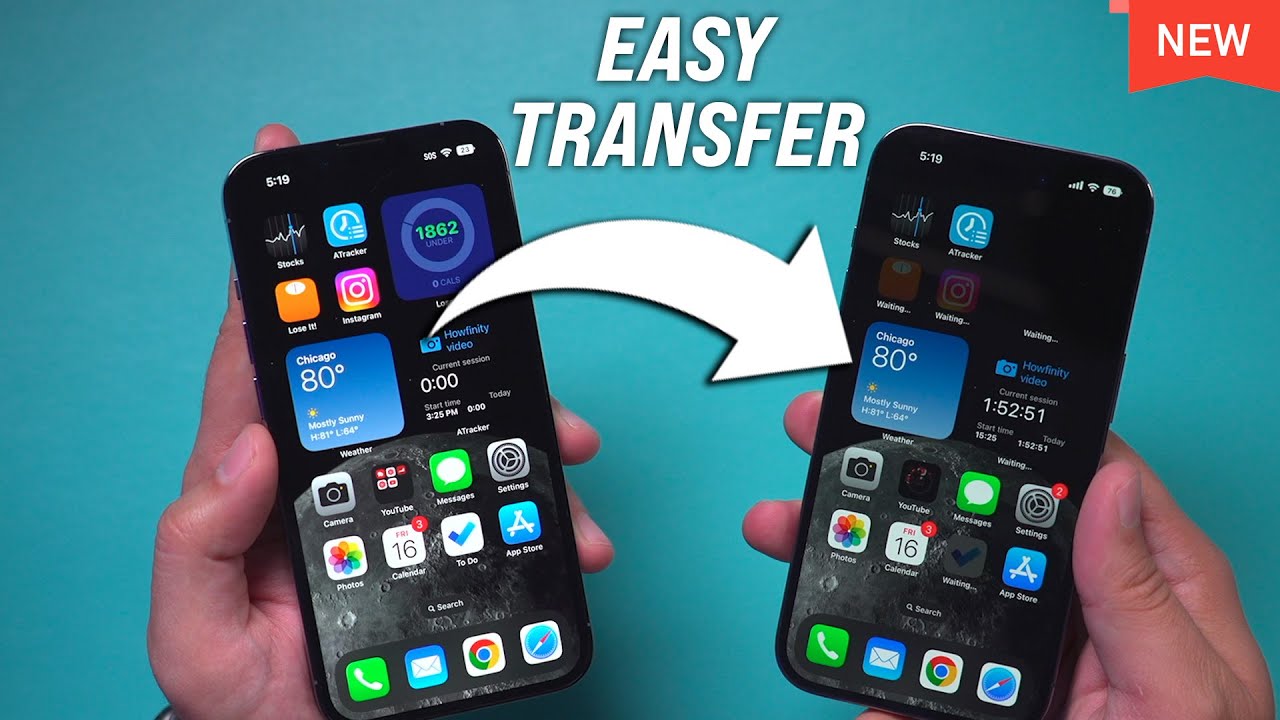
Learn the easiest way to transfer all data, including photos, messages, and apps, from your old iPhone to iPhone 14 or 14 Pro.

Howfinity
452.9K views • Sep 17, 2022
About this video
Here is the simplest way to transfer everything from an old iPhone to iPhone 14 and iPhone 14 Pro. This process will transfer photos, messages, Whatsapp, and even your phone number with the new eSim.
The iPhone 14 and iPhone 14 pro no longer have a physical SIM card. So you no longer need to transfer your physical SIM card.
The transfer process is entirely wireless and you don't need a computer.
You have two options during the setup process. You can use iCloud or keep the two phones next to each other for a seamless transfer.
If you choose the iCloud method to transfer to a new iPhone 14 or iPhone 14 pro from an old iPhone, Apple will give you temporary storage on iCloud if you don’t have enough space to complete the backup and transfer.
If you choose the second option and keep the two phones near each other, you don’t have to use iCloud.
Once the transfer is complete, you can choose to erase your old iPhone.
The process simply copies everything. So before erasing your old iPhone, everything will be identical on both phones.
Thank you for watching this video! Subscribe to see more simple and easy to follow how-to videos.
https://www.youtube.com/c/howfinity?sub_confirmation=1
Recommended YouTube Gear and tool: (includes affiliate links)
✅ YouTube gear checklist https://bit.ly/youtubestudioguide
▶️ Tubebuddy https://www.tubebuddy.com/howfinity
📲 More Tutorials https://howfinity.com
Software/platforms:
💻 Envato Elements https://1.envato.market/c/2500859/298927/4662
📷 Adobe Photoshop https://bit.ly/HowfinityCC
🔐 VPN https://nordvpn.org/howfinity
Courses:
▶️ Grow Your Own YouTube Channel - Free Training https://bit.ly/tubementorwebinar
🎨 Photoshop Masterclass https://bit.ly/Photoshopcourse-howfinity
🎬 iMovie Video Editing Course https://bit.ly/imoviecourse
The iPhone 14 and iPhone 14 pro no longer have a physical SIM card. So you no longer need to transfer your physical SIM card.
The transfer process is entirely wireless and you don't need a computer.
You have two options during the setup process. You can use iCloud or keep the two phones next to each other for a seamless transfer.
If you choose the iCloud method to transfer to a new iPhone 14 or iPhone 14 pro from an old iPhone, Apple will give you temporary storage on iCloud if you don’t have enough space to complete the backup and transfer.
If you choose the second option and keep the two phones near each other, you don’t have to use iCloud.
Once the transfer is complete, you can choose to erase your old iPhone.
The process simply copies everything. So before erasing your old iPhone, everything will be identical on both phones.
Thank you for watching this video! Subscribe to see more simple and easy to follow how-to videos.
https://www.youtube.com/c/howfinity?sub_confirmation=1
Recommended YouTube Gear and tool: (includes affiliate links)
✅ YouTube gear checklist https://bit.ly/youtubestudioguide
▶️ Tubebuddy https://www.tubebuddy.com/howfinity
📲 More Tutorials https://howfinity.com
Software/platforms:
💻 Envato Elements https://1.envato.market/c/2500859/298927/4662
📷 Adobe Photoshop https://bit.ly/HowfinityCC
🔐 VPN https://nordvpn.org/howfinity
Courses:
▶️ Grow Your Own YouTube Channel - Free Training https://bit.ly/tubementorwebinar
🎨 Photoshop Masterclass https://bit.ly/Photoshopcourse-howfinity
🎬 iMovie Video Editing Course https://bit.ly/imoviecourse
Tags and Topics
Browse our collection to discover more content in these categories.
Video Information
Views
452.9K
Likes
3.0K
Duration
5:06
Published
Sep 17, 2022
User Reviews
4.3
(90) Related Trending Topics
LIVE TRENDSRelated trending topics. Click any trend to explore more videos.
No specific trending topics match this video yet.
Explore All Trends