Transfer Data from iPhone to iPhone in 2025 📱
Learn how to easily transfer data from your old iPhone to a new one with our free tool. Quick and simple steps included!

TenorshareOfficial
235.6K views • Nov 28, 2024
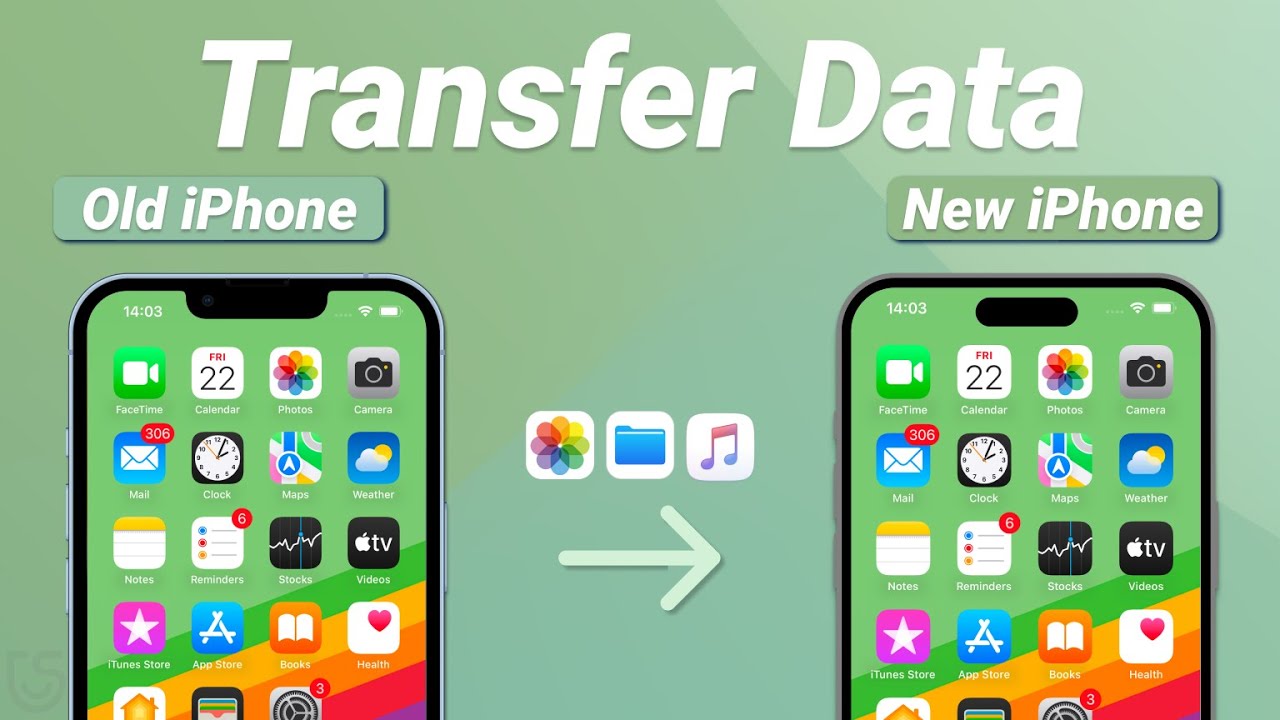
About this video
🤩Get the tool to transfer iPhone data for free from here👉 : https://bit.ly/4fYKe2S
Not sure how to transfer data from an old iPhone to a new one? Think data transfer is a hassle? Or maybe you only want to transfer a few items and don’t want to reset your phone? Don’t worry, this video will solve all your problems!
⏱ *TIMESTAMP*
00:00 intro
00:18 Method 1: Quick Start for Direct Transfer
01:23 Method 2: Restore iCloud Backup
02:13 Method 3: Use iCareFone for Fast Transfer
💡 *How To Transfer Data From Old iPhone To iPhone 2025 Summary*
1.Introduction: Data Transfer Dilemma
Upgrading to a new iPhone and need to transfer data? Whether you missed the initial transfer or don’t have your old phone, this video presents three simple methods to help you move your data effortlessly.
2.Method 1: Quick Start for Direct Transfer
Ensure both iPhones are nearby, connected to Wi-Fi, and have enough battery. Go to Settings - General - Transfer or Reset iPhone on your new iPhone, erase data, and follow the on-screen instructions to transfer data from the old device. This method works well when both phones are available.
3.Method 2: Restore iCloud Backup
If you’ve backed up your data to iCloud, you can restore it without the old device. Erase your new iPhone via Settings - General, then follow the prompts, choosing Restore from iCloud Backup during setup. Sign in to your Apple ID and complete the transfer.
4.Method 3: Use iCareFone for Fast Transfer
iCareFone is a fast backup and restore tool, capable of transferring up to 100GB in 20 minutes. Simply connect your old iPhone to the computer, back up data with iCareFone, then connect your new iPhone and restore the backup. This method is efficient and avoids data loss.
5.Conclusion: Simplify Data Transfer
Choose the method that works best for you to seamlessly transfer data to your new iPhone. Happy transferring!
👇 *You might also want to know*
How To Transfer / Send Videos From Android To iPhone : https://youtu.be/RtOqKLt7Xj0
How to Transfer Files from iPhone to Laptop : https://youtu.be/T4USbr57Xhw
📑 *Apple Official Article Links*
https://support.apple.com/en-us/102659
#tenorshare #icarefone #transferdata #iphonetransfer
🔔 Subscribe Here (it's FREE!): https://bit.ly/30eZwvG
----------Social Media-------------
Facebook: https://www.facebook.com/TenorshareOfficial/
Twitter: https://twitter.com/Tenorshare_Inc
Pinterest: https://www.pinterest.com/Tenorshare
Instagram: https://www.instagram.com/tenorsharesoftware
TikTok: https://www.tiktok.com/@tenorshare_tech_tips
Tenorshare Official Website: https://www.tenorshare.com
Tenorshare AI Youtube: https://www.youtube.com/@TenorshareAI
Tenorshare AI PDF: https://ai.tenorshare.com/
Get more freebies on Discord: https://discord.com/invite/qDFjcjsDXe
Not sure how to transfer data from an old iPhone to a new one? Think data transfer is a hassle? Or maybe you only want to transfer a few items and don’t want to reset your phone? Don’t worry, this video will solve all your problems!
⏱ *TIMESTAMP*
00:00 intro
00:18 Method 1: Quick Start for Direct Transfer
01:23 Method 2: Restore iCloud Backup
02:13 Method 3: Use iCareFone for Fast Transfer
💡 *How To Transfer Data From Old iPhone To iPhone 2025 Summary*
1.Introduction: Data Transfer Dilemma
Upgrading to a new iPhone and need to transfer data? Whether you missed the initial transfer or don’t have your old phone, this video presents three simple methods to help you move your data effortlessly.
2.Method 1: Quick Start for Direct Transfer
Ensure both iPhones are nearby, connected to Wi-Fi, and have enough battery. Go to Settings - General - Transfer or Reset iPhone on your new iPhone, erase data, and follow the on-screen instructions to transfer data from the old device. This method works well when both phones are available.
3.Method 2: Restore iCloud Backup
If you’ve backed up your data to iCloud, you can restore it without the old device. Erase your new iPhone via Settings - General, then follow the prompts, choosing Restore from iCloud Backup during setup. Sign in to your Apple ID and complete the transfer.
4.Method 3: Use iCareFone for Fast Transfer
iCareFone is a fast backup and restore tool, capable of transferring up to 100GB in 20 minutes. Simply connect your old iPhone to the computer, back up data with iCareFone, then connect your new iPhone and restore the backup. This method is efficient and avoids data loss.
5.Conclusion: Simplify Data Transfer
Choose the method that works best for you to seamlessly transfer data to your new iPhone. Happy transferring!
👇 *You might also want to know*
How To Transfer / Send Videos From Android To iPhone : https://youtu.be/RtOqKLt7Xj0
How to Transfer Files from iPhone to Laptop : https://youtu.be/T4USbr57Xhw
📑 *Apple Official Article Links*
https://support.apple.com/en-us/102659
#tenorshare #icarefone #transferdata #iphonetransfer
🔔 Subscribe Here (it's FREE!): https://bit.ly/30eZwvG
----------Social Media-------------
Facebook: https://www.facebook.com/TenorshareOfficial/
Twitter: https://twitter.com/Tenorshare_Inc
Pinterest: https://www.pinterest.com/Tenorshare
Instagram: https://www.instagram.com/tenorsharesoftware
TikTok: https://www.tiktok.com/@tenorshare_tech_tips
Tenorshare Official Website: https://www.tenorshare.com
Tenorshare AI Youtube: https://www.youtube.com/@TenorshareAI
Tenorshare AI PDF: https://ai.tenorshare.com/
Get more freebies on Discord: https://discord.com/invite/qDFjcjsDXe
Video Information
Views
235.6K
Likes
1.2K
Duration
3:39
Published
Nov 28, 2024
User Reviews
4.2
(47) Related Trending Topics
LIVE TRENDSRelated trending topics. Click any trend to explore more videos.
No specific trending topics match this video yet.
Explore All Trends