How to enable Third-party cookies in Google Chrome? #shortsfeed #shorts #viralshorts #trending
To allow third-party cookies in Google Chrome, you can do the following: Open Chrome Click the three dots in the top right corner to open the Chrome menu ...
TechFact4u
3.5K views • Nov 8, 2024
About this video
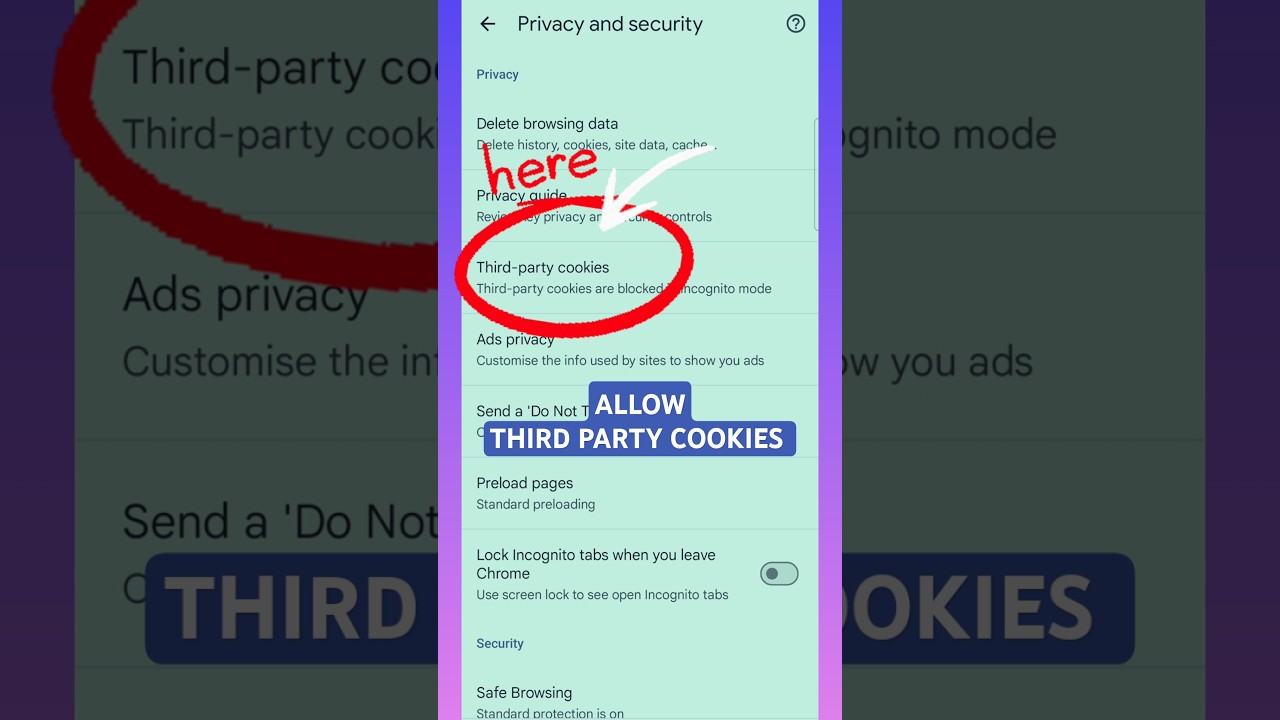
To allow third-party cookies in Google Chrome, you can do the following:
Open Chrome
Click the three dots in the top right corner to open the Chrome menu
Select Settings
Click Privacy and security
Click Cookies and other site data
Make sure Block third-party cookies and Block all cookies are not selected
If you're part of the Tracking Protection test group, you should follow the instructions for Tracking Protection instead.
Open Chrome
Click the three dots in the top right corner to open the Chrome menu
Select Settings
Click Privacy and security
Click Cookies and other site data
Make sure Block third-party cookies and Block all cookies are not selected
If you're part of the Tracking Protection test group, you should follow the instructions for Tracking Protection instead.
Tags and Topics
Browse our collection to discover more content in these categories.
Video Information
Views
3.5K
Likes
8
Duration
0:17
Published
Nov 8, 2024
User Reviews
3.9
(3) Related Trending Topics
LIVE TRENDSRelated trending topics. Click any trend to explore more videos.