Guide to Encrypt Files and Folders Using EFS in Windows OS
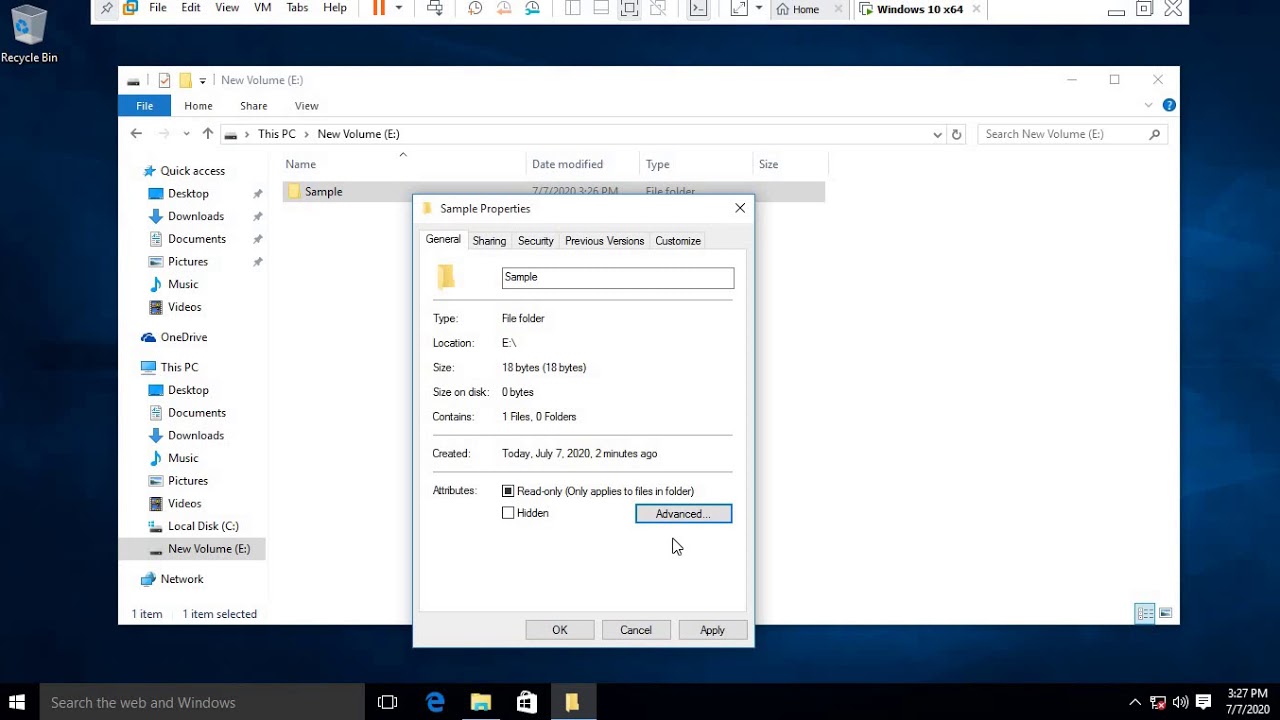
This video explains how to encrypt folders and files on Windows OS using the EFS feature. Right-click on the desired folder or file and select the encryption option to secure your data.

TEE TWEEZANG
89 views • Jul 7, 2020
About this video
This Video Describe on how to Encrypt Folders and Files on Windows OS using EFS Feature, Right Click on the folder or File you would wish to encrypt, Click on Properties, Click Advanced, Select Encrypt Contents to Secure data, Click Ok and Apply to save changes. This Encryption will help you secure privacy of your files or folders incase you are sharing a PC or a laptop with another person. Thank you for watching, don't forget to subscribe and Share!
Video Information
Views
89
Duration
6:34
Published
Jul 7, 2020
Related Trending Topics
LIVE TRENDSRelated trending topics. Click any trend to explore more videos.
No specific trending topics match this video yet.
Explore All Trends