Restore Photo Metadata in Google Takeout 📸
Learn how to fix and restore EXIF data, dates, GPS info, and albums after exporting photos with Google Takeout.

Ronen Kopito
161 views • Mar 9, 2026
About this video
Fix Google Takeout Photo Metadata – Restore EXIF, Dates, GPS & Albums
When exporting photos from Google Photos using Google Takeout, images are often separated from their metadata. Important information such as capture dates, GPS locations, and album structure is stored in separate JSON files, which can make the photo library difficult to organize or import into other applications.
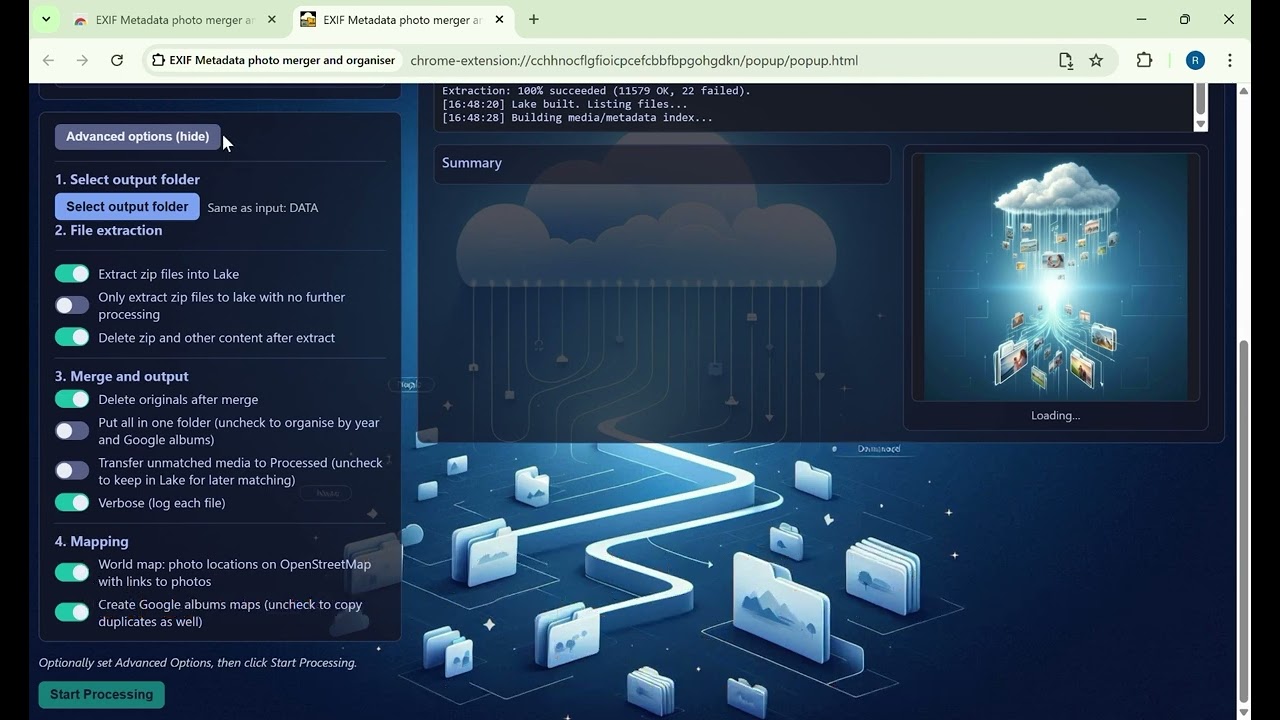
This extension automatically reconnects photos with their metadata, restores EXIF information, and organizes the results into clean folders.
In this video you will see:
• How to install the extension
• How to select your Google Takeout export folder
• How the extension extracts and processes the archives
• How photos and metadata are merged
• How duplicates are detected and handled
• How processed photos are organized by year
• How interactive world maps of photo locations are generated
All processing happens locally in your browser.
No files are uploaded and no data is sent to external servers.
Install the extension here:
https://chromewebstore.google.com/detail/exif-metadata-photo-merge/cchhnocflgfioicpcefcbbfbpgohgdkn
If this tool helps you restore and organize your photos, please consider leaving a review on the Chrome Web Store.
When exporting photos from Google Photos using Google Takeout, images are often separated from their metadata. Important information such as capture dates, GPS locations, and album structure is stored in separate JSON files, which can make the photo library difficult to organize or import into other applications.
This extension automatically reconnects photos with their metadata, restores EXIF information, and organizes the results into clean folders.
In this video you will see:
• How to install the extension
• How to select your Google Takeout export folder
• How the extension extracts and processes the archives
• How photos and metadata are merged
• How duplicates are detected and handled
• How processed photos are organized by year
• How interactive world maps of photo locations are generated
All processing happens locally in your browser.
No files are uploaded and no data is sent to external servers.
Install the extension here:
https://chromewebstore.google.com/detail/exif-metadata-photo-merge/cchhnocflgfioicpcefcbbfbpgohgdkn
If this tool helps you restore and organize your photos, please consider leaving a review on the Chrome Web Store.
Video Information
Views
161
Likes
4
Duration
5:25
Published
Mar 9, 2026
Related Trending Topics
LIVE TRENDSRelated trending topics. Click any trend to explore more videos.
Trending Now