Excel Shortcut: Instantly Highlight Duplicate Entries with Conditional Formatting 🔍
Discover how to quickly identify duplicate data in Excel using Conditional Formatting. Watch this quick tutorial and streamline your data analysis in seconds!

Learnwith AX
305.6K views • Dec 16, 2024
About this video
Do you know how to find duplicate entries in seconds?
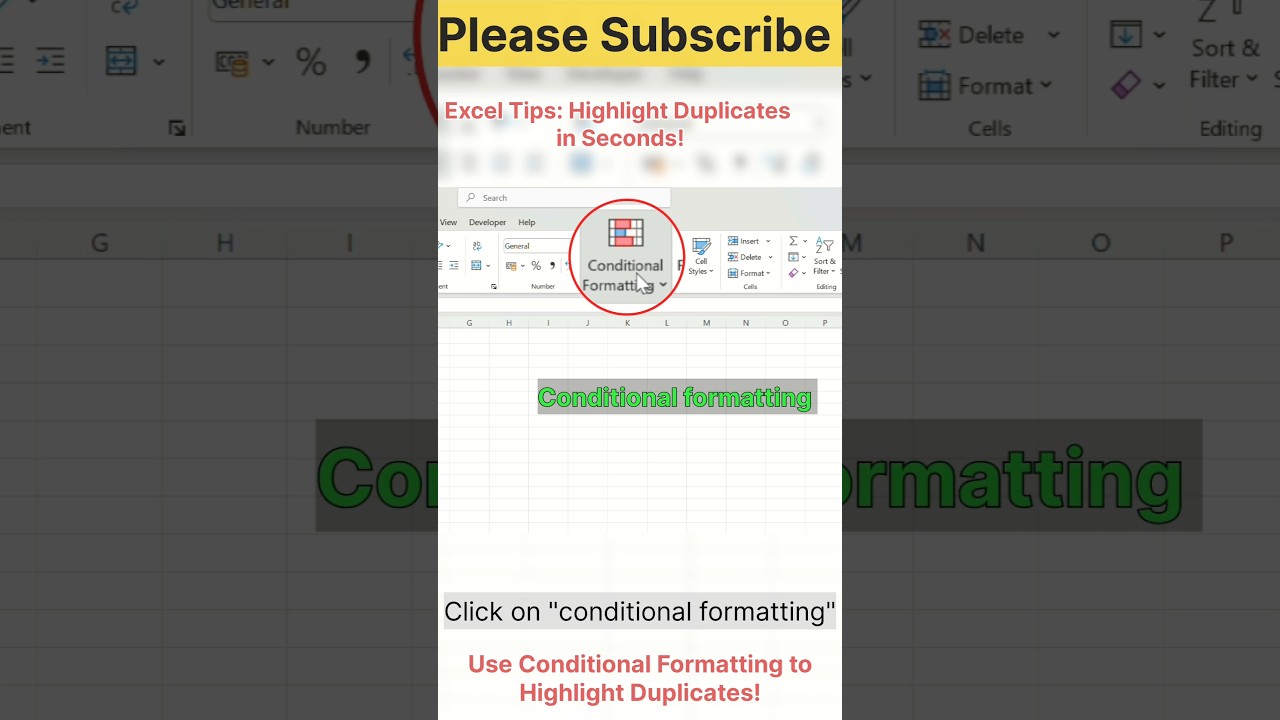
In this video, learn how to use Conditional Formatting in Excel to quickly highlight duplicate values, making your data more accurate and organized.
🎯 Steps Shown in the Video:
1️⃣ Select your data (Ctrl + A).
2️⃣ Go to Home Tab → Conditional Formatting → Highlight Cell Rules → Duplicate Values.
3️⃣ Choose your preferred color and click OK.
This simple trick works wonders for identifying duplicates in large datasets! Perfect for professionals, students, and anyone working with Excel.
✨ Dataset Shown in Video:
Includes duplicate Employee IDs like E123, E124, E125, and E128.
💡 Like, Share, and Subscribe for more practical Excel tips and tricks!
📌 Subscribe Now for short and informative Excel tutorials: https://youtube.com/@learnwithAX-7?si=WwmhQHqE8iF7_gZX
#Excel #ExcelTips #ExcelTricks #ExcelShortcuts #ConditionalFormatting #ExcelTutorial #ExcelTipsAndTricks #Spreadsheet #WorkHacks #MicrosoftExcel #MSEXCEL #ExcelFormulas #ExcelShorts #Shorts #YouTubeShorts #Tutorial #Trending #Corporate #WorkFromHome #Productivity #LearnExcel #DataManagement
Excel, Excel tips, Excel tricks, Microsoft Excel, Excel formulas, Excel shortcuts, Excel tutorial, Conditional formatting, Duplicate values, Excel duplicate entries, Excel highlight duplicates, Excel for beginners, Learn Excel, Excel tutorial for professionals, Excel hacks, Excel data cleaning, Excel data tips, Excel spreadsheet tips, Excel data tricks, Excel short video, Excel Shorts tutorial, Short Excel tricks, Conditional formatting Excel tutorial
In this video, learn how to use Conditional Formatting in Excel to quickly highlight duplicate values, making your data more accurate and organized.
🎯 Steps Shown in the Video:
1️⃣ Select your data (Ctrl + A).
2️⃣ Go to Home Tab → Conditional Formatting → Highlight Cell Rules → Duplicate Values.
3️⃣ Choose your preferred color and click OK.
This simple trick works wonders for identifying duplicates in large datasets! Perfect for professionals, students, and anyone working with Excel.
✨ Dataset Shown in Video:
Includes duplicate Employee IDs like E123, E124, E125, and E128.
💡 Like, Share, and Subscribe for more practical Excel tips and tricks!
📌 Subscribe Now for short and informative Excel tutorials: https://youtube.com/@learnwithAX-7?si=WwmhQHqE8iF7_gZX
#Excel #ExcelTips #ExcelTricks #ExcelShortcuts #ConditionalFormatting #ExcelTutorial #ExcelTipsAndTricks #Spreadsheet #WorkHacks #MicrosoftExcel #MSEXCEL #ExcelFormulas #ExcelShorts #Shorts #YouTubeShorts #Tutorial #Trending #Corporate #WorkFromHome #Productivity #LearnExcel #DataManagement
Excel, Excel tips, Excel tricks, Microsoft Excel, Excel formulas, Excel shortcuts, Excel tutorial, Conditional formatting, Duplicate values, Excel duplicate entries, Excel highlight duplicates, Excel for beginners, Learn Excel, Excel tutorial for professionals, Excel hacks, Excel data cleaning, Excel data tips, Excel spreadsheet tips, Excel data tricks, Excel short video, Excel Shorts tutorial, Short Excel tricks, Conditional formatting Excel tutorial
Tags and Topics
Browse our collection to discover more content in these categories.
Video Information
Views
305.6K
Likes
1.2K
Duration
0:16
Published
Dec 16, 2024
User Reviews
4.1
(61) Related Trending Topics
LIVE TRENDSRelated trending topics. Click any trend to explore more videos.
No specific trending topics match this video yet.
Explore All Trends