Easily Disable Protected View in MS Excel & Word (Office 2010-2016) 🚫
Learn simple steps to turn off Protected View in Microsoft Excel and Word across Office 2010 to 2016. Fix issues like 'Office has detected a problem with this file' quickly and securely!
MYD
668 views • Nov 1, 2020
About this video
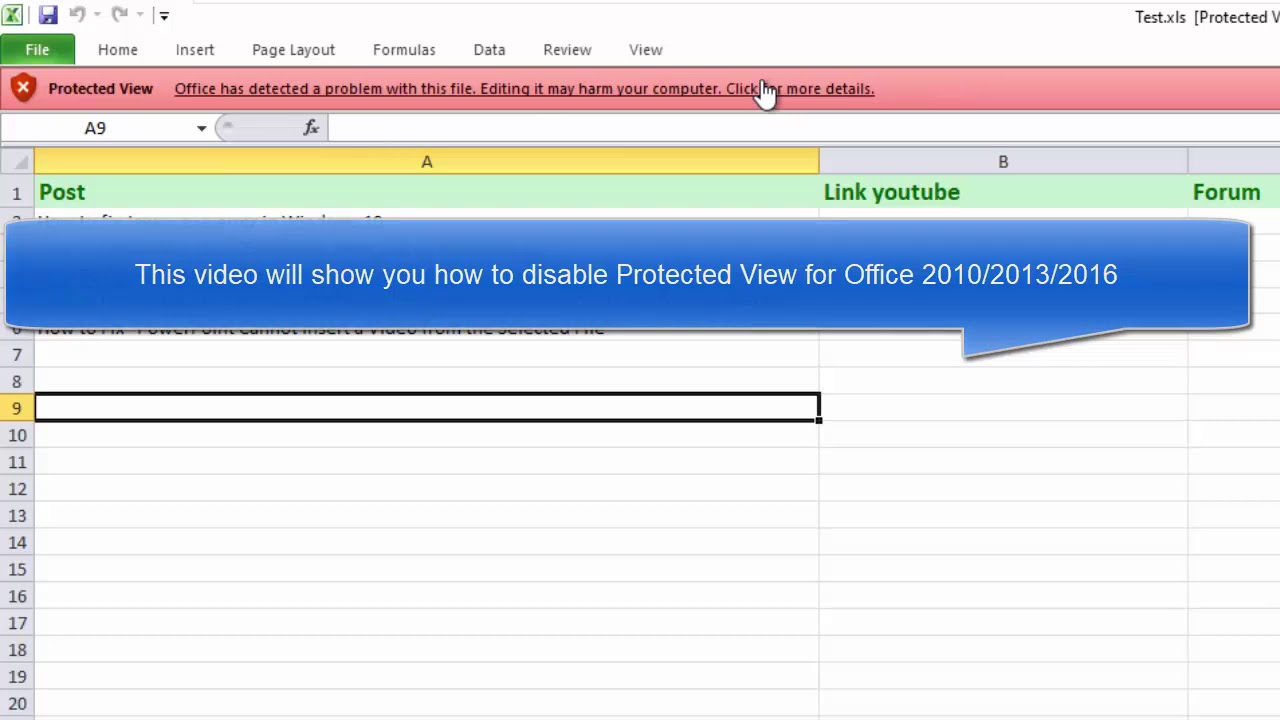
This video will show you how to disable Protected View for Office 2010/2013/2016. Here are the steps to fix "Office has detected a problem with this file" error in Microsoft Office 2010:
1. Click File and select Options in MS Excel 2010.
2. Go to Trust Center \ Trust Center Settings \ Protected View
3. Click Protected View on the left column and uncheck settings according to the source of excel file, to disable Protected View for documents.
Enable Protected View for files originating from the internet
Enable Protected View for files located in potentially unsafe locations
Enable Protected View for Outlook attachments
4. Once you uncheck the settings you want, click OK and you can close windows.
office has detected a problem with this file error in microsoft office 2010
protected view office has detected a problem with this file word 2016
office has detected a problem with this file fix
publisher 2016 has detected a problem in the file you are trying to open
the office file validation feature has blocked 2016
***********
DISCLAIMER: This Channel DOES NOT Promote or encourage Any illegal activities ,
all contents provided by This Channel is meant for EDUCATIONAL PURPOSE only .
Copyright Disclaimer Under Section 107 of the Copyright Act 1976, allowance is made for "fair use"
for purposes such as criticism, comment, news reporting, teaching, scholarship, and research. Fair use is a use permitted
by copyright statute that might otherwise be infringing.
Non-profit, educational or personal use tips the balance in favor of fair use.
1. Click File and select Options in MS Excel 2010.
2. Go to Trust Center \ Trust Center Settings \ Protected View
3. Click Protected View on the left column and uncheck settings according to the source of excel file, to disable Protected View for documents.
Enable Protected View for files originating from the internet
Enable Protected View for files located in potentially unsafe locations
Enable Protected View for Outlook attachments
4. Once you uncheck the settings you want, click OK and you can close windows.
office has detected a problem with this file error in microsoft office 2010
protected view office has detected a problem with this file word 2016
office has detected a problem with this file fix
publisher 2016 has detected a problem in the file you are trying to open
the office file validation feature has blocked 2016
***********
DISCLAIMER: This Channel DOES NOT Promote or encourage Any illegal activities ,
all contents provided by This Channel is meant for EDUCATIONAL PURPOSE only .
Copyright Disclaimer Under Section 107 of the Copyright Act 1976, allowance is made for "fair use"
for purposes such as criticism, comment, news reporting, teaching, scholarship, and research. Fair use is a use permitted
by copyright statute that might otherwise be infringing.
Non-profit, educational or personal use tips the balance in favor of fair use.
Video Information
Views
668
Likes
2
Duration
0:55
Published
Nov 1, 2020
Related Trending Topics
LIVE TRENDSRelated trending topics. Click any trend to explore more videos.
Trending Now