Android Default Apps: Set or Change Settings
Learn how to set or change default apps on Android for specific file types to customize your device experience. 📱
Rajib Is Here
4.6K views • Oct 29, 2018
About this video
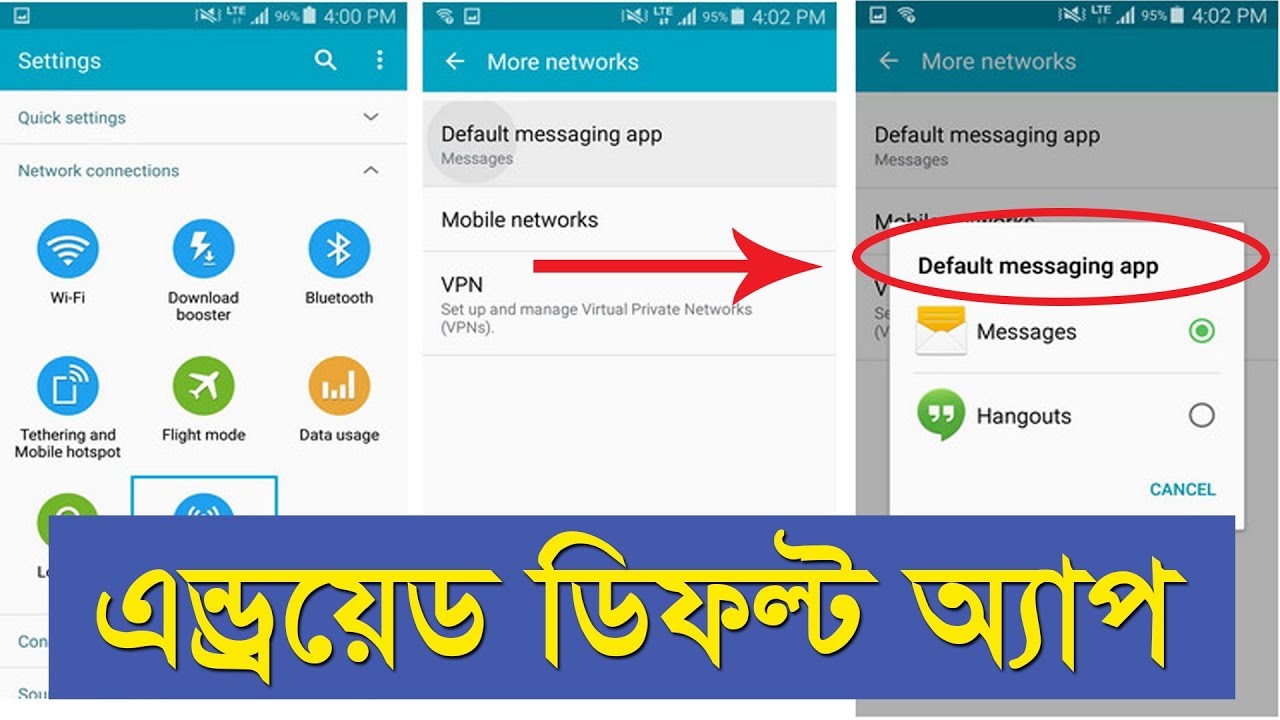
Android default apps settings are used to open a specific file type by the same application. If you select a specific app-specific file extension type then when you run the file it will ask to open by which app if your device contains many apps to launch the file. But if you select a default app for the file then it will never ask for the app and it will open by your selected default app. This video shows you how to set up the android default app and how to remove the android default app setting.
"Please hit the Subscribe button and press the bell icon."
_______________________
More useful Tutorials:
Free Calling App: https://www.youtube.com/watch?v=ZAMz5WPfAxI
Ridmik keyboard Update: https://www.youtube.com/watch?v=Zm18tss0Nlc
_______________________
Stay Connected with Me:
Youtube: https://www.youtube.com/rajibishere/
Facebook: https://facebook.com/rajibishere/
"Please hit the Subscribe button and press the bell icon."
_______________________
More useful Tutorials:
Free Calling App: https://www.youtube.com/watch?v=ZAMz5WPfAxI
Ridmik keyboard Update: https://www.youtube.com/watch?v=Zm18tss0Nlc
_______________________
Stay Connected with Me:
Youtube: https://www.youtube.com/rajibishere/
Facebook: https://facebook.com/rajibishere/
Tags and Topics
Browse our collection to discover more content in these categories.
Video Information
Views
4.6K
Likes
28
Duration
3:30
Published
Oct 29, 2018
User Reviews
4.1
(4) Related Trending Topics
LIVE TRENDSRelated trending topics. Click any trend to explore more videos.
No specific trending topics match this video yet.
Explore All Trends