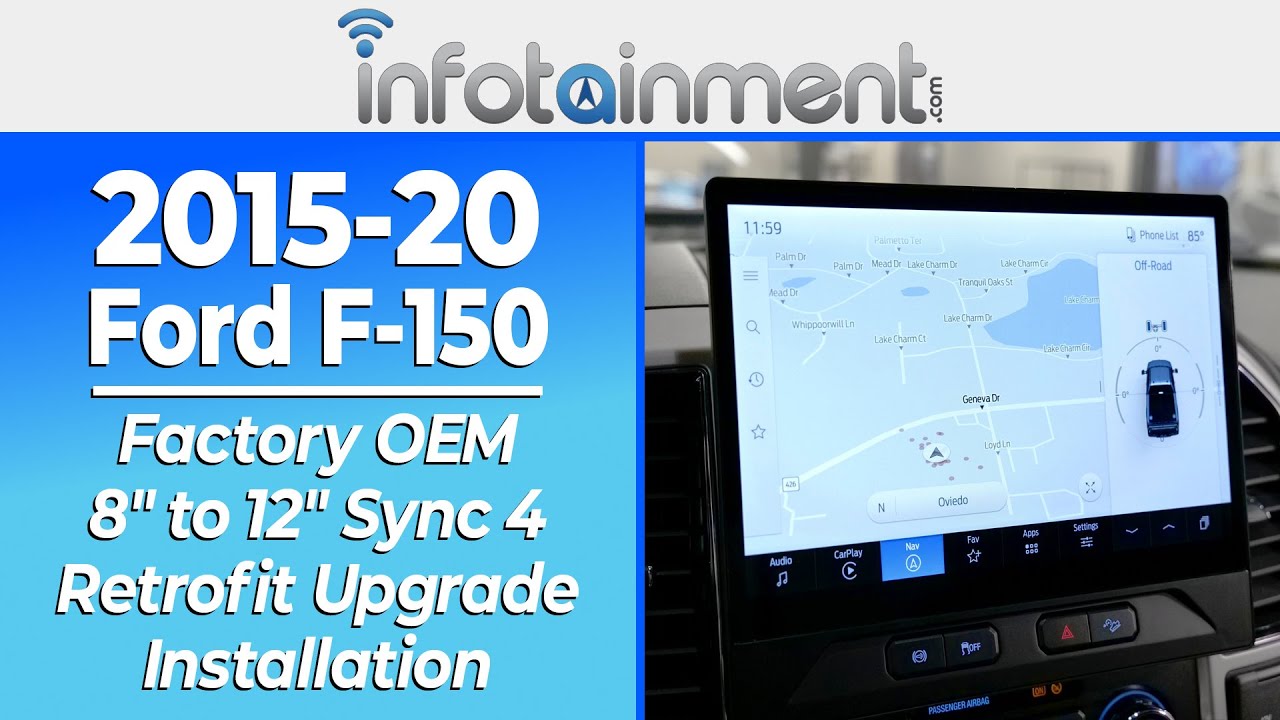
2015-20 Ford F-150 - 8" to 12″ Sync 4 Touchscreen Retrofit Upgrade Install Guide - Infotainment.com
PRODUCT LINK: - OEM 12" Retrofit: https://infotainment.com/shop/interior-accessories/infotainment-radio-upgrades/2015-2020-ford-f-150-12-sync-4-gps-navigati...

Infotainment
31.2K views • Jan 8, 2025
About this video
PRODUCT LINK:
- OEM 12" Retrofit: https://infotainment.com/shop/interior-accessories/infotainment-radio-upgrades/2015-2020-ford-f-150-12-sync-4-gps-navigation-touchscreen-retrofit-upgrade/
- OEM 8" Retrofit: https://infotainment.com/shop/interior-accessories/infotainment-radio-upgrades/2015-2020-ford-f-150-8-sync-4-gps-navigation-touchscreen-retrofit-upgrade/
💡 UPGRADE HIGHLIGHTS 💡
In today's installation video, we cover-
1. Product Features Overview:
The Sync 4 system is a powerful upgrade for Ford and Lincoln vehicles, delivering significant improvements over the previous Sync 3. With Sync 4, you get a high-resolution screen ranging from 8 to 15 inches, available with or without built-in GPS navigation. This system supports advanced voice-activated commands, hands-free Bluetooth, and wireless Apple CarPlay and Android Auto, making connectivity seamless. Additionally, it is compatible with the SiriusXM X65 platform, offering enhanced satellite radio features such as better station identification and album art. With its intuitive pinch-to-zoom functionality and impressive visual clarity, especially for your backup camera, Sync 4 transforms your vehicle’s infotainment experience.
2. Step-by-Step Installation:
Installing the Sync 4 system is a plug-and-play process, designed to be as simple and hassle-free as possible. With infotainment.com’s factory OEM kits, you can upgrade from Sync 3 to Sync 4 without any complicated rewiring. The kit includes a pre-programmed Sync 4 APIM module, a high-resolution 12-inch display, custom brackets, and molded wiring harnesses that connect directly to your vehicle's existing setup. The installation involves removing the radio bezel, transferring brackets, and connecting a few simple cables. No aftermarket sacrifices are necessary—this is a complete, OEM-quality upgrade that retains all the factory features. With the included OBD Genie programmer, the vehicle is programmed to accept the new system, ensuring it functions just like a factory-installed option
3. OEM Appearance Showcase:
Once installed, the Sync 4 system blends seamlessly into your vehicle’s interior with its sleek, OEM-designed appearance. The 12-inch display sits perfectly within the dashboard, offering a larger, clearer interface compared to the smaller Sync 3 screen. The kit includes factory-matched gray and matte black plastics to ensure the new screen integrates smoothly with your vehicle’s design. The button bar is relocated for a clean, modern look, and the factory steering wheel controls and Bluetooth buttons retain full functionality. With its crisp visuals, intuitive interface, and wireless connectivity, the Sync 4 upgrade enhances both the aesthetics and the technology of your Ford or Lincoln vehicle.
Subscribe 🔔 to our channel for updates on our newest releases and give this video a Like 👍 If you found this upgrade installation video helpful.
00:00 - Introduction
1:34 - Install Explanation
4:21 - Radio Removal
6:47 - Radio Bracket Swap & Wiring
7:42 - Mounting The New Bracket
8:54 - Prepping The Bezel + More Wiring
11:47 - Assembling The New Dash Piece
13:37 - Assembling The Sheet Metal Bracket
14:41 - Putting In The New Screen
17:15 - Reassembling The Dash
17:38 - Programming
18:09 - Product Showcase
*** Have a Question? ***
Call: 855-636-6287 to Speak to a LIVE rep.
Live Chat: https://infotainment.com/contact-us/
Email: sales@infotainment.com
WHO IS INFOTAINMENT.COM?
=========================
We're an OEM in-vehicle infotainment engineering and design company.
We deliver easy DIY plug-and-play solutions that protect your vehicle warranty, come with a compatibility guarantee and increase the capabilities of your existing in-vehicle system.
Infotainment.com offers a full selection of OEM Navigation Radio Upgrades and Accessories. We want to help you find the right infotainment solution for your car or truck. One of our knowledgeable Sales Techs can answer your questions, and help you make the right purchase.
- 90-Day Warranty (Up to 2-Year Warranty available)
- DIY Plug-And-Play Installation
- Compatibility Guarantee
- 90 Days Live Phone Install Support
Click Below to View Our Complete Catalog of OEM Upgrades:
https://www.infotainment.com/
********************************************************
Get More Information About Our Return, Support, and Warranty:
https://infotainment.com/warranty-terms/
********************************************************
Follow Us on Social Media:
Twitter/X - https://twitter.com/infotainmentcom
Facebook - https://www.facebook.com/infotainmentcom
Instagram - https://www.instagram.com/infotainment_com
YouTube - https://www.youtube.com/@Infotainment_nav
Visit Our Website:
https://www.infotainment.com
- OEM 12" Retrofit: https://infotainment.com/shop/interior-accessories/infotainment-radio-upgrades/2015-2020-ford-f-150-12-sync-4-gps-navigation-touchscreen-retrofit-upgrade/
- OEM 8" Retrofit: https://infotainment.com/shop/interior-accessories/infotainment-radio-upgrades/2015-2020-ford-f-150-8-sync-4-gps-navigation-touchscreen-retrofit-upgrade/
💡 UPGRADE HIGHLIGHTS 💡
In today's installation video, we cover-
1. Product Features Overview:
The Sync 4 system is a powerful upgrade for Ford and Lincoln vehicles, delivering significant improvements over the previous Sync 3. With Sync 4, you get a high-resolution screen ranging from 8 to 15 inches, available with or without built-in GPS navigation. This system supports advanced voice-activated commands, hands-free Bluetooth, and wireless Apple CarPlay and Android Auto, making connectivity seamless. Additionally, it is compatible with the SiriusXM X65 platform, offering enhanced satellite radio features such as better station identification and album art. With its intuitive pinch-to-zoom functionality and impressive visual clarity, especially for your backup camera, Sync 4 transforms your vehicle’s infotainment experience.
2. Step-by-Step Installation:
Installing the Sync 4 system is a plug-and-play process, designed to be as simple and hassle-free as possible. With infotainment.com’s factory OEM kits, you can upgrade from Sync 3 to Sync 4 without any complicated rewiring. The kit includes a pre-programmed Sync 4 APIM module, a high-resolution 12-inch display, custom brackets, and molded wiring harnesses that connect directly to your vehicle's existing setup. The installation involves removing the radio bezel, transferring brackets, and connecting a few simple cables. No aftermarket sacrifices are necessary—this is a complete, OEM-quality upgrade that retains all the factory features. With the included OBD Genie programmer, the vehicle is programmed to accept the new system, ensuring it functions just like a factory-installed option
3. OEM Appearance Showcase:
Once installed, the Sync 4 system blends seamlessly into your vehicle’s interior with its sleek, OEM-designed appearance. The 12-inch display sits perfectly within the dashboard, offering a larger, clearer interface compared to the smaller Sync 3 screen. The kit includes factory-matched gray and matte black plastics to ensure the new screen integrates smoothly with your vehicle’s design. The button bar is relocated for a clean, modern look, and the factory steering wheel controls and Bluetooth buttons retain full functionality. With its crisp visuals, intuitive interface, and wireless connectivity, the Sync 4 upgrade enhances both the aesthetics and the technology of your Ford or Lincoln vehicle.
Subscribe 🔔 to our channel for updates on our newest releases and give this video a Like 👍 If you found this upgrade installation video helpful.
00:00 - Introduction
1:34 - Install Explanation
4:21 - Radio Removal
6:47 - Radio Bracket Swap & Wiring
7:42 - Mounting The New Bracket
8:54 - Prepping The Bezel + More Wiring
11:47 - Assembling The New Dash Piece
13:37 - Assembling The Sheet Metal Bracket
14:41 - Putting In The New Screen
17:15 - Reassembling The Dash
17:38 - Programming
18:09 - Product Showcase
*** Have a Question? ***
Call: 855-636-6287 to Speak to a LIVE rep.
Live Chat: https://infotainment.com/contact-us/
Email: sales@infotainment.com
WHO IS INFOTAINMENT.COM?
=========================
We're an OEM in-vehicle infotainment engineering and design company.
We deliver easy DIY plug-and-play solutions that protect your vehicle warranty, come with a compatibility guarantee and increase the capabilities of your existing in-vehicle system.
Infotainment.com offers a full selection of OEM Navigation Radio Upgrades and Accessories. We want to help you find the right infotainment solution for your car or truck. One of our knowledgeable Sales Techs can answer your questions, and help you make the right purchase.
- 90-Day Warranty (Up to 2-Year Warranty available)
- DIY Plug-And-Play Installation
- Compatibility Guarantee
- 90 Days Live Phone Install Support
Click Below to View Our Complete Catalog of OEM Upgrades:
https://www.infotainment.com/
********************************************************
Get More Information About Our Return, Support, and Warranty:
https://infotainment.com/warranty-terms/
********************************************************
Follow Us on Social Media:
Twitter/X - https://twitter.com/infotainmentcom
Facebook - https://www.facebook.com/infotainmentcom
Instagram - https://www.instagram.com/infotainment_com
YouTube - https://www.youtube.com/@Infotainment_nav
Visit Our Website:
https://www.infotainment.com
Tags and Topics
Browse our collection to discover more content in these categories.
Video Information
Views
31.2K
Likes
421
Duration
26:14
Published
Jan 8, 2025
User Reviews
4.5
(6) Related Trending Topics
LIVE TRENDSRelated trending topics. Click any trend to explore more videos.
Trending Now