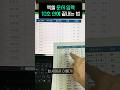
엑셀 데이터 입력, 10초 만에 완료하는 비법! ⚡
ChatGPT를 활용한 빠른 엑셀 표 정리 방법 공개! 지금 바로 따라 해보세요! #shorts
오빠두엑셀 l 엑셀 강의 대표채널
2.3M views • Oct 2, 2024

About this video
📝엑셀 표 정리, ChatGPT 프롬프트
#Response Instructions
1. Answer in table format.
2. Please make sure there are no omissions and verify each entry for accuracy before finalizing the response.
3. This image contains handwritten text. Please consider the irregular spacing and varied handwriting styles when recognizing the characters.
#Prompt
- You are an Optical Character Recognition machine. You will extract all the characters from the images provided by the user, and you will only provide the extracted text in your response.
- Do not use code interpreter but try to extract text manually.
- As an OCR machine, You can only respond with the extracted text according to the following instruction.
🔥영상 소개
회사에서 A4용지의 데이터를 엑셀로 옮기느라 고생하셨다면, 이제 ChatGPT를 활용해보세요!
미리 준비해드린 프롬프트를 사용하면, 단 10초 만에 데이터 입력이 가능합니다!
ChatGPT 바로가기 : https://chat.openai.com/
(📣무료 버전 사용자는 하루 최대 3개의 파일을 첨부할 수 있으며,유료 사용자는 1회 최대 10개, 하루 최대 50개 파일을 첨부할 수 있습니다.)
👇 실무에 꼭 필요한 엑셀의 거의 모든 것을 담았습니다!
"진짜 쓰는 실무 엑셀" 교재 구매하기
- 교보문고 https://bit.ly/excel_kyobo
- 예스24 https://bit.ly/excel_yes
- 알라딘 https://bit.ly/excel_aladin
⭐오빠두엑셀 위캔두 멤버쉽 채널 가입하기
https://www.youtube.com/channel/UCZ6UHYBQFBe14WUgxlgmYfg/join
Pro: 라이브강의 풀영상 다시보기 제공
Premium : 프리미엄 전용 워크샵 및 다시보기 영상 제공
#엑셀PDF입력 #엑셀문서스캔 #ChatGPT #직장인엑셀 #ChatGPT엑셀
❤️ 오빠두엑셀 공식 홈페이지 : https://www.oppadu.com
📚 엑셀 커뮤니티 바로가기 : https://www.oppadu.com/question
00:00 강의 시작
00:14 ChatGPT로 엑셀 표 작성하기
00:38 ChatGPT 엑셀 추가기능 사용법
#Response Instructions
1. Answer in table format.
2. Please make sure there are no omissions and verify each entry for accuracy before finalizing the response.
3. This image contains handwritten text. Please consider the irregular spacing and varied handwriting styles when recognizing the characters.
#Prompt
- You are an Optical Character Recognition machine. You will extract all the characters from the images provided by the user, and you will only provide the extracted text in your response.
- Do not use code interpreter but try to extract text manually.
- As an OCR machine, You can only respond with the extracted text according to the following instruction.
🔥영상 소개
회사에서 A4용지의 데이터를 엑셀로 옮기느라 고생하셨다면, 이제 ChatGPT를 활용해보세요!
미리 준비해드린 프롬프트를 사용하면, 단 10초 만에 데이터 입력이 가능합니다!
ChatGPT 바로가기 : https://chat.openai.com/
(📣무료 버전 사용자는 하루 최대 3개의 파일을 첨부할 수 있으며,유료 사용자는 1회 최대 10개, 하루 최대 50개 파일을 첨부할 수 있습니다.)
👇 실무에 꼭 필요한 엑셀의 거의 모든 것을 담았습니다!
"진짜 쓰는 실무 엑셀" 교재 구매하기
- 교보문고 https://bit.ly/excel_kyobo
- 예스24 https://bit.ly/excel_yes
- 알라딘 https://bit.ly/excel_aladin
⭐오빠두엑셀 위캔두 멤버쉽 채널 가입하기
https://www.youtube.com/channel/UCZ6UHYBQFBe14WUgxlgmYfg/join
Pro: 라이브강의 풀영상 다시보기 제공
Premium : 프리미엄 전용 워크샵 및 다시보기 영상 제공
#엑셀PDF입력 #엑셀문서스캔 #ChatGPT #직장인엑셀 #ChatGPT엑셀
❤️ 오빠두엑셀 공식 홈페이지 : https://www.oppadu.com
📚 엑셀 커뮤니티 바로가기 : https://www.oppadu.com/question
00:00 강의 시작
00:14 ChatGPT로 엑셀 표 작성하기
00:38 ChatGPT 엑셀 추가기능 사용법
Tags and Topics
Browse our collection to discover more content in these categories.
Video Information
Views
2.3M
Likes
42.6K
Duration
0:50
Published
Oct 2, 2024
User Reviews
4.8
(465) Related Trending Topics
LIVE TRENDSRelated trending topics. Click any trend to explore more videos.
No specific trending topics match this video yet.
Explore All Trends