Upgrade to Windows 11 on unsupported hardware
In this video, I will explain how to upgrade an existing Windows 10 installation to Windows 11 for unsupported hardware. There might be different methods to ...
jensd_be
1.6M views • Oct 8, 2021
About this video
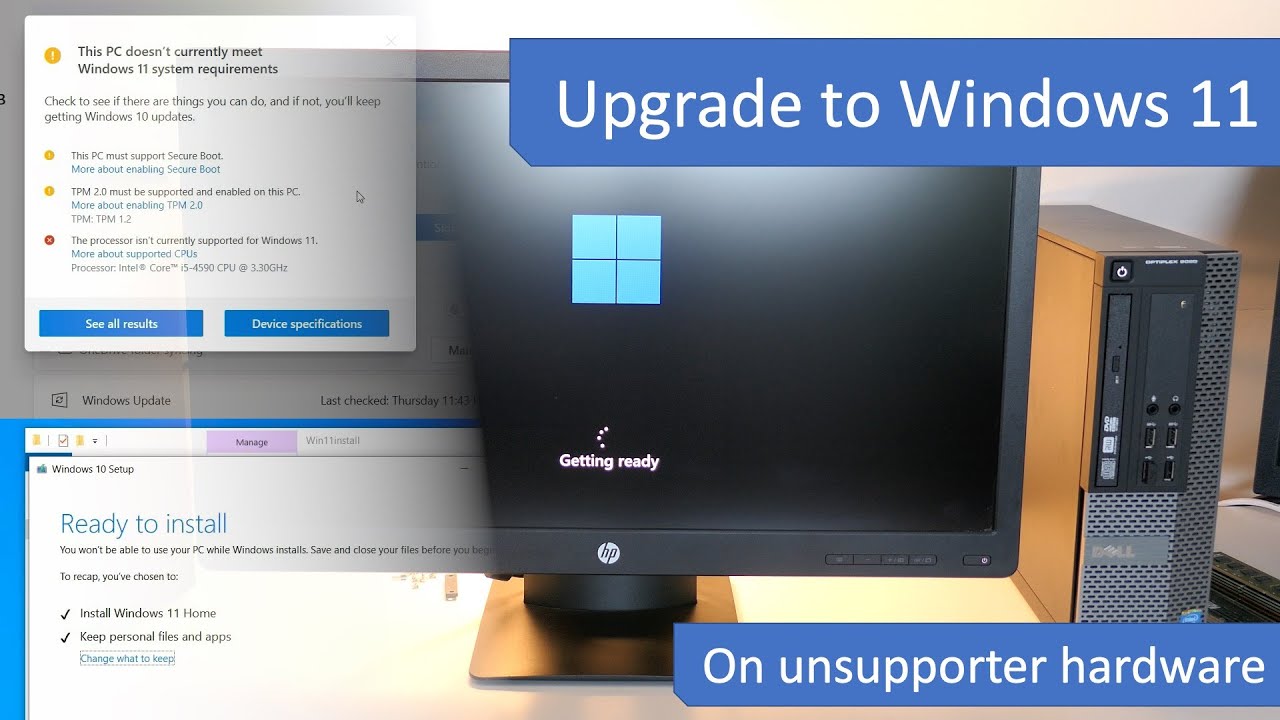
In this video, I will explain how to upgrade an existing Windows 10 installation to Windows 11 for unsupported hardware. There might be different methods to overcome the hardware check but this one definitely works.
I'll be performing this upgrade on a Dell Optiplex 9020 which does not have a supported CPU, no TPM nor secure boot. This is possible by combining the Windows 10 installer with the Windows 11 installation files.
IIn the meanwhile, Microsoft has released version 25H2 of Windows 11, which requires a different approach.
You can find updated videos for 25H2 over here:
- Upgrade from Windows 11 which is already on 24H2 on unsupported hardware: https://youtu.be/LkG87oX-aRU
- Perform a fresh installation of Windows 11 25H2 on unsupported hardware: https://youtu.be/ONywTBNc1Fs
- Upgrade from Windows 10 or an older version of Windows 11 like 23H2 or 22H2 on unsupported hardware: https://youtu.be/uVnQaG06XOA
In case you wonder how performance would be running Windows 11 with unsupported hardware, check this video: https://youtu.be/6zkAxYOe_IM
If you're interested in seeing if updates are still working after doing the upgrade, have a look here: https://youtu.be/_ECCgzne2UI
If you have issues with Windows Security/Defender after upgrading, check the following video for a solution: https://youtu.be/p-ba-7yHHsI
Download links used in the video:
Windows 10 ISO: https://www.microsoft.com/en-us/software-download/windows10
Windows 11 ISO: https://www.microsoft.com/en-us/software-download/windows11
I'll be performing this upgrade on a Dell Optiplex 9020 which does not have a supported CPU, no TPM nor secure boot. This is possible by combining the Windows 10 installer with the Windows 11 installation files.
IIn the meanwhile, Microsoft has released version 25H2 of Windows 11, which requires a different approach.
You can find updated videos for 25H2 over here:
- Upgrade from Windows 11 which is already on 24H2 on unsupported hardware: https://youtu.be/LkG87oX-aRU
- Perform a fresh installation of Windows 11 25H2 on unsupported hardware: https://youtu.be/ONywTBNc1Fs
- Upgrade from Windows 10 or an older version of Windows 11 like 23H2 or 22H2 on unsupported hardware: https://youtu.be/uVnQaG06XOA
In case you wonder how performance would be running Windows 11 with unsupported hardware, check this video: https://youtu.be/6zkAxYOe_IM
If you're interested in seeing if updates are still working after doing the upgrade, have a look here: https://youtu.be/_ECCgzne2UI
If you have issues with Windows Security/Defender after upgrading, check the following video for a solution: https://youtu.be/p-ba-7yHHsI
Download links used in the video:
Windows 10 ISO: https://www.microsoft.com/en-us/software-download/windows10
Windows 11 ISO: https://www.microsoft.com/en-us/software-download/windows11
Video Information
Views
1.6M
Likes
28.1K
Duration
8:36
Published
Oct 8, 2021
User Reviews
4.8
(326) Related Trending Topics
LIVE TRENDSRelated trending topics. Click any trend to explore more videos.
No specific trending topics match this video yet.
Explore All Trends