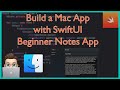
SwiftUI macOS app tutorial: Build a Notes App (Beginner Tutorial – 2025)
Learn how to build your first macOS desktop app using SwiftUI! In this beginner-friendly tutorial, we’ll walk through every step of creating a functional Not...
NDC
7.2K views • Jun 27, 2025
About this video
Learn how to build your first macOS desktop app using SwiftUI! In this beginner-friendly tutorial, we’ll walk through every step of creating a functional Notes app for Mac, using NavigationSplitView, state management, toolbars, and more.
This is the perfect starting point if you’re an iOS developer exploring the desktop world — or a total Swift beginner looking to build your first real macOS app.
🧠 What You’ll Learn:
✅ How to create a macOS SwiftUI project in Xcode
✅ Build a functional sidebar + detail layout
✅ Use @State, @Binding, and list selection
✅ Add native macOS features like toolbars
✅ Understand how navigation and editing work differently from iOS
🎯 By the end, you’ll have a working Notes app that feels right at home on the Mac — and a solid foundation for future macOS development!
Clone or download the full demo project here:
📁 GitHub Repo: https://github.com/NDCSwift/MacOSNotesApp
🔥 Download My Project Files & More! 🔥
👉 Get the source code for this project & other Swift resources here:
🔗 https://ndcswift.github.io/Swift-Projects/
⏱️Timestamps
00:00 – Intro
00:25 – Example of what we're building
00:46 – Creating a new MacOS project on Xcode
01:24 – SwiftUI Preview with MacOS
01:55 – Notes Struct
02:49 – Adding our Notes to ContentView
04:44 – Designing our User Interface with NavigationSplitView
05:48 – List & Looping through our notes
09:27 – Making our Notes hashable
09:55 – Using the Preview to test our app
10:10 – Adding toolbar
12:04 – Testing on your Mac
12:30 – Adding Binding to our Notes
14:45 – Creating a NoteDetailView for our Notes
15:25 – Fixing Preview with Bindings
16:22 – Getting User input for Notes
19:40 – Updating our Detail
21:16 – Using tag to "click to navigate"
21:55 – Code Review
24:19 – Wrap Up
This is the perfect starting point if you’re an iOS developer exploring the desktop world — or a total Swift beginner looking to build your first real macOS app.
🧠 What You’ll Learn:
✅ How to create a macOS SwiftUI project in Xcode
✅ Build a functional sidebar + detail layout
✅ Use @State, @Binding, and list selection
✅ Add native macOS features like toolbars
✅ Understand how navigation and editing work differently from iOS
🎯 By the end, you’ll have a working Notes app that feels right at home on the Mac — and a solid foundation for future macOS development!
Clone or download the full demo project here:
📁 GitHub Repo: https://github.com/NDCSwift/MacOSNotesApp
🔥 Download My Project Files & More! 🔥
👉 Get the source code for this project & other Swift resources here:
🔗 https://ndcswift.github.io/Swift-Projects/
⏱️Timestamps
00:00 – Intro
00:25 – Example of what we're building
00:46 – Creating a new MacOS project on Xcode
01:24 – SwiftUI Preview with MacOS
01:55 – Notes Struct
02:49 – Adding our Notes to ContentView
04:44 – Designing our User Interface with NavigationSplitView
05:48 – List & Looping through our notes
09:27 – Making our Notes hashable
09:55 – Using the Preview to test our app
10:10 – Adding toolbar
12:04 – Testing on your Mac
12:30 – Adding Binding to our Notes
14:45 – Creating a NoteDetailView for our Notes
15:25 – Fixing Preview with Bindings
16:22 – Getting User input for Notes
19:40 – Updating our Detail
21:16 – Using tag to "click to navigate"
21:55 – Code Review
24:19 – Wrap Up
Tags and Topics
Browse our collection to discover more content in these categories.
Video Information
Views
7.2K
Likes
170
Duration
24:52
Published
Jun 27, 2025
User Reviews
4.6
(1) Related Trending Topics
LIVE TRENDSRelated trending topics. Click any trend to explore more videos.
No specific trending topics match this video yet.
Explore All Trends