Fix: Send Group Texts Individually on Android
Learn how to send group messages as individual texts on Android by adjusting messaging app settings. 📱
APN Settings
243.3K views • Jun 19, 2020
About this video
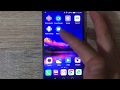
Fix for Group Text Messages send individually in Android, Change this setting in the messaging app
For this, we recommend using a SMS/MMS messaging app call Google Messages, where you can setup the Group Chat options, and configure whether you want to:
Send an SMS reply to all recipients and get individual replies (mass text) or Send an MMS reply to all recipients (group MMS)
In this case, we want to avoid the frist option, so we should select the second option to have all text messages sent to the Group
You can download Google Messaging app for free on the Play Store, then onced installed, set it up as the default messaging app. Open it, go to Settings, Advanced, then Group messaging and select the option mentioned above.
For this, we recommend using a SMS/MMS messaging app call Google Messages, where you can setup the Group Chat options, and configure whether you want to:
Send an SMS reply to all recipients and get individual replies (mass text) or Send an MMS reply to all recipients (group MMS)
In this case, we want to avoid the frist option, so we should select the second option to have all text messages sent to the Group
You can download Google Messaging app for free on the Play Store, then onced installed, set it up as the default messaging app. Open it, go to Settings, Advanced, then Group messaging and select the option mentioned above.
Tags and Topics
Browse our collection to discover more content in these categories.
Video Information
Views
243.3K
Likes
1.3K
Duration
1:40
Published
Jun 19, 2020
User Reviews
4.2
(48) Related Trending Topics
LIVE TRENDSRelated trending topics. Click any trend to explore more videos.
No specific trending topics match this video yet.
Explore All Trends