Save Webpages as PDFs on iPhone & iPad 📱 | Easy Step-by-Step Guide
Learn how to quickly save Safari web pages as PDFs on your iPhone or iPad. Share, store, and access your favorite web content effortlessly!

Lesron
171 views • Jul 5, 2022
About this video
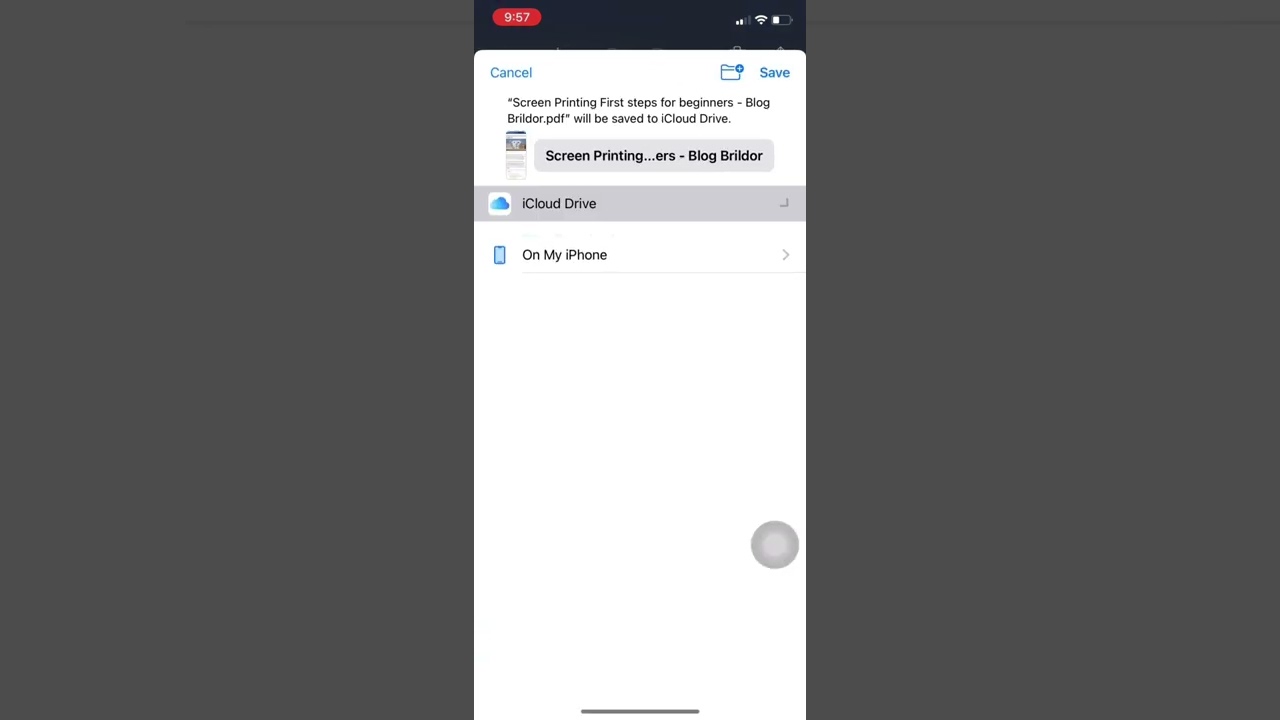
This video is about how to save a web page on safari to your files or Files app your on iPhone as PDF.
You will be able to share the page as a pdf or document file to anyone you desire to share to.
You can Airdrop or Share via any App installed on your iPhone.
All you just need is to take a screenshot of the page you want to save and follow the procedure above…
You will be able to share the page as a pdf or document file to anyone you desire to share to.
You can Airdrop or Share via any App installed on your iPhone.
All you just need is to take a screenshot of the page you want to save and follow the procedure above…
Video Information
Views
171
Likes
9
Duration
0:48
Published
Jul 5, 2022
Related Trending Topics
LIVE TRENDSRelated trending topics. Click any trend to explore more videos.
No specific trending topics match this video yet.
Explore All Trends