Microsoft 365 Copilot Ops Training 🚀
Learn to create effective prompts and build AI skills for operations with Microsoft 365 Copilot training.

Microsoft Support
62 views • Jan 20, 2026
About this video
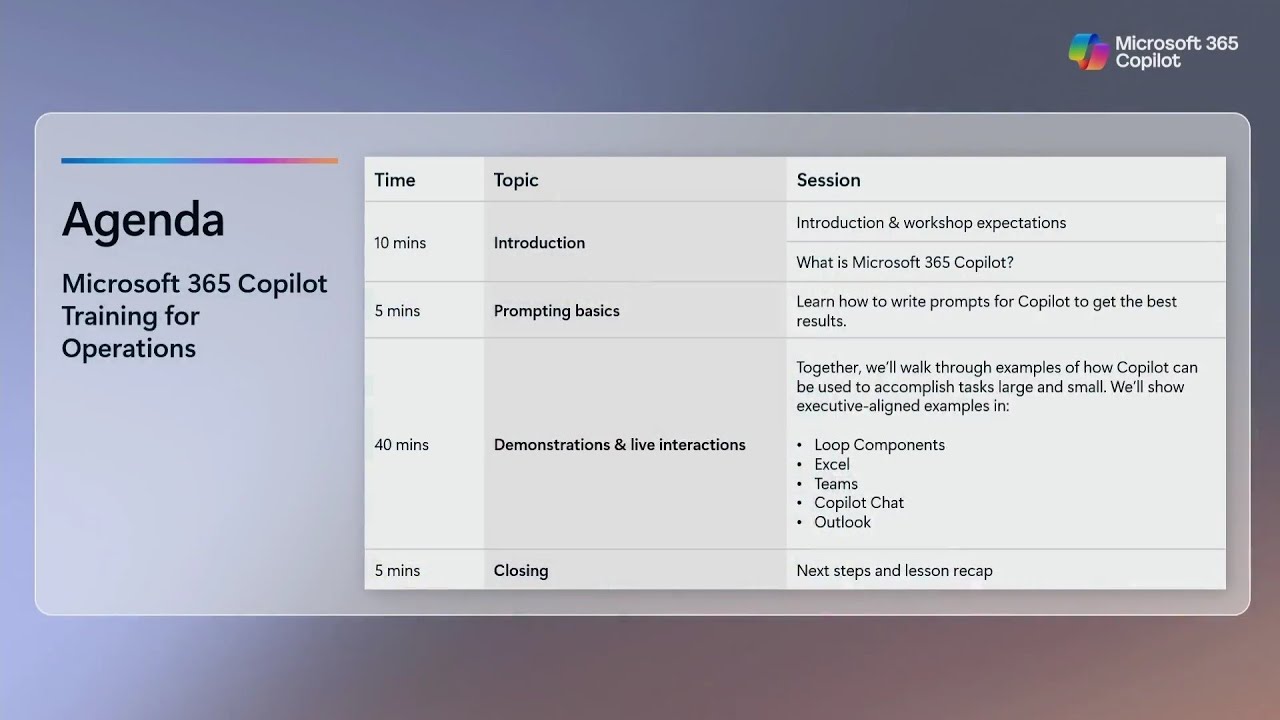
Microsoft 365 Copilot Training for Operations
During this tutorial, you’ll discover how to create prompts that deliver results, build foundational AI skills, and get the most out of Copilot in the apps you use every day. Engage with Microsoft experts to ask questions and get answers on how to apply AI to your daily tasks.
Who should attend: Operations professionals looking to learn fundamental AI skills with Copilot
Technical level: This is a foundational-level course.
You’ll gain the skills to use Copilot to:
- Synthesize your emails, meetings, and chats in Microsoft Teams relating to a specific operations topic, metric, or activity.
- Perform data analysis and create summaries of operational metrics, key performance indicators, and processes to aid in decision making.
- Develop ideas for a new workflow in a Microsoft Word document.
- Draft an email about the new workflow in Microsoft Outlook.
- Create a presentation using Microsoft PowerPoint that details processes and implementation timelines.
Microsoft Copilot for Microsoft 365 Training for Operations
Explore the fundamentals of using Copilot as your own AI assistant. Through expert-led demos, discover how Copilot helps enhance business operations and drives innovation with in-depth analysis.
During this tutorial, you’ll discover how to create prompts that deliver results, build foundational AI skills, and get the most out of Copilot in the apps you use every day. Engage with Microsoft experts to ask questions and get answers on how to apply AI to your daily tasks.
Disclaimer: Microsoft 365 Copilot Training for Operations Professionals is open to the public and offered at no cost. Prior to registering for this event, government employees must check with their employers to ensure that their participation is permitted and in accordance with applicable policies and laws.
#Microsoft
#Microsoft365Copilot
During this tutorial, you’ll discover how to create prompts that deliver results, build foundational AI skills, and get the most out of Copilot in the apps you use every day. Engage with Microsoft experts to ask questions and get answers on how to apply AI to your daily tasks.
Who should attend: Operations professionals looking to learn fundamental AI skills with Copilot
Technical level: This is a foundational-level course.
You’ll gain the skills to use Copilot to:
- Synthesize your emails, meetings, and chats in Microsoft Teams relating to a specific operations topic, metric, or activity.
- Perform data analysis and create summaries of operational metrics, key performance indicators, and processes to aid in decision making.
- Develop ideas for a new workflow in a Microsoft Word document.
- Draft an email about the new workflow in Microsoft Outlook.
- Create a presentation using Microsoft PowerPoint that details processes and implementation timelines.
Microsoft Copilot for Microsoft 365 Training for Operations
Explore the fundamentals of using Copilot as your own AI assistant. Through expert-led demos, discover how Copilot helps enhance business operations and drives innovation with in-depth analysis.
During this tutorial, you’ll discover how to create prompts that deliver results, build foundational AI skills, and get the most out of Copilot in the apps you use every day. Engage with Microsoft experts to ask questions and get answers on how to apply AI to your daily tasks.
Disclaimer: Microsoft 365 Copilot Training for Operations Professionals is open to the public and offered at no cost. Prior to registering for this event, government employees must check with their employers to ensure that their participation is permitted and in accordance with applicable policies and laws.
#Microsoft
#Microsoft365Copilot
Video Information
Views
62
Likes
2
Duration
01:00:01
Published
Jan 20, 2026
Related Trending Topics
LIVE TRENDSRelated trending topics. Click any trend to explore more videos.
No specific trending topics match this video yet.
Explore All Trends