Share Google Drive Files View-Only Without Notifications
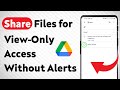
Learn how to share Google Drive files for view-only access without sending notifications. Easy updated method to keep your recipients informed.
Smart Fixer
1.4K views • May 12, 2025

About this video
Learn how to share Google Drive files for view-only access without sending notifications. This updated guide shows you the easiest way to keep your recipients from receiving email alerts while ensuring they can only view your files. Perfect for sharing sensitive documents quietly or managing access with more control.
1. Open the Google Drive app and tap the three dots next to the file.
2. Tap Share and enter the person's email.
3. Tap the permission dropdown (Editor - Viewer), select Viewer.
4. Uncheck Notify people then tap Send.-
===================
Chapters:
--------------
00:00 Intro
00:12 Soultion
01:05 Outro
===================
For advertiser contact us via email : smart_fixer@protonmail.com
1. Open the Google Drive app and tap the three dots next to the file.
2. Tap Share and enter the person's email.
3. Tap the permission dropdown (Editor - Viewer), select Viewer.
4. Uncheck Notify people then tap Send.-
===================
Chapters:
--------------
00:00 Intro
00:12 Soultion
01:05 Outro
===================
For advertiser contact us via email : smart_fixer@protonmail.com
Tags and Topics
Browse our collection to discover more content in these categories.
Video Information
Views
1.4K
Likes
4
Duration
1:56
Published
May 12, 2025
User Reviews
3.9
(1) Related Trending Topics
LIVE TRENDSRelated trending topics. Click any trend to explore more videos.
Trending Now