Send WhatsApp Broadcast to All Contacts 📩
Learn how to easily send a message to all contacts on WhatsApp without creating a group chat.

Informative Media
5.5K views • Oct 20, 2025
About this video
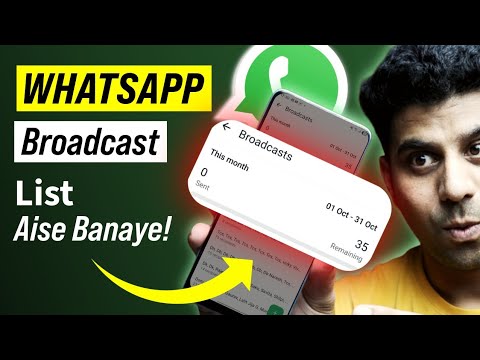
Sending a broadcast message on WhatsApp is an easy task and is required when you want to send one message to multiple people without creating a group chat. This feature is perfect for announcements, updates, or festive greetings. So how can you create a broadcast list in WhatsApp and send a broadcast message? The answer is simple and explained in 3-4 easy steps in this video.
Creating a WhatsApp broadcast list allows you to send a message to many contacts at once, and they will receive it as a normal, individual message.
How to create a broadcast in WhatsApp:
There is a simple way to create a broadcast list and send a message by following the below steps.
Step 1: Open your WhatsApp application.
Step 2: Go to the main Chats screen and tap the three-dot menu in the top-right corner.
Step 3: Select 'New broadcast' from the options.
Step 4: Choose all the contacts you want to add to your broadcast list.
Step 5: Tap the green checkmark to create the list.
Step 6: You can now type your message and send it to everyone on the list at once.
Hurray! Your WhatsApp broadcast message is now sent. Remember, contacts will only receive your broadcast message if they have your phone number saved in their contacts.
So I hope you were able to create a WhatsApp broadcast list easily after watching this video. Let me know your comments/feedback in the comment section below, especially if you faced any issue in creating the list.
Hope you must have loved this video.
LIKE!! SHARE!! SUBSCRIBE!!
#Whatsapp
#InformativeMedia
Join this channel to get access to perks:
https://www.youtube.com/channel/UCsDOgGLJ0I5td9UZyikyMjQ/join
Also Connect us:
Facebook: https://bit.ly/2RJYNRe
Twitter: https://bit.ly/2U7uLn2
LinkedIn: https://bit.ly/2WctrB6
Instagram: https://bit.ly/2WdB22H
Google Plus:http://bit.ly/InformativeMediaGPlus
For business inquires email: informativemedias@gmail.com
Informative Media is a YouTube channel that publishes quality Technological Videos.
We are available for messages on new WhatsApp Number - +91-9891784349
how to send broadcast message on whatsapp, how to create broadcast in whatsapp, how to make broadcast list in whatsapp, whatsapp broadcast message, how to send message to multiple contacts on whatsapp
Suggested YouTube Tags:
how to send broadcast message on whatsapp, how to create broadcast in whatsapp, how to make broadcast list in whatsapp, whatsapp broadcast message, how to send message to multiple contacts on whatsapp, whatsapp broadcast list, how to create a broadcast in whatsapp, how to use broadcast in whatsapp, whatsapp broadcast, whatsapp tricks, whatsapp tips and tricks, Informative Media
Creating a WhatsApp broadcast list allows you to send a message to many contacts at once, and they will receive it as a normal, individual message.
How to create a broadcast in WhatsApp:
There is a simple way to create a broadcast list and send a message by following the below steps.
Step 1: Open your WhatsApp application.
Step 2: Go to the main Chats screen and tap the three-dot menu in the top-right corner.
Step 3: Select 'New broadcast' from the options.
Step 4: Choose all the contacts you want to add to your broadcast list.
Step 5: Tap the green checkmark to create the list.
Step 6: You can now type your message and send it to everyone on the list at once.
Hurray! Your WhatsApp broadcast message is now sent. Remember, contacts will only receive your broadcast message if they have your phone number saved in their contacts.
So I hope you were able to create a WhatsApp broadcast list easily after watching this video. Let me know your comments/feedback in the comment section below, especially if you faced any issue in creating the list.
Hope you must have loved this video.
LIKE!! SHARE!! SUBSCRIBE!!
#InformativeMedia
Join this channel to get access to perks:
https://www.youtube.com/channel/UCsDOgGLJ0I5td9UZyikyMjQ/join
Also Connect us:
Facebook: https://bit.ly/2RJYNRe
Twitter: https://bit.ly/2U7uLn2
LinkedIn: https://bit.ly/2WctrB6
Instagram: https://bit.ly/2WdB22H
Google Plus:http://bit.ly/InformativeMediaGPlus
For business inquires email: informativemedias@gmail.com
Informative Media is a YouTube channel that publishes quality Technological Videos.
We are available for messages on new WhatsApp Number - +91-9891784349
how to send broadcast message on whatsapp, how to create broadcast in whatsapp, how to make broadcast list in whatsapp, whatsapp broadcast message, how to send message to multiple contacts on whatsapp
Suggested YouTube Tags:
how to send broadcast message on whatsapp, how to create broadcast in whatsapp, how to make broadcast list in whatsapp, whatsapp broadcast message, how to send message to multiple contacts on whatsapp, whatsapp broadcast list, how to create a broadcast in whatsapp, how to use broadcast in whatsapp, whatsapp broadcast, whatsapp tricks, whatsapp tips and tricks, Informative Media
Video Information
Views
5.5K
Likes
13
Duration
3:25
Published
Oct 20, 2025
User Reviews
3.9
(1) Related Trending Topics
LIVE TRENDSRelated trending topics. Click any trend to explore more videos.
No specific trending topics match this video yet.
Explore All Trends