How to Restore Reset a Macbook Pro A1706 to Factory Settings ║OS X High Sierra
Best MacBook Pro / Air Accessory - https://amzn.to/3M2jy4E This is a video on how to perform a hard reset factory restore on a Macbook Pro A1706 running Mac...

Serg Tech
877.4K views • Jun 4, 2018
About this video
Best MacBook Pro / Air Accessory - https://amzn.to/3M2jy4E
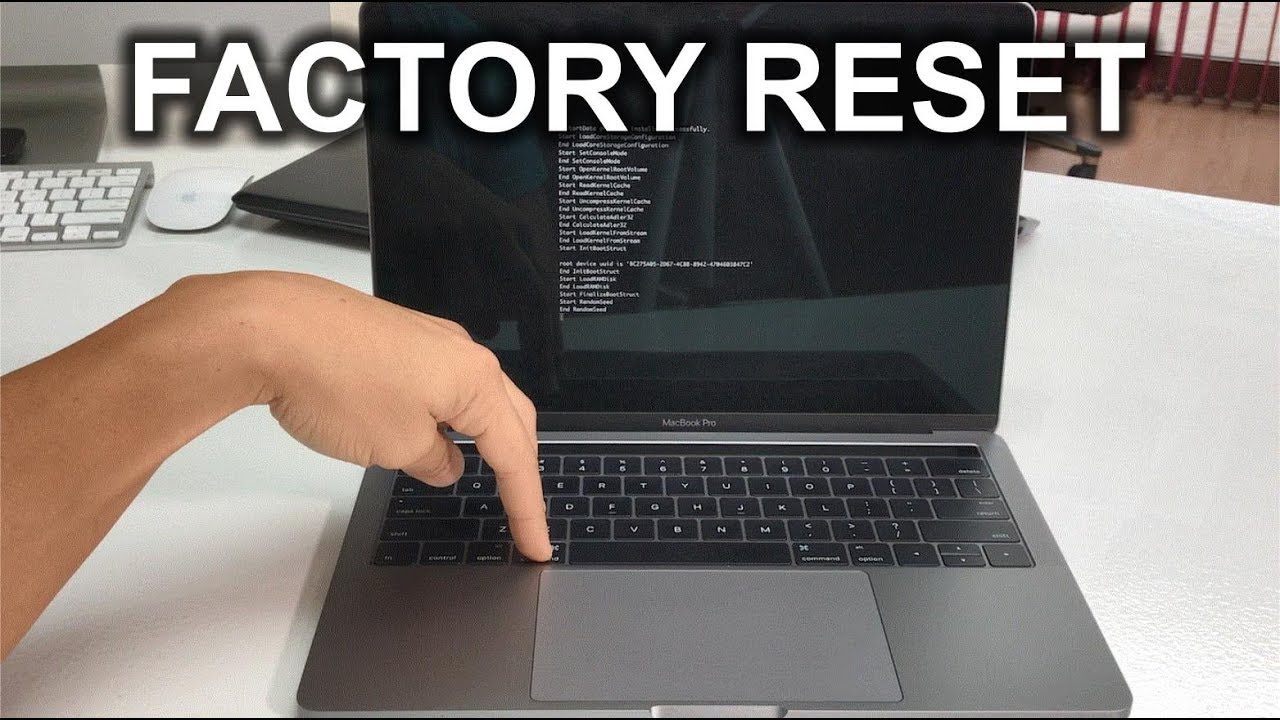
This is a video on how to perform a hard reset factory restore on a Macbook Pro A1706 running Mac OS X High Sierra.
Steps
1. Power off the Macbook
2. Power it on and hold "Command" key and "S" key at the same time.
3. Hold until the black screen with all the coding appears.
4. Type in the following
mount -uw / (hit Enter)
rm /var/db/.applesetupdone (hit Enter)
shutdown -h now (hit Enter)
5. The Macbook will power off, so just power it back on.
6. Congrats if you got this far your Macbook should have been reset.
Disclaimer - A factory data reset both hard or soft will erase all of your personal information on your device and return it to its out of the box state. You are doing this factory data wipe/reset on your device at your own risk. We are not responsible for any problems or technical difficulties caused from trying these techniques.
Instagram - https://www.instagram.com/serg.tech/
Things I use in this video
- Camera: http://amzn.to/2DuPJbV
- Microphone: http://amzn.to/2DWnDTV
- Lighting Kit: http://amzn.to/2DqOKoI
- Video Editor: http://www.kqzyfj.com/click-8541081-11245643
This is a video on how to perform a hard reset factory restore on a Macbook Pro A1706 running Mac OS X High Sierra.
Steps
1. Power off the Macbook
2. Power it on and hold "Command" key and "S" key at the same time.
3. Hold until the black screen with all the coding appears.
4. Type in the following
mount -uw / (hit Enter)
rm /var/db/.applesetupdone (hit Enter)
shutdown -h now (hit Enter)
5. The Macbook will power off, so just power it back on.
6. Congrats if you got this far your Macbook should have been reset.
Disclaimer - A factory data reset both hard or soft will erase all of your personal information on your device and return it to its out of the box state. You are doing this factory data wipe/reset on your device at your own risk. We are not responsible for any problems or technical difficulties caused from trying these techniques.
Instagram - https://www.instagram.com/serg.tech/
Things I use in this video
- Camera: http://amzn.to/2DuPJbV
- Microphone: http://amzn.to/2DWnDTV
- Lighting Kit: http://amzn.to/2DqOKoI
- Video Editor: http://www.kqzyfj.com/click-8541081-11245643
Tags and Topics
Browse our collection to discover more content in these categories.
Video Information
Views
877.4K
Likes
5.4K
Duration
4:02
Published
Jun 4, 2018
User Reviews
4.3
(175) Related Trending Topics
LIVE TRENDSRelated trending topics. Click any trend to explore more videos.
No specific trending topics match this video yet.
Explore All Trends