Quick Guide to Pull Data from Another Sheet in Excel
Learn how to quickly pull data between sheets in Excel with simple formulas for inventory, finance, and more! 📊

Checkmark Academy
308 views • Feb 28, 2025
About this video
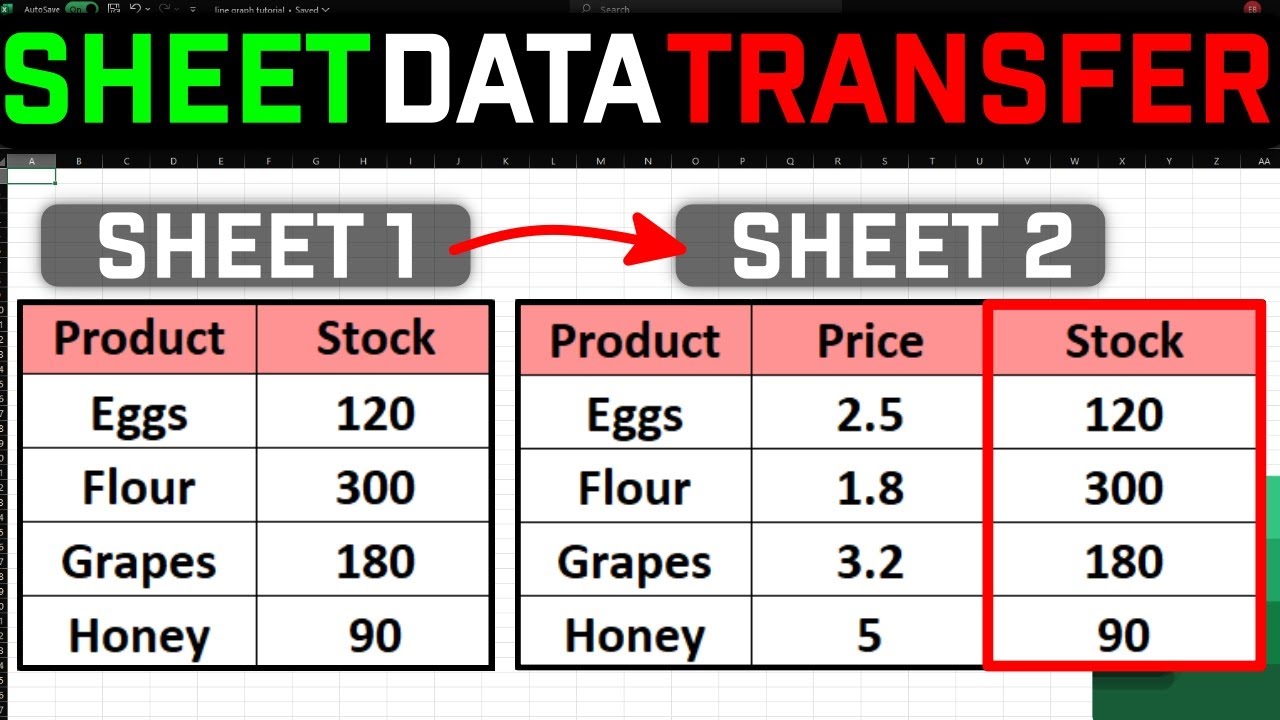
📌 Learn how to pull data from one sheet to another in Excel using a simple formula! Whether you're managing inventory, finances, or any dataset, linking sheets will save you time and effort.
=VLOOKUP(A2, Sheet2!A:B, 2, FALSE)
🔹 A2 → The value to search for (product name)
🔹 Sheet2!A:B → The data range in the other sheet
🔹 2 → The column number where the needed value is
🔹 FALSE → Ensures an exact match
Why This is Useful?
✅ Saves time – no need to copy-paste
✅ Automatically updates when data changes
✅ Works for stock management, finance, and reports
💡 Want more Excel tips? Don’t forget to LIKE 👍, SUBSCRIBE 🔔, and COMMENT 💬 if you found this helpful!
#Excel #Sheets #VLOOKUP #ExcelTips #Spreadsheet #DataManagement
=VLOOKUP(A2, Sheet2!A:B, 2, FALSE)
🔹 A2 → The value to search for (product name)
🔹 Sheet2!A:B → The data range in the other sheet
🔹 2 → The column number where the needed value is
🔹 FALSE → Ensures an exact match
Why This is Useful?
✅ Saves time – no need to copy-paste
✅ Automatically updates when data changes
✅ Works for stock management, finance, and reports
💡 Want more Excel tips? Don’t forget to LIKE 👍, SUBSCRIBE 🔔, and COMMENT 💬 if you found this helpful!
#Excel #Sheets #VLOOKUP #ExcelTips #Spreadsheet #DataManagement
Tags and Topics
Browse our collection to discover more content in these categories.
Video Information
Views
308
Duration
0:53
Published
Feb 28, 2025
Related Trending Topics
LIVE TRENDSRelated trending topics. Click any trend to explore more videos.
No specific trending topics match this video yet.
Explore All Trends