Excel Trick 643: Use IF to Pull Data from Another Column
Learn how to create an IF formula to extract data from a different column in Excel. Download files included. 📊
excelisfun
495.1K views • Jul 6, 2010
About this video
Download Files:
https://people.highline.edu/mgirvin/YouTubeExcelIsFun/EMT636-639.xlsx
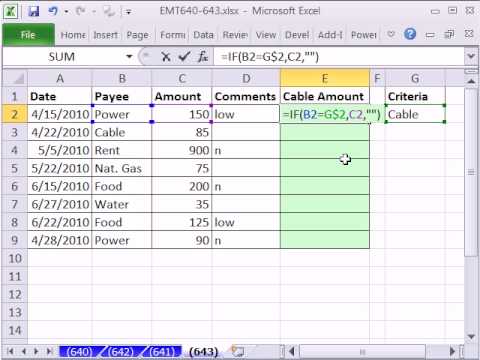
See how to create an IF function formula that will pull data from column C based on criteria in column B. See how to join cell content to get a dynamic data set label using the Ampersand Join symbol.
https://people.highline.edu/mgirvin/YouTubeExcelIsFun/EMT636-639.xlsx
See how to create an IF function formula that will pull data from column C based on criteria in column B. See how to join cell content to get a dynamic data set label using the Ampersand Join symbol.
Tags and Topics
Browse our collection to discover more content in these categories.
Video Information
Views
495.1K
Likes
1.4K
Duration
2:18
Published
Jul 6, 2010
User Reviews
4.1
(99) Related Trending Topics
LIVE TRENDSRelated trending topics. Click any trend to explore more videos.
No specific trending topics match this video yet.
Explore All Trends