Install Raspberry Pi 5 Active Cooler & Case 🛠️
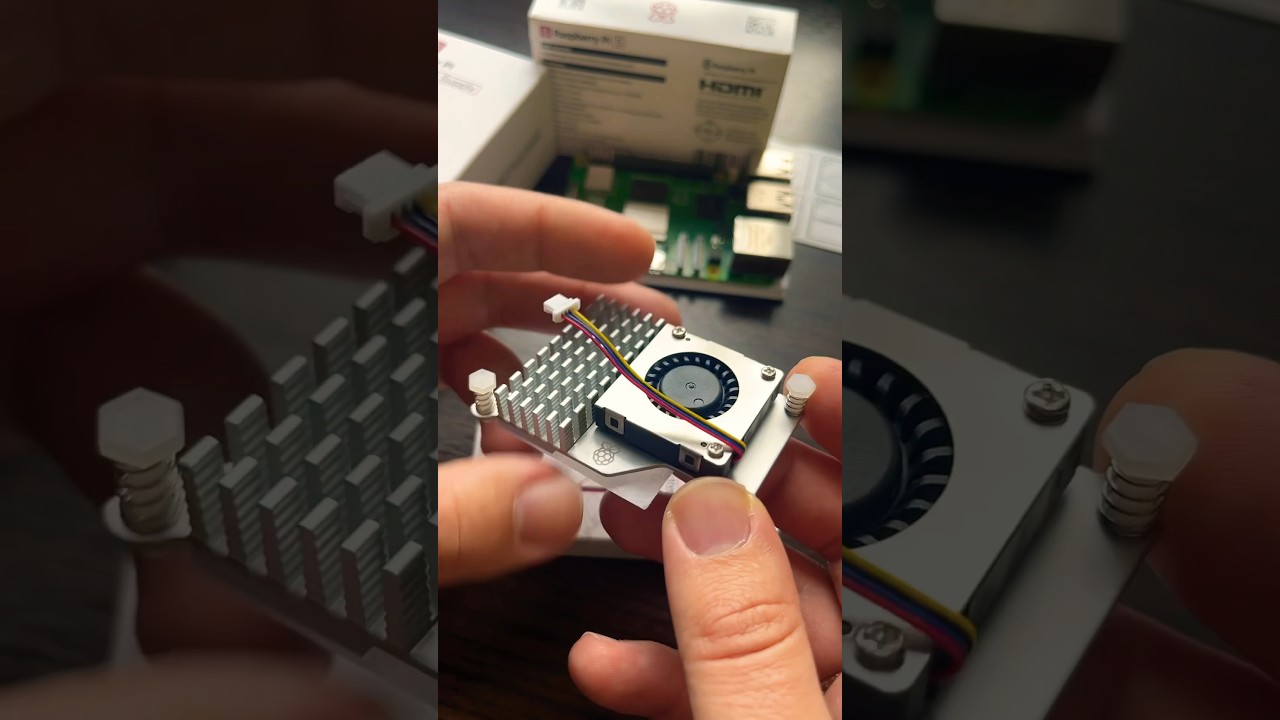
Learn how to easily install the Raspberry Pi 5 active cooler and case by peeling off the film and clipping it on.
DevelopAKR
83.2K views • Jan 25, 2024
About this video
Raspberry Pi 5 active cooler and case assembly
The active cooler is easy to install. Peel off the protective film covering the thermal pads, then clip it to the board using the two mounting holes. Finally, connect the 4-pin wire to the FAN connector after removing its cover.
::::::
Specifications:
Input voltage: 5V DC supplied via four-pin fan header on Raspberry Pi 5
Fan speed control: Pulse width modulation control with tachometer
Maximum airflow: 1.09 CFM
Maximum fan speed: 8000 RPM +/- 15%
Product material: Anodised aluminium
The active cooler is easy to install. Peel off the protective film covering the thermal pads, then clip it to the board using the two mounting holes. Finally, connect the 4-pin wire to the FAN connector after removing its cover.
::::::
Specifications:
Input voltage: 5V DC supplied via four-pin fan header on Raspberry Pi 5
Fan speed control: Pulse width modulation control with tachometer
Maximum airflow: 1.09 CFM
Maximum fan speed: 8000 RPM +/- 15%
Product material: Anodised aluminium
Video Information
Views
83.2K
Likes
1.3K
Duration
1:01
Published
Jan 25, 2024
User Reviews
4.7
(16) Related Trending Topics
LIVE TRENDSRelated trending topics. Click any trend to explore more videos.