Fix 'Device Not Compatible' Error & Install Google Play Apps Easily 📱
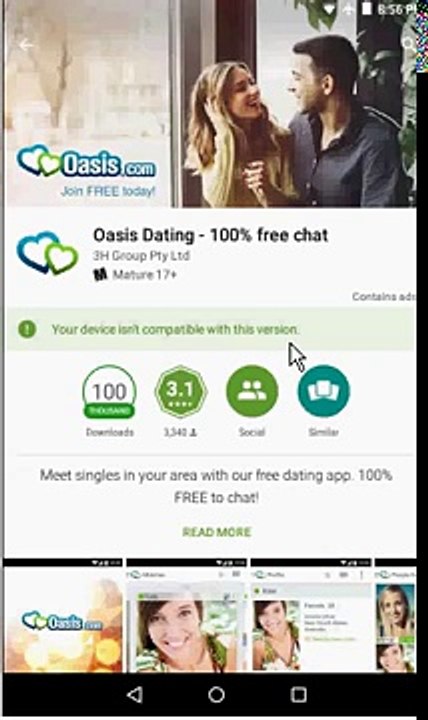
Learn simple methods to bypass compatibility issues and install your favorite Android apps from Google Play, even if your device isn't officially supported. Caution: Follow instructions carefully to avoid potential risks.
Aileenbagshaw84
5 views • Sep 14, 2017
About this video
WARNING - I will NOT be held responsible for any damages the software(s) and methods shown in this video may cause to yours or someone elses hardware, software, and/or data, including loss of use of such devices and/or loss of data and/or loss of profits from the resulting inability to use such devices and data. Any information or program you choose to put into use from this video is done AT YOUR OWN RISK. As a precaution, I recommend backing up any irrecoverable data before installing and using ANY new software(s), including those shown in this video. \r<br>\r<br>If an app runs on LOWER versions of the Android operating system, yet on higher Android operating system versions the Google Play Android Market gives you the error message Your device isnt compatible with this version when trying to download and install said app, then chances are you can transfer the APK installer file from the device running the lower Android version to the device running the higher Android version. This video will show you how to do just this, thereby fixing or working around the error message preventing you from downloading and installing the app in question to your newer Android device.
Video Information
Views
5
Duration
6:38
Published
Sep 14, 2017
Related Trending Topics
LIVE TRENDSRelated trending topics. Click any trend to explore more videos.
No specific trending topics match this video yet.
Explore All Trends