Auto Insert Serial Numbers in Excel 📊
Learn how to automatically add serial numbers in Excel. Use WPS Office as a free alternative to Microsoft Office for Windows, Mac, and mobile.

Excel 10 tutorial
328.7K views • Nov 1, 2021
About this video
How to Insert Serial Number Automatically in Excel
Recommend WPS Office-Best FREE alternative to Microsoft Office, Download for Win & Mac & Mobile. Free Download link: https://bit.ly/3TTDOu6
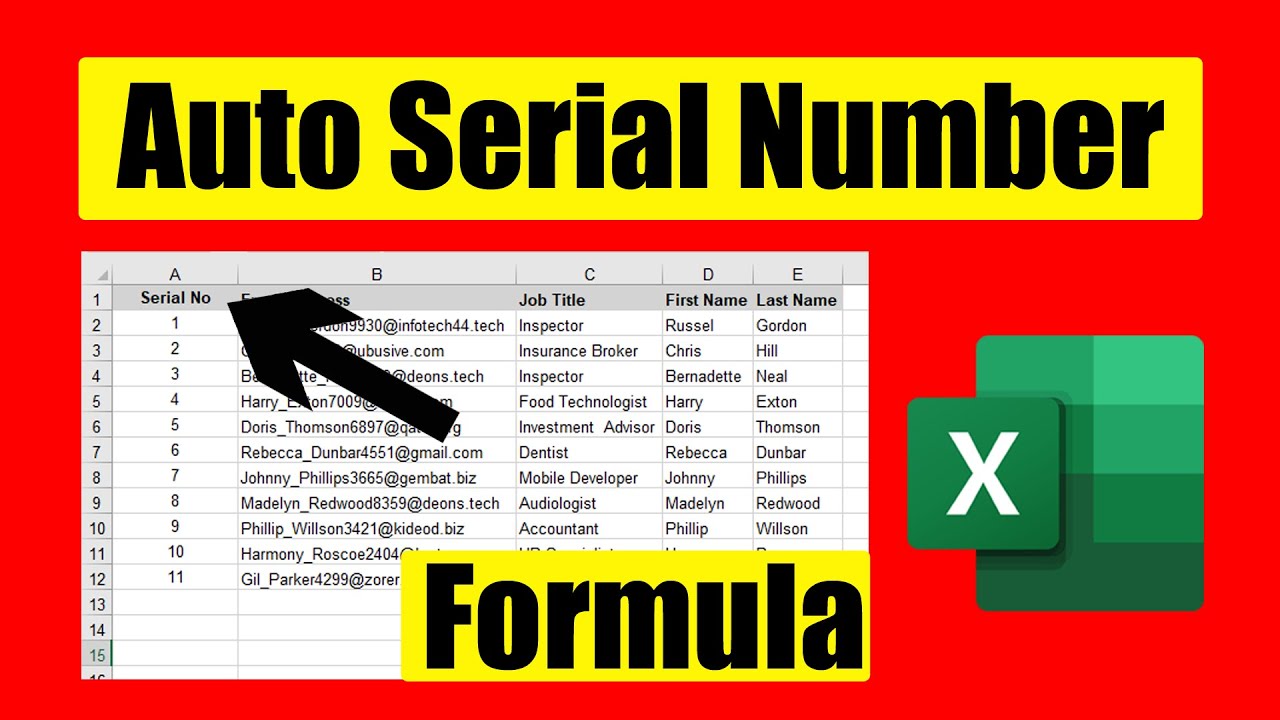
In this intermediate excel tutorial, I’ll explain an excellent trick for auto numbering in excel. I’ll be using tables and formula for this demonstration. It’s fairly easy and accurate. Let’s follow the instruction below to Add Automatic Serial Number in Excel using formula.
Step 1: First you need to create a table. To do that you need to select the data range. Now from the insert menu click on Table. Or you can press the Keyboard Shortcut CTRL + T. Our table is ready
Step 2: Now we need to write the formula. We are going to use the Rows function here. Learn to use the rows function here: https://youtu.be/ZHmcjwI0_Dc In the first cell of our table we need to write =ROWS($A$2:[@[Serial No]])
Here $A$2 is the cell from where we need to start auto numbering. [@[Serial No]] this is the column name of the table where we are going to do the automatic numbering. Watch the video for clear understanding.
Important Note: A few things you should consider while using this technique.
1. You can’t delete or remove the first cell where you’ve written the formula
2. If your table has several columns, no matter where you write if the table expands, so does the serial number.
This is how you insert automatic serial number using formula and table in Microsoft excel. Checkout our related video:
How To Insert Date and Serial Number Automatically in Excel Using Formula: https://youtu.be/OOZkRH88Pn4
How to Enter Date and Serial Number Automatically When data is entered in excel:
https://youtu.be/gY2rC-Zb6qk
#Automatic #Serial #Excel
Thanks for watching.
----------------------------------------------------------------------------------------
Support the channel with as low as $5
https://www.patreon.com/excel10tutorial
----------------------------------------------------------------------------------------
Please subscribe to #excel10tutorial
https://goo.gl/uL8fqQ
Here goes the most recent video of the channel:
https://bit.ly/2UngIwS
Playlists:
Advance Excel Tutorial: https://goo.gl/ExYy7v
Excel Tutorial for Beginners: https://goo.gl/UDrDcA
Excel Case: https://goo.gl/xiP3tv
Combine Workbook & Worksheets: https://bit.ly/2Tpf7DB
All About Comments in Excel: https://bit.ly/excelcomments
Excel VBA Programming Course: http://bit.ly/excelvbacourse
Social media:
Facebook: https://facebook.com/excel10tutorial
Twitter: https://twitter.com/excel10tutorial
Blogger: https://excel10tutorial.blogspot.com
Tumblr: https://excel10tutorial.tumblr.com
Instagram: https://www.instagram.com/excel_10_tutorial
Hubpages: https://hubpages.com/@excel10tutorial
Quora: https://bit.ly/3bxB8JG
Website: https://msexceltutorial.com/ *Become a member and enjoy exclusive perks while supporting the channel you love!*
https://www.youtube.com/@Excel10tutorial/join
Recommend WPS Office-Best FREE alternative to Microsoft Office, Download for Win & Mac & Mobile. Free Download link: https://bit.ly/3TTDOu6
In this intermediate excel tutorial, I’ll explain an excellent trick for auto numbering in excel. I’ll be using tables and formula for this demonstration. It’s fairly easy and accurate. Let’s follow the instruction below to Add Automatic Serial Number in Excel using formula.
Step 1: First you need to create a table. To do that you need to select the data range. Now from the insert menu click on Table. Or you can press the Keyboard Shortcut CTRL + T. Our table is ready
Step 2: Now we need to write the formula. We are going to use the Rows function here. Learn to use the rows function here: https://youtu.be/ZHmcjwI0_Dc In the first cell of our table we need to write =ROWS($A$2:[@[Serial No]])
Here $A$2 is the cell from where we need to start auto numbering. [@[Serial No]] this is the column name of the table where we are going to do the automatic numbering. Watch the video for clear understanding.
Important Note: A few things you should consider while using this technique.
1. You can’t delete or remove the first cell where you’ve written the formula
2. If your table has several columns, no matter where you write if the table expands, so does the serial number.
This is how you insert automatic serial number using formula and table in Microsoft excel. Checkout our related video:
How To Insert Date and Serial Number Automatically in Excel Using Formula: https://youtu.be/OOZkRH88Pn4
How to Enter Date and Serial Number Automatically When data is entered in excel:
https://youtu.be/gY2rC-Zb6qk
#Automatic #Serial #Excel
Thanks for watching.
----------------------------------------------------------------------------------------
Support the channel with as low as $5
https://www.patreon.com/excel10tutorial
----------------------------------------------------------------------------------------
Please subscribe to #excel10tutorial
https://goo.gl/uL8fqQ
Here goes the most recent video of the channel:
https://bit.ly/2UngIwS
Playlists:
Advance Excel Tutorial: https://goo.gl/ExYy7v
Excel Tutorial for Beginners: https://goo.gl/UDrDcA
Excel Case: https://goo.gl/xiP3tv
Combine Workbook & Worksheets: https://bit.ly/2Tpf7DB
All About Comments in Excel: https://bit.ly/excelcomments
Excel VBA Programming Course: http://bit.ly/excelvbacourse
Social media:
Facebook: https://facebook.com/excel10tutorial
Twitter: https://twitter.com/excel10tutorial
Blogger: https://excel10tutorial.blogspot.com
Tumblr: https://excel10tutorial.tumblr.com
Instagram: https://www.instagram.com/excel_10_tutorial
Hubpages: https://hubpages.com/@excel10tutorial
Quora: https://bit.ly/3bxB8JG
Website: https://msexceltutorial.com/ *Become a member and enjoy exclusive perks while supporting the channel you love!*
https://www.youtube.com/@Excel10tutorial/join
Tags and Topics
Browse our collection to discover more content in these categories.
Video Information
Views
328.7K
Likes
1.2K
Duration
4:11
Published
Nov 1, 2021
User Reviews
4.1
(65) Related Trending Topics
LIVE TRENDSRelated trending topics. Click any trend to explore more videos.
No specific trending topics match this video yet.
Explore All Trends