Auto Serial Numbers with SEQUENCE & COUNTA in Google Sheets
Learn how to create an automatic serial number system in Google Sheets using SEQUENCE and COUNTA functions for efficient data management. 📊
Google Sheet
74.8K views • Jul 31, 2023
About this video
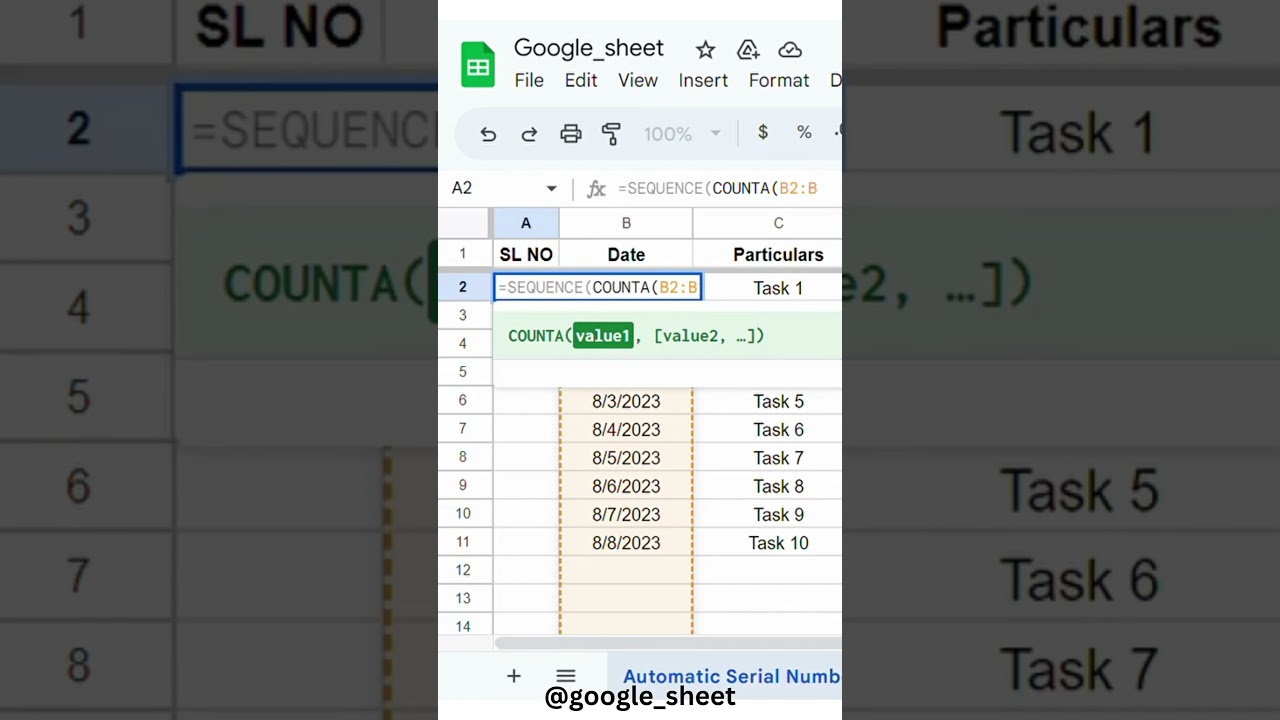
In this tutorial, we will walk you through the process of creating an automated serial number system in Google Sheets using the powerful SEQUENCE and COUNTA functions. Say goodbye to manually numbering your data entries and embrace the efficiency of this dynamic method.
📋 What you'll learn in this video:
• Combining SEQUENCE and COUNTA for automatic serial numbering.
By the end of this tutorial, you'll have a comprehensive understanding of how to generate and manage serial numbers effortlessly, saving you time and effort in your data management tasks.
🎓 Skill level: Beginner to Intermediate
💻 Tools used: Google Sheets
Make sure to like this video if you find it helpful and subscribe to our channel for more Google Sheets tips and tricks. Hit the notification bell to stay updated with our latest uploads!
Let's dive in and master the art of automatic serial numbering in Google Sheets. Don't forget to leave any questions or feedback in the comments section below; we love hearing from our viewers!
Thank you for watching, and let's excel together with Google Sheets! 🚀
#GoogleSheets #GoogleSheetsTutorial #DataManagement #ProductivityHacks #DataAnalysis #GoogleWorkspace #G Suite #Spreadsheets #ExcelToSheets #Automation #SEQUENCEfunction #COUNTAfunction
📋 What you'll learn in this video:
• Combining SEQUENCE and COUNTA for automatic serial numbering.
By the end of this tutorial, you'll have a comprehensive understanding of how to generate and manage serial numbers effortlessly, saving you time and effort in your data management tasks.
🎓 Skill level: Beginner to Intermediate
💻 Tools used: Google Sheets
Make sure to like this video if you find it helpful and subscribe to our channel for more Google Sheets tips and tricks. Hit the notification bell to stay updated with our latest uploads!
Let's dive in and master the art of automatic serial numbering in Google Sheets. Don't forget to leave any questions or feedback in the comments section below; we love hearing from our viewers!
Thank you for watching, and let's excel together with Google Sheets! 🚀
#GoogleSheets #GoogleSheetsTutorial #DataManagement #ProductivityHacks #DataAnalysis #GoogleWorkspace #G Suite #Spreadsheets #ExcelToSheets #Automation #SEQUENCEfunction #COUNTAfunction
Tags and Topics
Browse our collection to discover more content in these categories.
Video Information
Views
74.8K
Likes
743
Duration
0:34
Published
Jul 31, 2023
User Reviews
4.4
(14) Related Trending Topics
LIVE TRENDSRelated trending topics. Click any trend to explore more videos.
No specific trending topics match this video yet.
Explore All Trends