How to Fix Missing Section Collapse Headings in JotForm PDFs 📄
Learn simple steps to ensure your 'Section Collapse' headings appear correctly in your JotForm PDFs by adjusting the PDF Editor settings. Boost your form's clarity today!
unTLDR
6 views • May 8, 2024
About this video
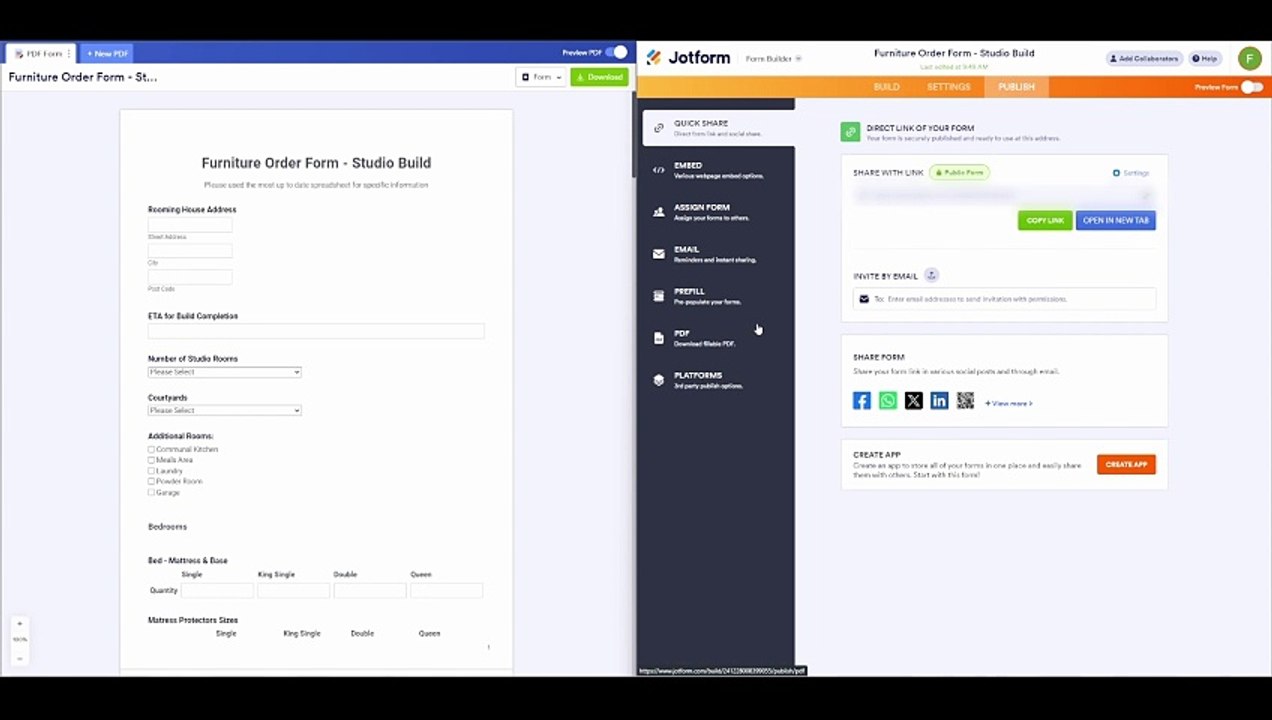
If the heading of a 'Section Collapse' in JotForm is not displaying in the PDF, you will likely need to adjust the settings in the PDF Editor. Here are the steps to ensure that the heading appears in your PDF output.<br /><br />Open the PDF Editor<br />Navigate to the "Publish" tab in your JotForm dashboard. Click on "PDF Editor" to modify the PDF version of your form submissions.<br /><br />Check PDF Layout<br />Look for the section collapse or its heading in the PDF layout. It may not have been added automatically, especially if the section collapse settings are set to 'hide' or 'minimise' by default.<br /><br />Add the Heading Manually<br />If the heading isn’t present, you can manually add it. Drag a "Text" element from the left panel into your PDF document where you want the heading to appear. Type the heading or any information that should be displayed as it appears in the 'Section Collapse' heading on the form.<br /><br />Adjust Visibility Settings<br />Ensure that any visibility settings within the PDF editor do not unintentionally hide the heading. Unlike the form's conditional logic that affects the form view, the PDF editor has separate control over what is visible in the PDF.<br /><br />Save and Test<br />After making adjustments, save your changes in the PDF Editor. Perform a test submission to see how the output PDF looks with the changes you made.<br /><br />Check Conditional Logic (if applicable)<br />If there's conditional logic applied to the 'Section Collapse' that might be influencing its visibility on the PDF, consider adjusting this logic or ensuring it’s configured to display the section in the conditions you want.<br /><br />By following these steps, you should be able to ensure that the heading for your 'Section Collapse' appears in the PDF output. Always make sure to test with a few submissions to confirm everything is working as expected.<br /><br />Timestamps<br />00:03 Problem Outline - Missing Heading in Section Collapse on PDF in Jotform<br />00:32 How to Add a Title to a PDF in Jotform<br />01:01 Edit PDF Screen in Jotform<br />01:42 Adding a 'Text' Element to PDF in Jotform<br /><br />#JotFormTips #FormBuilding #OnlineForms #DigitalSolutions #PDFTricks #EfficiencyTools #TechHacks #WorkflowAutomation #BusinessSolutions #FormDesign #UserExperience #DataCollection #FormManagement #TechGuides #DigitalForms #ProfessionalTips #FormOptimization #TechAdvice #OfficeHacks #SmartSolutions
Video Information
Views
6
Duration
2:28
Published
May 8, 2024
Related Trending Topics
LIVE TRENDSRelated trending topics. Click any trend to explore more videos.
No specific trending topics match this video yet.
Explore All Trends