Fix Premiere Pro Export Error in 2025 🚀
Learn how to resolve common export errors in Adobe Premiere Pro for smooth video exports in 2025. #adobepremiere #videoediting

Raj TechBro
423 views • Sep 18, 2025
About this video
#adobepremiere #productivitytips #videoeditingtips
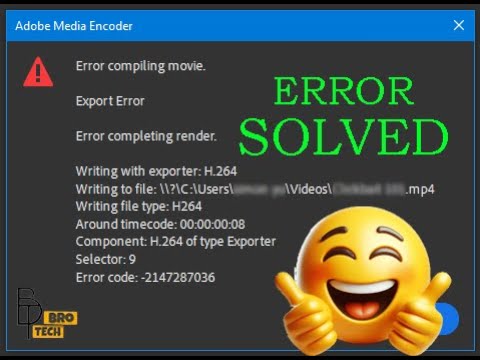
When exporting a video with Adobe Premiere Pro, you may see this error message at different times during the same export with no changes to the project/setting etc.
Error compiling movie. Export error. Error completing render. Selector: 9. Error code: 3.
To fix this error, simply change the export settings under 'Performance' from 'Hardware Encoding' to 'Software Encoding'.
This video has subtitles. Please click [CC] to turn on subtitles, then click [...] and switch to the subtitle that you want.
🔔 Follow me:
When exporting a video with Adobe Premiere Pro, you may see this error message at different times during the same export with no changes to the project/setting etc.
Error compiling movie. Export error. Error completing render. Selector: 9. Error code: 3.
To fix this error, simply change the export settings under 'Performance' from 'Hardware Encoding' to 'Software Encoding'.
This video has subtitles. Please click [CC] to turn on subtitles, then click [...] and switch to the subtitle that you want.
🔔 Follow me:
Video Information
Views
423
Duration
0:42
Published
Sep 18, 2025
Related Trending Topics
LIVE TRENDSRelated trending topics. Click any trend to explore more videos.
No specific trending topics match this video yet.
Explore All Trends