Easily Disable Read Receipts on Your iPhone 📱
Learn simple steps to turn off read receipts on your iPhone and maintain your privacy. Follow this quick guide to stop others from seeing when you've read their messages!

Solve Your Tech
152.2K views • Sep 5, 2023
About this video
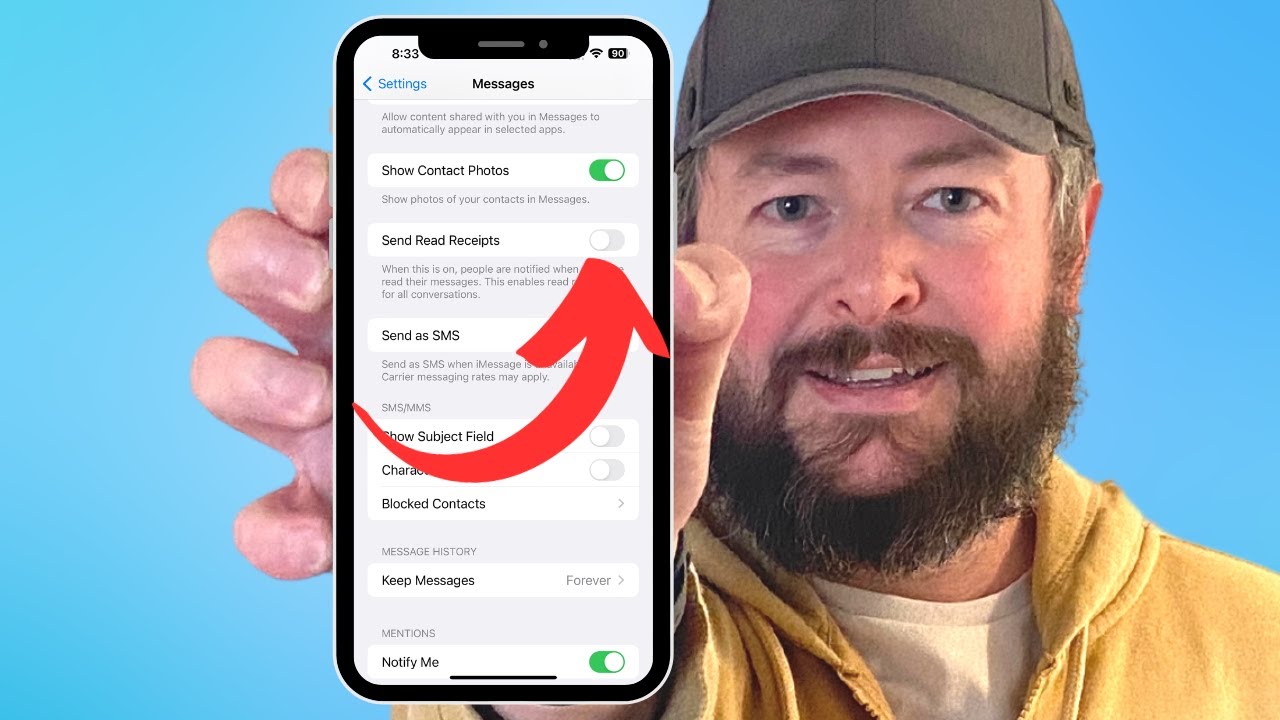
This video will show you how to turn off read receipts on iPhone. Once you have completed the steps in this video, you will know how to stop your iPhone from sending read receipts to people.
You can shut off iPhone read receipts with the following steps:
1. Open Settings.
2. Scroll down and choose Messages.
3. Scroll down and turn off the Send Read Receipts option.
The steps in this guide were performed on an iPhone 14 in the iOS 16.6 operating system, but work on many other iPhone models as well, such as the iPhone 11, iPhone 12, iPhone 13, and iPhone 15.
00:00 Introduction
00:14 How to Turn Off Read Receipts on iPhone
01:07 Outro
Related Questions and Issues This Video Can Help With:
- How to Turn Off Read Receipts on iPhone Plus
- How to Turn Off Read Receipts on iPhone Mini
- How to Turn Off Read Receipts on iPhone Pro
- How to Turn Off Read Receipts on iPhone Pro Max
#solveyourtech #apple #iphone #ios #howtoiphone #iphonetips #iphonetricks #iphonetipsandtricks #turnoffreadreceiptsiphone #iphoneturnoffreadreceipts #howtoturnoffreadreceiptsoniphone
Be sure to like this video and subscribe to our channel!
You can connect with us on our other social media accounts, too:
Facebook - https://www.facebook.com/solveyourtech/
Twitter - https://twitter.com/solveyourtech
Instagram - https://www.instagram.com/solveyourtech/
Pinterest - https://www.pinterest.com/solveyourtech/
Linkedin - https://www.linkedin.com/company/solve-your-tech/
SolveYourTech was founded in 2012 with the aim of providing how-to guides and tutorials that help people with problems on their phones, computers, and apps.
Since then, we have created thousands of guides focused on that goal. If you are looking for help with your smartphone, PC, or an application that you are using, then visit https://www.solveyourtech.com
You can shut off iPhone read receipts with the following steps:
1. Open Settings.
2. Scroll down and choose Messages.
3. Scroll down and turn off the Send Read Receipts option.
The steps in this guide were performed on an iPhone 14 in the iOS 16.6 operating system, but work on many other iPhone models as well, such as the iPhone 11, iPhone 12, iPhone 13, and iPhone 15.
00:00 Introduction
00:14 How to Turn Off Read Receipts on iPhone
01:07 Outro
Related Questions and Issues This Video Can Help With:
- How to Turn Off Read Receipts on iPhone Plus
- How to Turn Off Read Receipts on iPhone Mini
- How to Turn Off Read Receipts on iPhone Pro
- How to Turn Off Read Receipts on iPhone Pro Max
#solveyourtech #apple #iphone #ios #howtoiphone #iphonetips #iphonetricks #iphonetipsandtricks #turnoffreadreceiptsiphone #iphoneturnoffreadreceipts #howtoturnoffreadreceiptsoniphone
Be sure to like this video and subscribe to our channel!
You can connect with us on our other social media accounts, too:
Facebook - https://www.facebook.com/solveyourtech/
Twitter - https://twitter.com/solveyourtech
Instagram - https://www.instagram.com/solveyourtech/
Pinterest - https://www.pinterest.com/solveyourtech/
Linkedin - https://www.linkedin.com/company/solve-your-tech/
SolveYourTech was founded in 2012 with the aim of providing how-to guides and tutorials that help people with problems on their phones, computers, and apps.
Since then, we have created thousands of guides focused on that goal. If you are looking for help with your smartphone, PC, or an application that you are using, then visit https://www.solveyourtech.com
Tags and Topics
Browse our collection to discover more content in these categories.
Video Information
Views
152.2K
Likes
492
Duration
1:22
Published
Sep 5, 2023
User Reviews
4.1
(30) Related Trending Topics
LIVE TRENDSRelated trending topics. Click any trend to explore more videos.
No specific trending topics match this video yet.
Explore All Trends