DJI Osmo 360 Beginner’s Guide & Top Settings for Stunning Shots 🎥
Discover everything you need to know about the DJI Osmo 360! Unboxing, setup tips, and the best settings to capture incredible 360-degree footage — perfect for beginners.
Great Day For A Hike
10.6K views • Aug 15, 2025
About this video
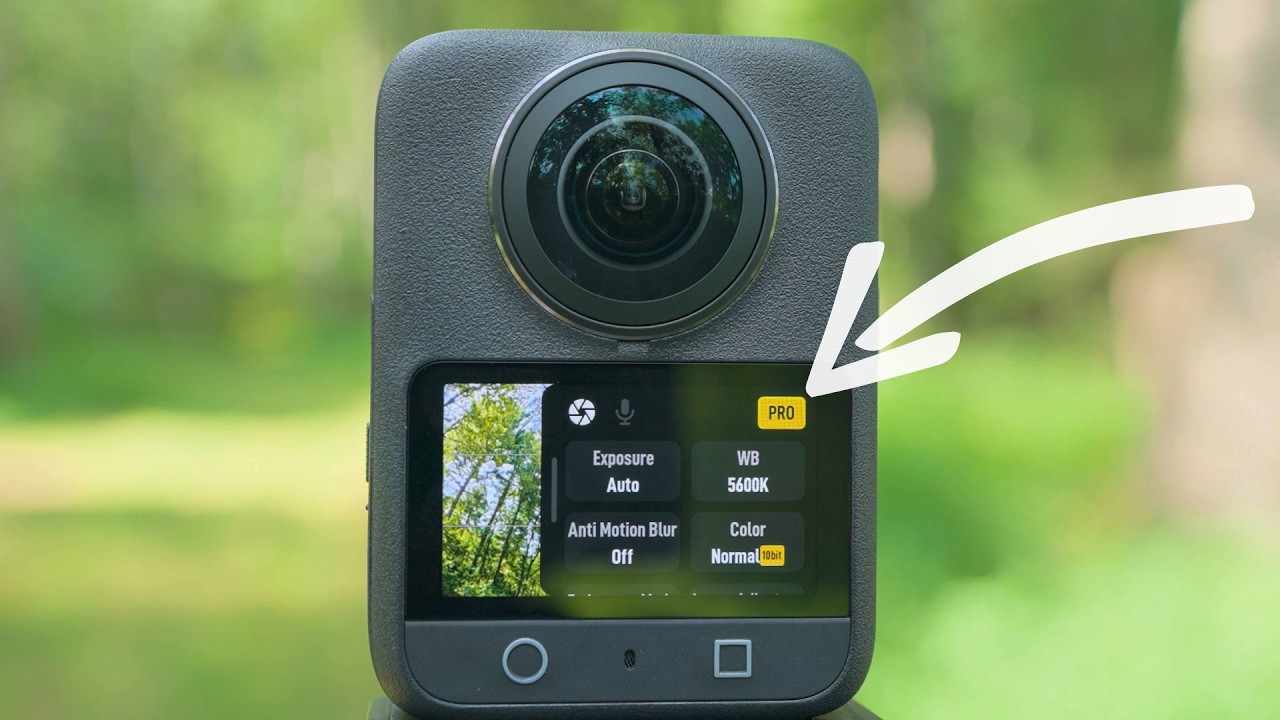
In this video, get ready to explore the DJI Osmo 360 and learn how to get the most out of this action camera. I'll be unboxing this camera, completing the first time setup, sharing the best settings for every mode, share some tips and tricks throughout, and finally show you have to reframe and edit footage using the DJI Mimo app and the DJI Studio app.
By the time you are done with this video you'll be well on your way to understanding how to get the most out of your DJI Osmo 360 action camera.
Table of Contents:
0:00 - What to expect
0:37 - Unboxing
2:12 - External camera tour
5:45 - First time power-on & firmware update
8:13 - On-screen icons and touch gestures
12:35 - Main menu and general settings
23:13 - Panoramic Video settings
25:40 - Advanced video and audio parameters
32:34 - Saving a custom preset
32:57 - SuperNight settings
34:40 - Selfie Mode settings
35:14 - Vortex Mode settings
35:54 - Timelapse and Hyperlapse settings
38:10 - Nightlapse settings
39:40 - Panoramic Photo settings
40:48 - Single Lens Video settings
42:02 - Single Lens Boost Video settings
42:32 - Single Lens Photo settings
43:07 - A crucial tip
44:34 - Reframing and editing using the DJI Mimo app
50:56 - DJI Mimo Export best settings
51:58 - Reframing and editing using the DJI Studio app
58:01 - DJI Studio Export best settings
__________________________________________________________________________________
Join my channel to get access to perks:
https://www.youtube.com/channel/UCukwLTafLowiyytSJcBxfZg/join
Affiliate Disclosure: Some of the links in this description are affiliate links, which means I may earn a small commission if you click through and make a purchase at no additional cost to you. This helps support the channel and allows me to continue creating content. I only recommend products and services I genuinely believe in and think will be valuable to you. Your support is greatly appreciated!
🎥 Check out my Amazon Page for links to all of my favorite cameras, accessories, tech, and outdoor gear that I have personally tested and love: https://www.amazon.com/shop/greatdayforahike
🙏 Not looking for any of this sweet gear right now, but still want to support my channel? If you use this link to start your Amazon search it will benefit my channel with a small commission from some of your purchases on Amazon: https://amzn.to/2WAgbbt Thank you for your support!
MUSIC TRACKS FOR MY VIDEOS:
🎶 Track Club is a great source for high-quality music for YouTube videos. I get all of my music from Track Club. Get a FREE, FULL-ACCESS 1 Month Trial of Track Club using my link: https://bit.ly/3t28y0I
By the time you are done with this video you'll be well on your way to understanding how to get the most out of your DJI Osmo 360 action camera.
Table of Contents:
0:00 - What to expect
0:37 - Unboxing
2:12 - External camera tour
5:45 - First time power-on & firmware update
8:13 - On-screen icons and touch gestures
12:35 - Main menu and general settings
23:13 - Panoramic Video settings
25:40 - Advanced video and audio parameters
32:34 - Saving a custom preset
32:57 - SuperNight settings
34:40 - Selfie Mode settings
35:14 - Vortex Mode settings
35:54 - Timelapse and Hyperlapse settings
38:10 - Nightlapse settings
39:40 - Panoramic Photo settings
40:48 - Single Lens Video settings
42:02 - Single Lens Boost Video settings
42:32 - Single Lens Photo settings
43:07 - A crucial tip
44:34 - Reframing and editing using the DJI Mimo app
50:56 - DJI Mimo Export best settings
51:58 - Reframing and editing using the DJI Studio app
58:01 - DJI Studio Export best settings
__________________________________________________________________________________
Join my channel to get access to perks:
https://www.youtube.com/channel/UCukwLTafLowiyytSJcBxfZg/join
Affiliate Disclosure: Some of the links in this description are affiliate links, which means I may earn a small commission if you click through and make a purchase at no additional cost to you. This helps support the channel and allows me to continue creating content. I only recommend products and services I genuinely believe in and think will be valuable to you. Your support is greatly appreciated!
🎥 Check out my Amazon Page for links to all of my favorite cameras, accessories, tech, and outdoor gear that I have personally tested and love: https://www.amazon.com/shop/greatdayforahike
🙏 Not looking for any of this sweet gear right now, but still want to support my channel? If you use this link to start your Amazon search it will benefit my channel with a small commission from some of your purchases on Amazon: https://amzn.to/2WAgbbt Thank you for your support!
MUSIC TRACKS FOR MY VIDEOS:
🎶 Track Club is a great source for high-quality music for YouTube videos. I get all of my music from Track Club. Get a FREE, FULL-ACCESS 1 Month Trial of Track Club using my link: https://bit.ly/3t28y0I
Tags and Topics
Browse our collection to discover more content in these categories.
Video Information
Views
10.6K
Likes
295
Duration
01:00:26
Published
Aug 15, 2025
User Reviews
4.6
(2) Related Trending Topics
LIVE TRENDSRelated trending topics. Click any trend to explore more videos.
No specific trending topics match this video yet.
Explore All Trends