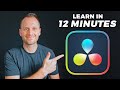
DaVinci Resolve Beginner Tutorial 2025 🎬
Learn to edit like a pro for free in DaVinci Resolve 2025 with shortcuts and tips. Start mastering video editing today!
Ben Claremont
3.1M views • Feb 6, 2024

About this video
🚀 SPEED EDIT in DaVinci with my Free Shortcuts: https://www.benclaremont.com/davincishortcuts
Ready to master DaVinci Resolve in 2025? In this start-to-finish tutorial, I'll guide you through the essentials of video editing inside Davinci Resolve in just 12 minutes!
🎬 My DaVinci Resolve Editing Setup (affiliate links — I may earn a small commission):
• DaVinci Resolve: https://www.blackmagicdesign.com/au/products/davinciresolve
• FAST Editing Hard drive i use: https://geni.us/bcsandisk
• Mic i use for voiceovers: https://geni.us/bcshure
• Where i get my music & SFX: https://share.epidemicsound.com:443/zPPzN
🕑 TIMESTAMPS:
0:00 Intro
0:16 New project
0:25 Workspace tabs
0:59 Project settings
1:39 Importing clips
2:12 Software interface
2:47 Using the timeline
3:30 Trimming clips
4:38 Using multiple tracks
5:16 Adding music
5:51 Adjusting audio levels
7:12 Reducing loud audio spikes
8:34 Adding text & titles
9:09 Adding transitions
9:35 Fusion
9:45 Color correction
10:50 Fairlight
11:05 Exporting
#davinciresolve #videoediting #2025
DISCLOSURE: I often recommend products I use and love. Some of the links above are affiliate links, meaning I may earn a small commission if you purchase through them — at no extra cost to you. As an Amazon Associate, I earn from qualifying purchases.
Ready to master DaVinci Resolve in 2025? In this start-to-finish tutorial, I'll guide you through the essentials of video editing inside Davinci Resolve in just 12 minutes!
🎬 My DaVinci Resolve Editing Setup (affiliate links — I may earn a small commission):
• DaVinci Resolve: https://www.blackmagicdesign.com/au/products/davinciresolve
• FAST Editing Hard drive i use: https://geni.us/bcsandisk
• Mic i use for voiceovers: https://geni.us/bcshure
• Where i get my music & SFX: https://share.epidemicsound.com:443/zPPzN
🕑 TIMESTAMPS:
0:00 Intro
0:16 New project
0:25 Workspace tabs
0:59 Project settings
1:39 Importing clips
2:12 Software interface
2:47 Using the timeline
3:30 Trimming clips
4:38 Using multiple tracks
5:16 Adding music
5:51 Adjusting audio levels
7:12 Reducing loud audio spikes
8:34 Adding text & titles
9:09 Adding transitions
9:35 Fusion
9:45 Color correction
10:50 Fairlight
11:05 Exporting
#davinciresolve #videoediting #2025
DISCLOSURE: I often recommend products I use and love. Some of the links above are affiliate links, meaning I may earn a small commission if you purchase through them — at no extra cost to you. As an Amazon Associate, I earn from qualifying purchases.
Video Information
Views
3.1M
Likes
90.4K
Duration
12:27
Published
Feb 6, 2024
User Reviews
4.8
(613) Related Trending Topics
LIVE TRENDSRelated trending topics. Click any trend to explore more videos.
No specific trending topics match this video yet.
Explore All Trends