Advanced Green Screen Keying in After Effects 🎥
Learn professional green screen keying techniques in After Effects. Practice with ActionVFX footage: https://bit.ly/4g82E1O

ActionVFX
206.8K views • Feb 17, 2022
About this video
Looking for professional-quality footage to practice this technique? Explore the ActionVFX Practice Footage Library: https://bit.ly/4g82E1O
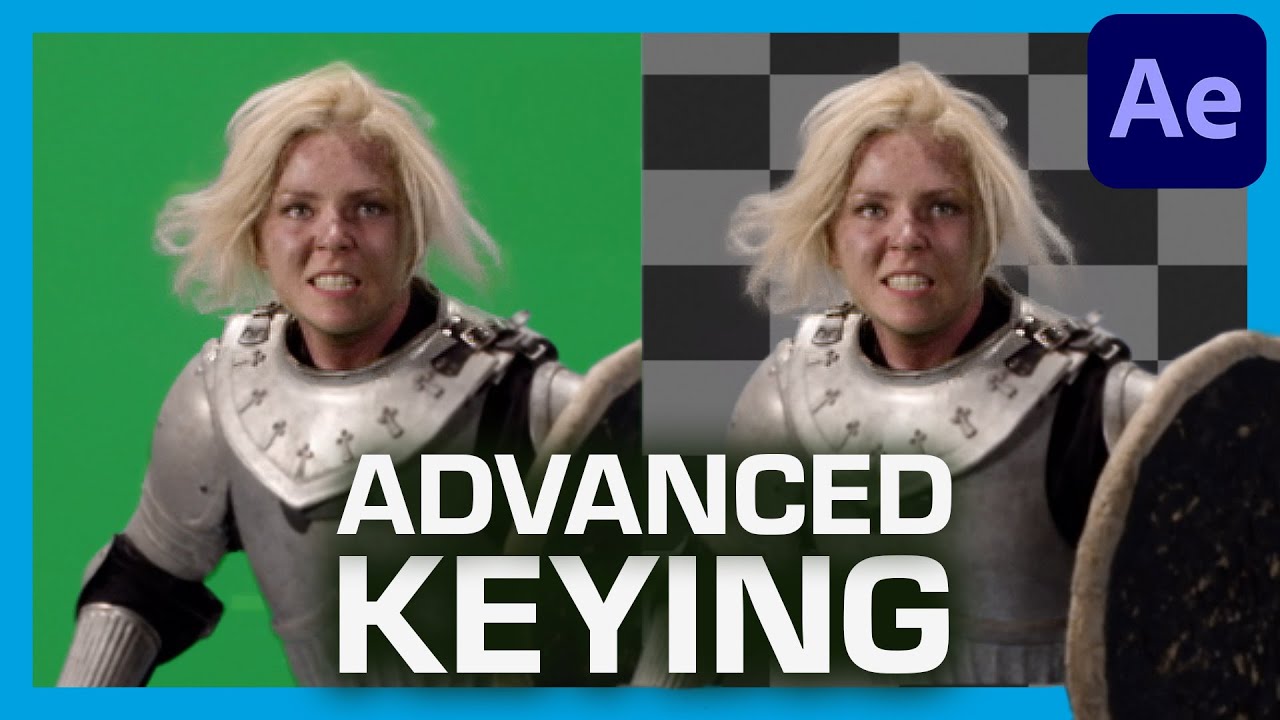
In this tutorial, we will learn how to key out a green screen shot in Adobe After Effects. We will cover advanced chroma keying and compositing techniques to tackle difficult issues such as an uneven green screen, keying out reflective objects and motion blur, as well as keying out hair details.
5 Green Screen Keying Tips For Beginners:
https://www.youtube.com/watch?v=EFObhiIwYLg
00:00 Intro
00:30 Plate review
01:10 Preparing the plate (Denoise and Garbage matte)
02:10 Creating the core matte key
04:35 Building the edge matte keys
08:26 Dealing with high motion blur
09:30 Removing weird border edges on the keys
12:26 New trick on keying out soft hair details
14:50 Final clean up
15:24 Outro
Original plate from RedGiant.com
Neatvideo's Reduce Noise
https://www.neatvideo.com/
Join thousands of others by subscribing to our channel for more valuable VFX and filmmaking content!
Download high-quality elements (and gain access to the entire VFX library) for a low $14.99 monthly price. Learn more: https://bit.ly/3XzgOCd
Not after a Subscription? No worries! From Fire and massive Explosions to Blood and Gore VFX, we have the largest high-quality VFX library in the world ready to be composited in your project. Check out over 5,000 VFX stock footage elements right here: https://www.actionvfx.com/collections
Looking for a VFX community? Remember to connect with us on our Discord Server to stay updated on our latest news, giveaways, announcements, contests, and more!
https://bit.ly/3MoqR6H
#AfterEffectsTutorial #Greenscreen #keying
In this tutorial, we will learn how to key out a green screen shot in Adobe After Effects. We will cover advanced chroma keying and compositing techniques to tackle difficult issues such as an uneven green screen, keying out reflective objects and motion blur, as well as keying out hair details.
5 Green Screen Keying Tips For Beginners:
https://www.youtube.com/watch?v=EFObhiIwYLg
00:00 Intro
00:30 Plate review
01:10 Preparing the plate (Denoise and Garbage matte)
02:10 Creating the core matte key
04:35 Building the edge matte keys
08:26 Dealing with high motion blur
09:30 Removing weird border edges on the keys
12:26 New trick on keying out soft hair details
14:50 Final clean up
15:24 Outro
Original plate from RedGiant.com
Neatvideo's Reduce Noise
https://www.neatvideo.com/
Join thousands of others by subscribing to our channel for more valuable VFX and filmmaking content!
Download high-quality elements (and gain access to the entire VFX library) for a low $14.99 monthly price. Learn more: https://bit.ly/3XzgOCd
Not after a Subscription? No worries! From Fire and massive Explosions to Blood and Gore VFX, we have the largest high-quality VFX library in the world ready to be composited in your project. Check out over 5,000 VFX stock footage elements right here: https://www.actionvfx.com/collections
Looking for a VFX community? Remember to connect with us on our Discord Server to stay updated on our latest news, giveaways, announcements, contests, and more!
https://bit.ly/3MoqR6H
#AfterEffectsTutorial #Greenscreen #keying
Tags and Topics
Browse our collection to discover more content in these categories.
Video Information
Views
206.8K
Likes
4.8K
Duration
16:05
Published
Feb 17, 2022
User Reviews
4.7
(41) Related Trending Topics
LIVE TRENDSRelated trending topics. Click any trend to explore more videos.