Add a Key Expansion Module (KEM) to Cisco 8865 MPP Phones with Webex Calling
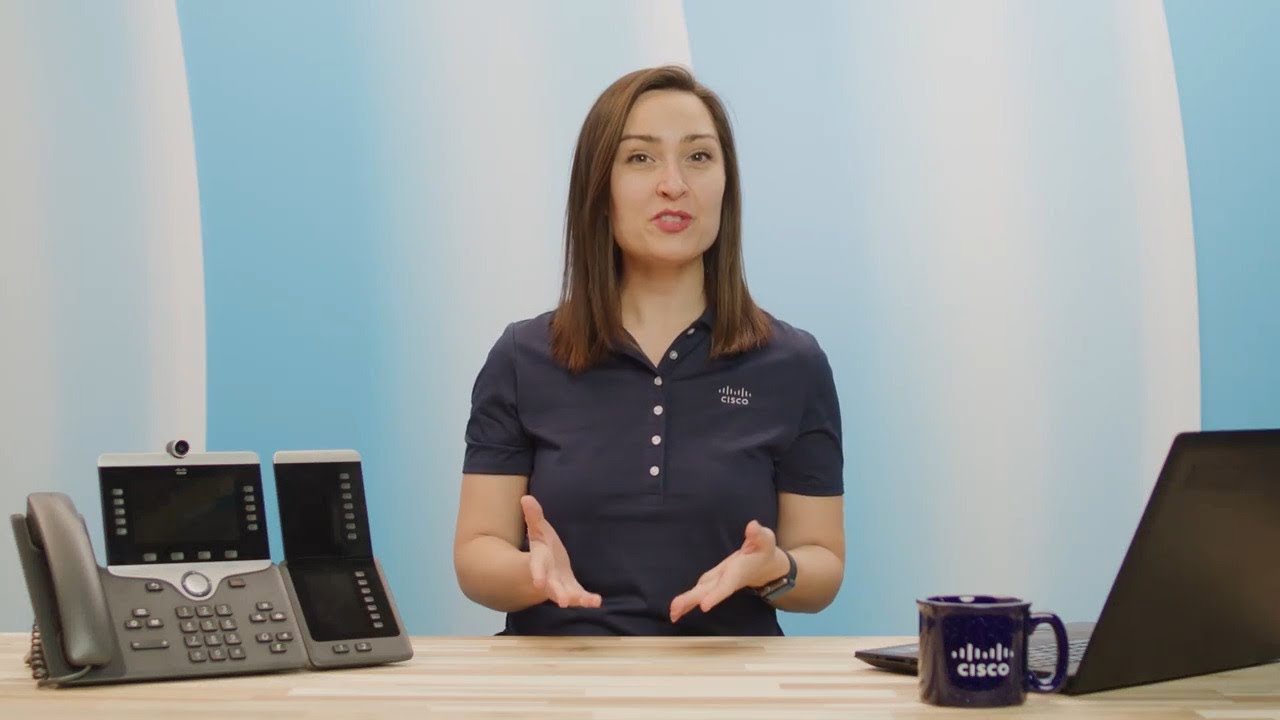
In this Cisco Tech Talk, we walk through how to add and configure a Key Expansion Module (KEM) to a Cisco 8865 MPP phone registered with Webex Calling. KEMs ...

Cisco
3.4K views • Mar 8, 2023
About this video
In this Cisco Tech Talk, we walk through how to add and configure a Key Expansion Module (KEM) to a Cisco 8865 MPP phone registered with Webex Calling. KEMs expand button functionality for speed dials, busy lamp fields (BLFs), and feature keys—making them ideal for receptionists and power users.
Related links:
Cisco IP Phone 8800 Series Overview → https://www.cisco.com/c/en/us/products/collaboration-endpoints/unified-ip-phone-8800-series/index.html/?dtid=osclytb001771
What you’ll learn in this video:
– How to physically connect and power the KEM on a Cisco 8865 MPP phone
– How to configure line keys and BLF on the Webex Control Hub
– Troubleshooting tips for KEM recognition and functionality
With Webex Calling and Cisco KEMs, businesses can boost productivity and streamline call handling for front-desk and high-volume communication roles.
Learn more:
Cisco Official Site → https://www.cisco.com/?dtid=osclytb001771
Cisco Products & Services → https://www.cisco.com/site/us/en/products/index.html?dtid=osclytb001771
Cisco Solutions → https://www.cisco.com/site/us/en/solutions/index.html?dtid=osclytb00177
Contact Us → https://www.cisco.com/site/us/en/about/contact-cisco/index.html?dtid=osclytb001771
Follow Us on Social Media:
Cisco LinkedIn → https://www.linkedin.com/company/cisco
Cisco Twitter → https://twitter.com/Cisco
Cisco Instagram → https://www.instagram.com/cisco
Cisco Facebook → https://www.facebook.com/Cisco
Got questions or insights? Drop them in the comments—we’d love to hear from you!
Don’t forget to like, subscribe, and hit the bell icon to stay updated on the latest with Cisco.
#Cisco #WebexCalling #KEM #Cisco8865 #CiscoTechTalk #UnifiedCommunications #MPPhone #SpeedDial #ReceptionistConsole"
Related links:
Cisco IP Phone 8800 Series Overview → https://www.cisco.com/c/en/us/products/collaboration-endpoints/unified-ip-phone-8800-series/index.html/?dtid=osclytb001771
What you’ll learn in this video:
– How to physically connect and power the KEM on a Cisco 8865 MPP phone
– How to configure line keys and BLF on the Webex Control Hub
– Troubleshooting tips for KEM recognition and functionality
With Webex Calling and Cisco KEMs, businesses can boost productivity and streamline call handling for front-desk and high-volume communication roles.
Learn more:
Cisco Official Site → https://www.cisco.com/?dtid=osclytb001771
Cisco Products & Services → https://www.cisco.com/site/us/en/products/index.html?dtid=osclytb001771
Cisco Solutions → https://www.cisco.com/site/us/en/solutions/index.html?dtid=osclytb00177
Contact Us → https://www.cisco.com/site/us/en/about/contact-cisco/index.html?dtid=osclytb001771
Follow Us on Social Media:
Cisco LinkedIn → https://www.linkedin.com/company/cisco
Cisco Twitter → https://twitter.com/Cisco
Cisco Instagram → https://www.instagram.com/cisco
Cisco Facebook → https://www.facebook.com/Cisco
Got questions or insights? Drop them in the comments—we’d love to hear from you!
Don’t forget to like, subscribe, and hit the bell icon to stay updated on the latest with Cisco.
#Cisco #WebexCalling #KEM #Cisco8865 #CiscoTechTalk #UnifiedCommunications #MPPhone #SpeedDial #ReceptionistConsole"
Tags and Topics
Browse our collection to discover more content in these categories.
Video Information
Views
3.4K
Likes
26
Duration
2:54
Published
Mar 8, 2023
User Reviews
4.1
(3) Related Trending Topics
LIVE TRENDSRelated trending topics. Click any trend to explore more videos.