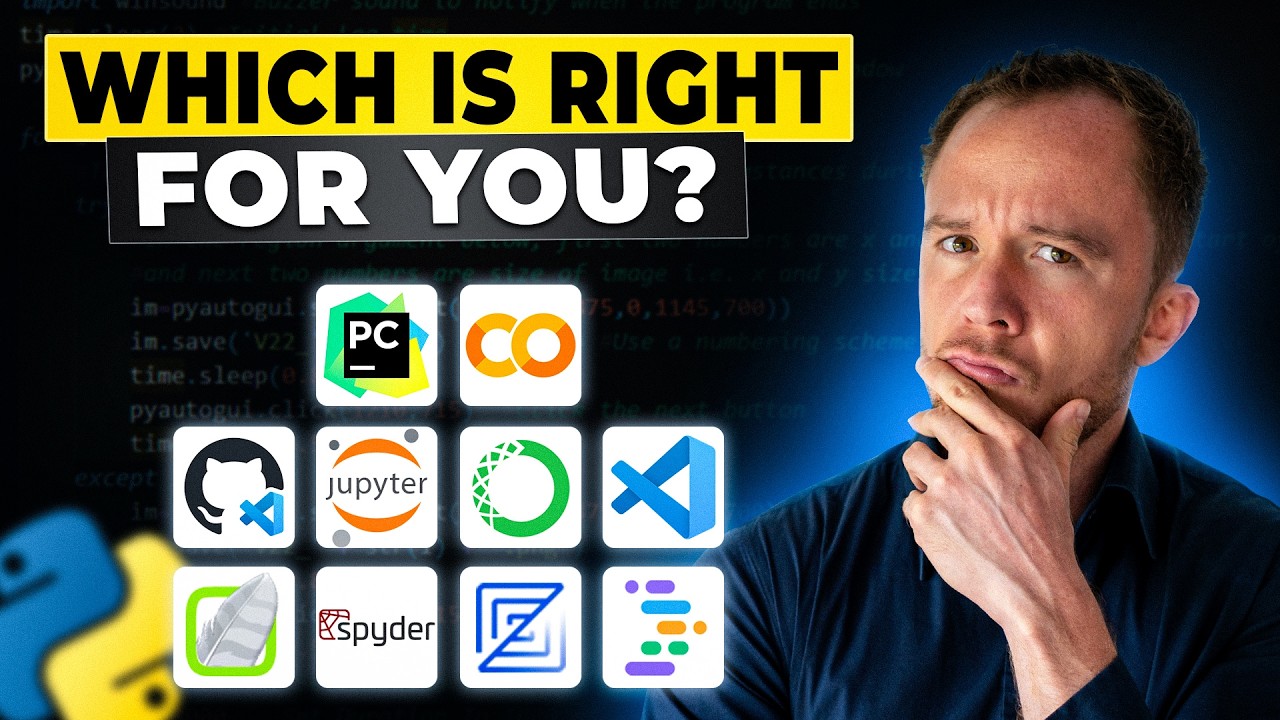
13 Beginner-Friendly Python IDEs Compared in 2024: Jupyter Lab, VS Code, PyCharm, Wing, Zed and More
⚠️ UPDATE: Since this video was published, JupyterLab Desktop has been discontinued and PyCharm now offers free Jupyter Notebook support. For current recomme...

Training Scientists
5.6K views • Jun 20, 2024
About this video
⚠️ UPDATE: Since this video was published, JupyterLab Desktop has been discontinued and PyCharm now offers free Jupyter Notebook support. For current recommendations, see:
→ NEW 2025 IDE Comparison: https://youtu.be/7mh0w_rLKUQ
→ Blog post: https://training-scientists.com/blog/best-beginner-friendly-python-jupyter-ide-comparison-2025/
In this video, we evaluate 13 different Python IDEs to find the best options for beginners in scientific and engineering applications. We focus on free, beginner-friendly solutions that work right out of the box, comparing features from JupyterLab to VS Code.
What you'll learn:
* Why we eliminated PyCharm, Wing IDE, Zed, and online interpreters
* Issues with Google Colab and data privacy for institutions
* Why VS Code.dev and GitHub Codespaces have limitations
* Spyder's suitability for larger projects vs notebooks
* Why Jupyter Notebook was discontinued
* Our three final contenders for Part 2
▬ Read the full blog post ▬▬▬▬
https://training-scientists.com/blog/choosing-the-best-python-ide-for-beginners-part-1/
▬ Related Videos ▬▬▬▬
* Part 2: Final Three IDEs Compared - https://youtu.be/U41WhFaggtA
* NEW 2025 Comparison (Current Recommendations) - https://youtu.be/7mh0w_rLKUQ
* Anaconda Alternatives - https://youtu.be/kAEjhRu8aF0
▬ Video Chapters ▬▬▬▬
00:00 Introduction to Python Development Options
00:50 Criteria for Choosing an IDE
01:35 Eliminating PyCharm and Wing IDE
02:14 Evaluating Zed IDE
03:05 Exploring Online Interpreters
04:06 Issues with Google Colab
06:43 Project IDX
07:25 VS Code.dev
08:55 Github code spaces
12:47 Reviewing Spyder IDE
14:48 Jupyter Notebook vs. JupyterLab
15:37 JupyterLab Classic vs. Desktop
17:19 Getting Started with Programming
17:25 Conclusion and Next Steps
▬ Follow Training Scientists on social media ▬▬▬▬
LinkedIn: ▶️ https://www.linkedin.com/in/dr-maurice-maurer/
Instagram ▶️ https://www.instagram.com/dr.mauricemaurer/
✅ Subscribe here:
https://www.youtube.com/@TrainingScientists?sub_confirmation=1
🖥 Master Python for science & engineering through our specialized courses at https://Training-Scientists.com/
💬 Did you enjoy this video? Share your thoughts in the comments below!
▬ About Training Scientists ▬▬▬▬
Led by computational physicist Dr. Maurice Maurer (TU Munich Ph.D.), Training Scientists offers specialized Python courses for researchers and engineers. With 20+ years of programming experience and work at UCLA and Max Planck Institute, Dr. Maurer brings real-world expertise to help you advance your scientific programming skills.
#TrainingScientists #PythonIDEs #BeginnerCoder #JupyterLab #VSCode #PyCharm #FreeCodingTools #CodingForBeginners
→ NEW 2025 IDE Comparison: https://youtu.be/7mh0w_rLKUQ
→ Blog post: https://training-scientists.com/blog/best-beginner-friendly-python-jupyter-ide-comparison-2025/
In this video, we evaluate 13 different Python IDEs to find the best options for beginners in scientific and engineering applications. We focus on free, beginner-friendly solutions that work right out of the box, comparing features from JupyterLab to VS Code.
What you'll learn:
* Why we eliminated PyCharm, Wing IDE, Zed, and online interpreters
* Issues with Google Colab and data privacy for institutions
* Why VS Code.dev and GitHub Codespaces have limitations
* Spyder's suitability for larger projects vs notebooks
* Why Jupyter Notebook was discontinued
* Our three final contenders for Part 2
▬ Read the full blog post ▬▬▬▬
https://training-scientists.com/blog/choosing-the-best-python-ide-for-beginners-part-1/
▬ Related Videos ▬▬▬▬
* Part 2: Final Three IDEs Compared - https://youtu.be/U41WhFaggtA
* NEW 2025 Comparison (Current Recommendations) - https://youtu.be/7mh0w_rLKUQ
* Anaconda Alternatives - https://youtu.be/kAEjhRu8aF0
▬ Video Chapters ▬▬▬▬
00:00 Introduction to Python Development Options
00:50 Criteria for Choosing an IDE
01:35 Eliminating PyCharm and Wing IDE
02:14 Evaluating Zed IDE
03:05 Exploring Online Interpreters
04:06 Issues with Google Colab
06:43 Project IDX
07:25 VS Code.dev
08:55 Github code spaces
12:47 Reviewing Spyder IDE
14:48 Jupyter Notebook vs. JupyterLab
15:37 JupyterLab Classic vs. Desktop
17:19 Getting Started with Programming
17:25 Conclusion and Next Steps
▬ Follow Training Scientists on social media ▬▬▬▬
LinkedIn: ▶️ https://www.linkedin.com/in/dr-maurice-maurer/
Instagram ▶️ https://www.instagram.com/dr.mauricemaurer/
✅ Subscribe here:
https://www.youtube.com/@TrainingScientists?sub_confirmation=1
🖥 Master Python for science & engineering through our specialized courses at https://Training-Scientists.com/
💬 Did you enjoy this video? Share your thoughts in the comments below!
▬ About Training Scientists ▬▬▬▬
Led by computational physicist Dr. Maurice Maurer (TU Munich Ph.D.), Training Scientists offers specialized Python courses for researchers and engineers. With 20+ years of programming experience and work at UCLA and Max Planck Institute, Dr. Maurer brings real-world expertise to help you advance your scientific programming skills.
#TrainingScientists #PythonIDEs #BeginnerCoder #JupyterLab #VSCode #PyCharm #FreeCodingTools #CodingForBeginners
Tags and Topics
Browse our collection to discover more content in these categories.
Video Information
Views
5.6K
Likes
62
Duration
17:33
Published
Jun 20, 2024
User Reviews
4.3
(1) Related Trending Topics
LIVE TRENDSRelated trending topics. Click any trend to explore more videos.
No specific trending topics match this video yet.
Explore All Trends