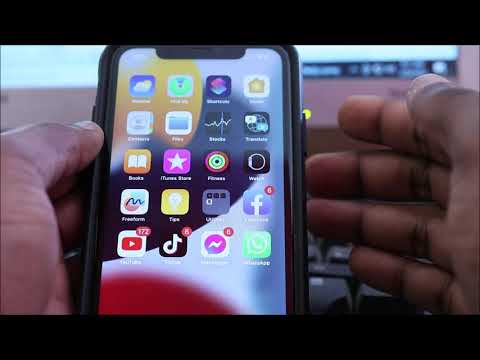
Whatsapp keep crashing on iphone fix- whatsapp not opening iphone 11 12 13 14
Subscribe Here https://goo.gl/Qp13Qn Main Camera Canon EOS R https://amzn.to/2VE1vLi Join this channel to get access to perks: https://www.youtube.com/chann...

Lenz walters
63.5K views • Mar 30, 2023
About this video
Subscribe Here https://goo.gl/Qp13Qn
Main Camera Canon EOS R https://amzn.to/2VE1vLi
Join this channel to get access to perks:
https://www.youtube.com/channel/UCN02xHKyfATTR5zvPoZnG-w/join
Restart your device by turning it off and back on. Update WhatsApp to the latest version available from the Apple App Store. and turn Airplane Mode on and off. tap Cellular and turn Cellular Data on.
Whatsapp keep crashing on iphone 11, iphone 12 iphone 13 iphone 14 and iphone 15
You can also delete the app from the iPhone storage folder. Just follow these steps:
From the Home screen, tap Settings.
Select General.
Tap iPhone Storage.
Scroll through the list of apps then select WhatsApp.
Tap the option to Delete App then confirm.
Once the app has been successfully deleted, reboot the phone and then launch the App Store to download and install the latest version of WhatsApp for your iPhone. Just follow these steps to continue:
Tap the App Store from the Home screen.
Search for WhatsApp app.
Then tap the cloud-like icon or GET button to download the app.
Tap INSTALL to instigate installation of the WhatsApp application on your device.
If prompted, enter the correct Apple ID Password and tap OK to proceed.
Wait until the download is complete then tap OPEN.
The app should then launch and work as intended on your iPhone.
Main Camera Canon EOS R https://amzn.to/2VE1vLi
Join this channel to get access to perks:
https://www.youtube.com/channel/UCN02xHKyfATTR5zvPoZnG-w/join
Restart your device by turning it off and back on. Update WhatsApp to the latest version available from the Apple App Store. and turn Airplane Mode on and off. tap Cellular and turn Cellular Data on.
Whatsapp keep crashing on iphone 11, iphone 12 iphone 13 iphone 14 and iphone 15
You can also delete the app from the iPhone storage folder. Just follow these steps:
From the Home screen, tap Settings.
Select General.
Tap iPhone Storage.
Scroll through the list of apps then select WhatsApp.
Tap the option to Delete App then confirm.
Once the app has been successfully deleted, reboot the phone and then launch the App Store to download and install the latest version of WhatsApp for your iPhone. Just follow these steps to continue:
Tap the App Store from the Home screen.
Search for WhatsApp app.
Then tap the cloud-like icon or GET button to download the app.
Tap INSTALL to instigate installation of the WhatsApp application on your device.
If prompted, enter the correct Apple ID Password and tap OK to proceed.
Wait until the download is complete then tap OPEN.
The app should then launch and work as intended on your iPhone.
Tags and Topics
Browse our collection to discover more content in these categories.
Video Information
Views
63.5K
Likes
269
Duration
6:10
Published
Mar 30, 2023
User Reviews
4.1
(12) Related Trending Topics
LIVE TRENDSRelated trending topics. Click any trend to explore more videos.
Trending Now