Check Palindrome in Python 📝
Learn how to determine if a string is a palindrome with a simple Python code snippet in this tutorial.

Py Code Labs
66 views • Apr 1, 2024
About this video
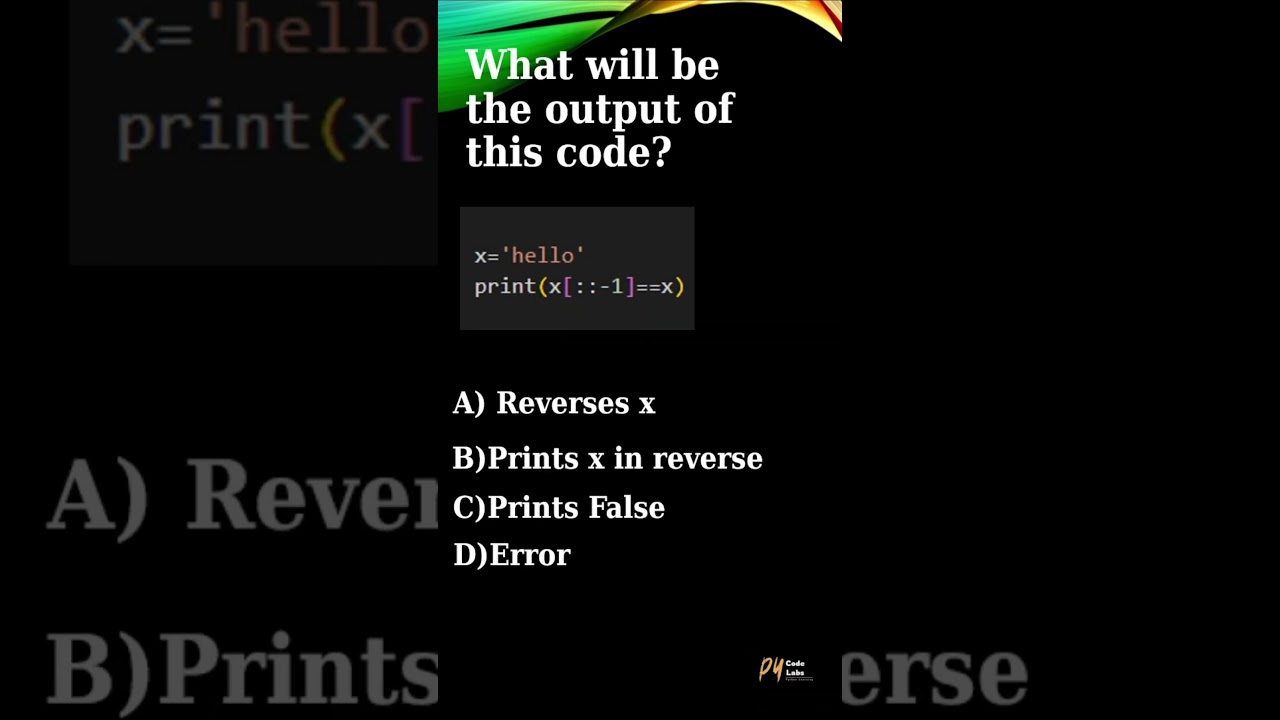
In this Python tutorial, we explore how to check if a given string is a palindrome using a simple code snippet. Palindromes are strings that read the same backwards as forward, such as "radar" or "level". We'll demonstrate how to use Python's slicing technique to reverse the string and compare it with the original string to determine if it's a palindrome.
Let's break down the Python code step by step:
x = 'hello': This line initializes a variable x with the string value 'hello'.
print(x[::-1] == x): This line prints the result of a comparison. Here's what happens inside the print statement:
x[::-1]: This is a slicing operation on the string x. The [::-1] slice notation means "start from the end and move backwards by one step". So, x[::-1] reverses the string x.
x: This is the original string x.
x[::-1] == x: This checks if the reversed string x[::-1] is equal to the original string x.
print(): This function prints the result of the comparison.
Now, let's describe what the code does:
The code compares the reversed version of the string stored in x with the original string x.
It does this by slicing x in reverse (x[::-1]) and then checking if it's equal to the original string x.
If the reversed string is equal to the original string, print() will output True; otherwise, it will output False.
Don't forget to like, share, and subscribe for more Python tutorials.
#python #ballpython #ballpythonsofinstagram #ballpythons #royalpython #pythonsofinstagram #pythons #pythonregius #ballpythonmorphs #montypython #ballpythonsofig #ballpythonbreeder #pythonprogramming #reticulatedpython #ballpythonmorph #pythonbag #carpetpython #burmesepython #greentreepython #pythoncode #pythonskin #royalpythonsofinstagram #royalpythons #pythonleather #ballpythonbreeding #pythonsofig #python3 #pastelballpython #ballpythonlove #bananaballpython #bloodpython #pythonbracelet #montypythonandtheholygrail #ballpythonofinstagram #gelangpython #babyballpython #piedballpython #ballpythonmorphsofinstagram #pythonbags #pythonshoes #pycodelabs
Let's break down the Python code step by step:
x = 'hello': This line initializes a variable x with the string value 'hello'.
print(x[::-1] == x): This line prints the result of a comparison. Here's what happens inside the print statement:
x[::-1]: This is a slicing operation on the string x. The [::-1] slice notation means "start from the end and move backwards by one step". So, x[::-1] reverses the string x.
x: This is the original string x.
x[::-1] == x: This checks if the reversed string x[::-1] is equal to the original string x.
print(): This function prints the result of the comparison.
Now, let's describe what the code does:
The code compares the reversed version of the string stored in x with the original string x.
It does this by slicing x in reverse (x[::-1]) and then checking if it's equal to the original string x.
If the reversed string is equal to the original string, print() will output True; otherwise, it will output False.
Don't forget to like, share, and subscribe for more Python tutorials.
#python #ballpython #ballpythonsofinstagram #ballpythons #royalpython #pythonsofinstagram #pythons #pythonregius #ballpythonmorphs #montypython #ballpythonsofig #ballpythonbreeder #pythonprogramming #reticulatedpython #ballpythonmorph #pythonbag #carpetpython #burmesepython #greentreepython #pythoncode #pythonskin #royalpythonsofinstagram #royalpythons #pythonleather #ballpythonbreeding #pythonsofig #python3 #pastelballpython #ballpythonlove #bananaballpython #bloodpython #pythonbracelet #montypythonandtheholygrail #ballpythonofinstagram #gelangpython #babyballpython #piedballpython #ballpythonmorphsofinstagram #pythonbags #pythonshoes #pycodelabs
Tags and Topics
Browse our collection to discover more content in these categories.
Video Information
Views
66
Likes
13
Duration
0:12
Published
Apr 1, 2024