Filmora 14 Updates: AI Video Enhancer 🚀
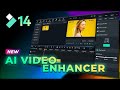
Discover the latest features in Filmora 14, including the new AI Video Enhancer. Learn more and try it on desktop or Android!
Filmora for Creators
13.5K views • Oct 10, 2024

About this video
LEARN MORE: https://filmora.wondershare.com//trending-tech/what-is-video-enhancer.html
🖥️Try Desktop: https://bit.ly/3TZodZa
📱Try Android: https://bit.ly/3PlCwF0
🍏Try iOS: https://bit.ly/3vdCzMk
🎬 Hey Creators! 🎬
Filmora 14 just got better with the introduction of the AI Video Enhancer! This powerful tool uses artificial intelligence to automatically enhance your videos by increasing resolution, reducing noise, smoothing footage, and adjusting brightness and contrast. In this tutorial, we’ll show you how to use the AI Video Enhancer feature to improve your video quality in just a few clicks.
📽️ What You’ll Learn:
How AI Video Enhancer Works – Upscale your footage to higher resolutions (like 4K or 8K).
Noise Reduction – Remove unwanted noise and motion artifacts with adjustable settings.
Smoothing & Brightness Control – Balance brightness, contrast, and saturation levels to make your videos look professional.
Before & After Comparison – Use a linear mask to compare original footage to the enhanced version.
Whether you’re working with low-resolution footage or want to add extra polish to your content, the AI Video Enhancer makes video enhancement a breeze!
If this tutorial helped you, don’t forget to give us a thumbs up 👍, share it with your fellow creators, and subscribe for more editing tips. Hit the bell icon so you don’t miss out on any new features!
🎁 Special Offer:
Download or update Filmora 14 today and experience the power of AI-enhanced videos!
See you in the next video! 🎥✨
#filmora #wondershare #filmoraMVP
🖥️Try Desktop: https://bit.ly/3TZodZa
📱Try Android: https://bit.ly/3PlCwF0
🍏Try iOS: https://bit.ly/3vdCzMk
🎬 Hey Creators! 🎬
Filmora 14 just got better with the introduction of the AI Video Enhancer! This powerful tool uses artificial intelligence to automatically enhance your videos by increasing resolution, reducing noise, smoothing footage, and adjusting brightness and contrast. In this tutorial, we’ll show you how to use the AI Video Enhancer feature to improve your video quality in just a few clicks.
📽️ What You’ll Learn:
How AI Video Enhancer Works – Upscale your footage to higher resolutions (like 4K or 8K).
Noise Reduction – Remove unwanted noise and motion artifacts with adjustable settings.
Smoothing & Brightness Control – Balance brightness, contrast, and saturation levels to make your videos look professional.
Before & After Comparison – Use a linear mask to compare original footage to the enhanced version.
Whether you’re working with low-resolution footage or want to add extra polish to your content, the AI Video Enhancer makes video enhancement a breeze!
If this tutorial helped you, don’t forget to give us a thumbs up 👍, share it with your fellow creators, and subscribe for more editing tips. Hit the bell icon so you don’t miss out on any new features!
🎁 Special Offer:
Download or update Filmora 14 today and experience the power of AI-enhanced videos!
See you in the next video! 🎥✨
#filmora #wondershare #filmoraMVP
Tags and Topics
Browse our collection to discover more content in these categories.
Video Information
Views
13.5K
Likes
182
Duration
3:06
Published
Oct 10, 2024
User Reviews
4.5
(2) Related Trending Topics
LIVE TRENDSRelated trending topics. Click any trend to explore more videos.
No specific trending topics match this video yet.
Explore All Trends