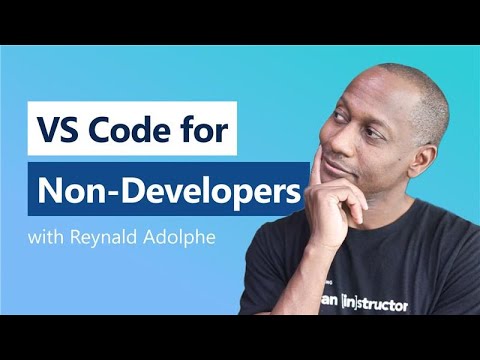
VS Code for Non-Developers: Easy Start Guide
Learn how non-developers can easily get started with Visual Studio Code in this simple guide. No coding experience needed! 🚀

Visual Studio Code
10.7K views • Aug 13, 2025
About this video
You don’t need to be a developer to use VS Code. This video shows you how to get started with Visual Studio Code—even if you’ve never written a single line of code.
🔎 Chapters:
00:00 Intro
00:18 Getting Started
03:10 Demo - Writing
12:40 Demo - Creative
16:14 Demo - Tracking in Source Control
19:54 Demo - Copilot Vision Domain
23:37 Demo - Attachments
24:45 Demo - Extensions
26:00 Thank you!
▶️ Additional Resources:
5 Tips for Note Taking with VS Code and Git:
https://www.youtube.com/watch?v=Hgucu1ch3mo
Using Git with Visual Studio Code:
https://youtu.be/i_23KUAEtUM
MCP Servers in VS Code:
https://youtu.be/Coot4TFTkN4
🎙️ Reynald Adolphe (@ReynaldAdolphe)
#vscode #beginners #nocode
🔎 Chapters:
00:00 Intro
00:18 Getting Started
03:10 Demo - Writing
12:40 Demo - Creative
16:14 Demo - Tracking in Source Control
19:54 Demo - Copilot Vision Domain
23:37 Demo - Attachments
24:45 Demo - Extensions
26:00 Thank you!
▶️ Additional Resources:
5 Tips for Note Taking with VS Code and Git:
https://www.youtube.com/watch?v=Hgucu1ch3mo
Using Git with Visual Studio Code:
https://youtu.be/i_23KUAEtUM
MCP Servers in VS Code:
https://youtu.be/Coot4TFTkN4
🎙️ Reynald Adolphe (@ReynaldAdolphe)
#vscode #beginners #nocode
Tags and Topics
Browse our collection to discover more content in these categories.
Video Information
Views
10.7K
Likes
270
Duration
26:30
Published
Aug 13, 2025
User Reviews
4.6
(2) Related Trending Topics
LIVE TRENDSRelated trending topics. Click any trend to explore more videos.
No specific trending topics match this video yet.
Explore All Trends