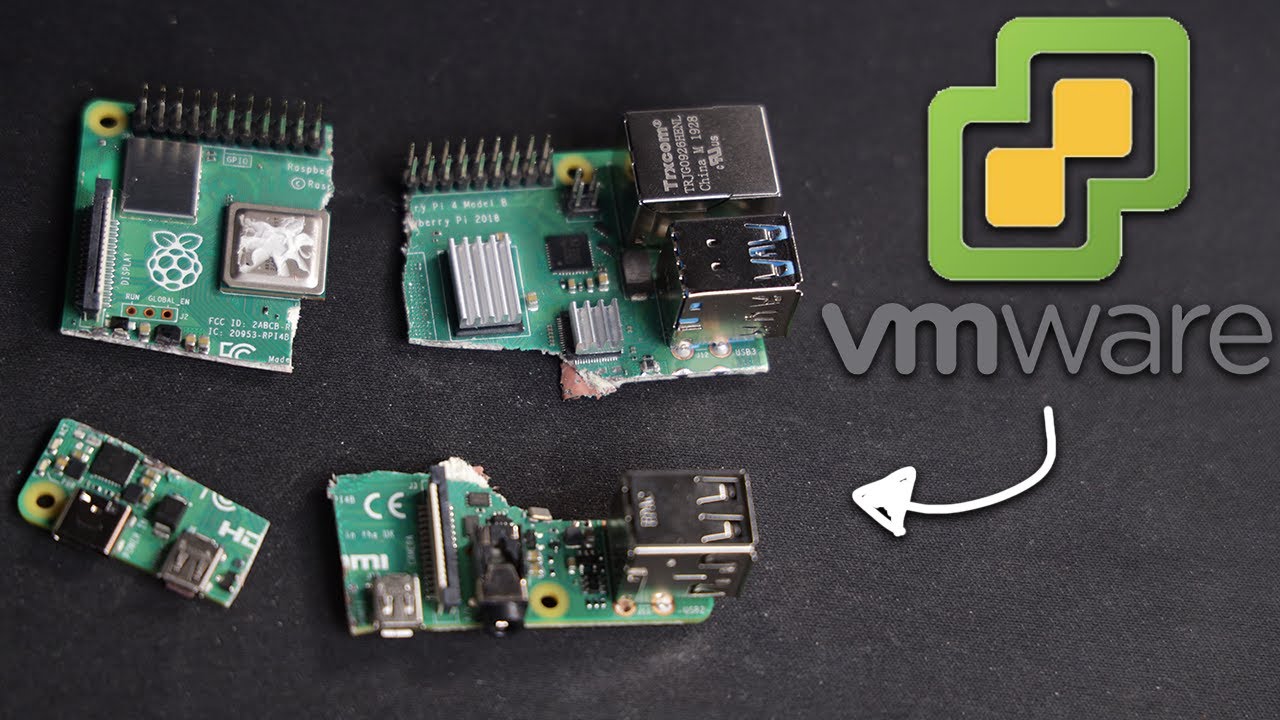
Run VMware ESXi on Raspberry Pi! 🚀
Discover how to install VMware ESXi on a Raspberry Pi. Enter to win 2 Raspberry Pis! Details here: https://bit.ly/31Ctafc

NetworkChuck
683.9K views • Oct 24, 2020
About this video
It's crazy...you can install VMware ESXi on a Raspberry Pi!!!! Do you need a Raspberry Pi? I'm giving away 2, ENTER HERE: https://bit.ly/31Ctafc
ENTER TO WIN a Raspberry Pi: https://bit.ly/31Ctafc
Buy a Raspberry Pi: https://geni.us/BmCeEgp
Blog Post: https://networkchuck.com/vmware-raspberrypi/
0:00 ⏩ Intro
1:56 ⏩ What do you need?
3:04 ⏩ Update your Raspberry Pi
4:37 ⏩ Get your SD Card ready for VMWare
7:26 ⏩ Create the VMWare installer
8:41 ⏩ Install VMWare ESXi on your Pi
14:13 ⏩ Create your first VM!!
20:31 ⏩ Add more storage
SUPPORT NETWORKCHUCK
---------------------------------------------------
➡️Become a YouTube Member: https://bit.ly/join_networkchuck
👊Join thisisIT: https://bit.ly/thisisitio 👊
☕OFFICIAL NetworkChuck Coffee: https://NetworkChuck.coffee
---What do you need?---
Raspberry Pi 4 (4GB or 8GB)
-Get the kit here: https://geni.us/BmCeEgp
2 USB Flash Drives
-A small one: (16GB or smaller): https://geni.us/DJdC
-A big one: (64GB or larger): https://geni.us/UAoi3H
Coffee (optional, but it really helps): https://networkchuck.coffee
---Update your Raspberry Pi---
Raspberry Pi Imager: https://bit.ly/3mwqh7Z
UPDATE COMMANDS:
sudo rpi-eeprom-update
sudo rpi-eeprom-update -a
---Prep your MicroSD Card for VMware---
Things you need to download:
Latest Raspberry Pi Firmware: https://bit.ly/2HpIaG6
UEFI Raspberry Pi Firmware: https://bit.ly/3jota8D
---Create the VMWare Installer---
VMWare Installer ISO: https://bit.ly/2J0bSCn
Tools to create the VMware installer
-(WINDOWS) Rufus: https://bit.ly/3jvIVKV
-Etcher (mac/linux): https://bit.ly/35w8p5X
FOLLOW ME EVERYWHERE
---------------------------------------------------
Instagram: https://www.instagram.com/networkchuck/
Twitter: https://twitter.com/networkchuck
Facebook: https://www.facebook.com/NetworkChuck/
Join the Discord server: http://bit.ly/nc-discord
other FANTASTIC CCNA training resources:
FULL CCNA course: http://bit.ly/2BJazQG ( @David Bombal )
ITProTV: https://bit.ly/itprotvnetchuck
🔥Learn Python🔥
Codecademy: http://bit.ly/2Me22NH
AFFILIATES & REFERRALS
---------------------------------------------------
(GEAR I USE...STUFF I RECOMMEND)
My network gear: https://geni.us/L6wyIUj
Amazon Affiliate Store: https://www.amazon.com/shop/networkchuck
Buy a Raspberry Pi: https://geni.us/aBeqAL
Keywords:
Raspberry Pi Raspberry pi 4
#raspberrypi #esxi #vmware
ENTER TO WIN a Raspberry Pi: https://bit.ly/31Ctafc
Buy a Raspberry Pi: https://geni.us/BmCeEgp
Blog Post: https://networkchuck.com/vmware-raspberrypi/
0:00 ⏩ Intro
1:56 ⏩ What do you need?
3:04 ⏩ Update your Raspberry Pi
4:37 ⏩ Get your SD Card ready for VMWare
7:26 ⏩ Create the VMWare installer
8:41 ⏩ Install VMWare ESXi on your Pi
14:13 ⏩ Create your first VM!!
20:31 ⏩ Add more storage
SUPPORT NETWORKCHUCK
---------------------------------------------------
➡️Become a YouTube Member: https://bit.ly/join_networkchuck
👊Join thisisIT: https://bit.ly/thisisitio 👊
☕OFFICIAL NetworkChuck Coffee: https://NetworkChuck.coffee
---What do you need?---
Raspberry Pi 4 (4GB or 8GB)
-Get the kit here: https://geni.us/BmCeEgp
2 USB Flash Drives
-A small one: (16GB or smaller): https://geni.us/DJdC
-A big one: (64GB or larger): https://geni.us/UAoi3H
Coffee (optional, but it really helps): https://networkchuck.coffee
---Update your Raspberry Pi---
Raspberry Pi Imager: https://bit.ly/3mwqh7Z
UPDATE COMMANDS:
sudo rpi-eeprom-update
sudo rpi-eeprom-update -a
---Prep your MicroSD Card for VMware---
Things you need to download:
Latest Raspberry Pi Firmware: https://bit.ly/2HpIaG6
UEFI Raspberry Pi Firmware: https://bit.ly/3jota8D
---Create the VMWare Installer---
VMWare Installer ISO: https://bit.ly/2J0bSCn
Tools to create the VMware installer
-(WINDOWS) Rufus: https://bit.ly/3jvIVKV
-Etcher (mac/linux): https://bit.ly/35w8p5X
FOLLOW ME EVERYWHERE
---------------------------------------------------
Instagram: https://www.instagram.com/networkchuck/
Twitter: https://twitter.com/networkchuck
Facebook: https://www.facebook.com/NetworkChuck/
Join the Discord server: http://bit.ly/nc-discord
other FANTASTIC CCNA training resources:
FULL CCNA course: http://bit.ly/2BJazQG ( @David Bombal )
ITProTV: https://bit.ly/itprotvnetchuck
🔥Learn Python🔥
Codecademy: http://bit.ly/2Me22NH
AFFILIATES & REFERRALS
---------------------------------------------------
(GEAR I USE...STUFF I RECOMMEND)
My network gear: https://geni.us/L6wyIUj
Amazon Affiliate Store: https://www.amazon.com/shop/networkchuck
Buy a Raspberry Pi: https://geni.us/aBeqAL
Keywords:
Raspberry Pi Raspberry pi 4
#raspberrypi #esxi #vmware
Tags and Topics
Browse our collection to discover more content in these categories.
Video Information
Views
683.9K
Likes
22.2K
Duration
23:43
Published
Oct 24, 2020
User Reviews
4.8
(136) Related Trending Topics
LIVE TRENDSRelated trending topics. Click any trend to explore more videos.
No specific trending topics match this video yet.
Explore All Trends