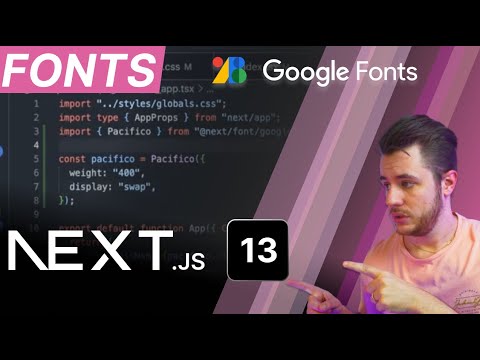
Next.js Fonts: Do's & Don'ts for Smooth Loading
Learn three methods to add fonts in Next.js—Google, local, and Next.js fonts—and prevent CLS for better performance. 🎨
Suncel
2.8K views • Nov 27, 2022
About this video
Three methods to use fonts in your Next.js project :
- Google fonts
- Local fonts
- Next.js fonts
How to prevent CLS (cumulative layout shift) due to fonts loading?
Which method is the best in terms of loading performances and Core Web Vitals score ?
Also, we will see how to use Next.js font combined with Tailwind CSS
Discord: https://discord.gg/cqTR6bbC6M
Github: https://github.com/suncel-io
Suncel documentation: https://docs.suncel.io/developer/getting-started/introduction
--------------- Content ---------------
00:00 - Intro
00:30 - Explain the system font
01:09 - Add a font via the Head (by fetching)
02:37 - Add downloaded font (local font)
03:40 - Implement Next.js Font
07:18 - Compare how each method performs
08:51- Conclusion
Music: Music Unlimited
- Google fonts
- Local fonts
- Next.js fonts
How to prevent CLS (cumulative layout shift) due to fonts loading?
Which method is the best in terms of loading performances and Core Web Vitals score ?
Also, we will see how to use Next.js font combined with Tailwind CSS
Discord: https://discord.gg/cqTR6bbC6M
Github: https://github.com/suncel-io
Suncel documentation: https://docs.suncel.io/developer/getting-started/introduction
--------------- Content ---------------
00:00 - Intro
00:30 - Explain the system font
01:09 - Add a font via the Head (by fetching)
02:37 - Add downloaded font (local font)
03:40 - Implement Next.js Font
07:18 - Compare how each method performs
08:51- Conclusion
Music: Music Unlimited
Video Information
Views
2.8K
Likes
31
Duration
9:30
Published
Nov 27, 2022
User Reviews
4.3
(2) Related Trending Topics
LIVE TRENDSRelated trending topics. Click any trend to explore more videos.
No specific trending topics match this video yet.
Explore All Trends